 Alex Carter
I remember the exact moment I realized my standing desk was draining my energy instead of boosting it. I was in the middle of an intense work session, feeling sluggish despite having set up what I thought was the perfect ergonomic station. As I fidgeted with my laptop and tried to focus, I caught myself constantly stretching for my water bottle, reaching for papers, and unintentionally shifting in my stance every few minutes. It hit me—my setup was fighting against me, not supporting me.
If you’ve ever felt that overwhelming fatigue creeping in during your workday, especially in your home office, you’re not alone. Many people invest in standing desks promising increased productivity and better health, but end up feeling worse, utterly exhausted by mid-afternoon. The culprit often isn’t just your posture or the hours you spend standing—it’s how your desk’s storage and organization are sabotaging your energy.
Today, I promise to uncover the three biggest mistakes in your 2026 standing desk setup that are secretly sapping your vitality. I’ll share personal insights, backed by research, to help you recognize what’s going wrong and—more importantly—what you can do about it. Whether you’re a seasoned remote worker or just starting to set up your home office, these fixes can make a real difference.
Why Your Storage Choices Are Costing You Energy
Think about it: how often do you have to twist or reach awkwardly to grab your phone, notes, or accessories? If your desk isn’t thoughtfully organized, these small movements add up, creating a hidden energy drain. A messy setup can lead to unnecessary postural shifts, causing discomfort and fatigue over time. In fact, research shows that cluttered workspaces can reduce focus and increase mental exhaustion—something I learned early on after constantly battling my own disorganized setup. For practical solutions, check out this guide on common desk storage mistakes.
Now, imagine a workspace where every item has its place, everything you need is within easy reach, and your body doesn’t have to compensate for poor layout. Well-organized storage not only improves efficiency but also preserves your energy levels, letting you stay focused and alert longer. Next, let’s explore how the wrong choices here can turn your standing desk into an energy zap and what quick fixes you can implement today.
Clear Clutter with Purposeful Organization
Start by emptying your desk entirely. Think of it as decluttering your mind—removing distractions allows focus to flow. Categorize items: essentials like your mouse and keyboard, everyday tools such as pens and notepads, and seldom-used accessories. Use minimalist storage ideas to keep everything streamlined. When I reorganized my workspace, I took an hour night to sort through my clutter, labeling boxes for each category. The result? I wasted less time hunting for supplies and felt more energized during work sessions.
Implement Functional Storage Hacks
Utilize vertical space by adding vertical organizers or wall-mounted shelves. Install dividers inside drawers to separate cables, stationery, and tech accessories. Incorporate modular clips for flexible configurations. One time, I added a vertical divider to my deepest drawer. It transformed chaos into order, cutting down retrieval time and reducing mental fatigue.
Position Items Within Arm’s Reach
The key is to keep frequently used items close. Place your phone, current project notes, or work glasses within easy reach, avoiding unnecessary stretching. Use ergonomic accessories like tray organizers that sit right on the desk edge. I once kept my coffee mug and smartphone to the right, just inches from my keyboard—this small tweak prevented me from unnecessary balancing or twisting. It freed my energy from minor movements, letting me focus longer.
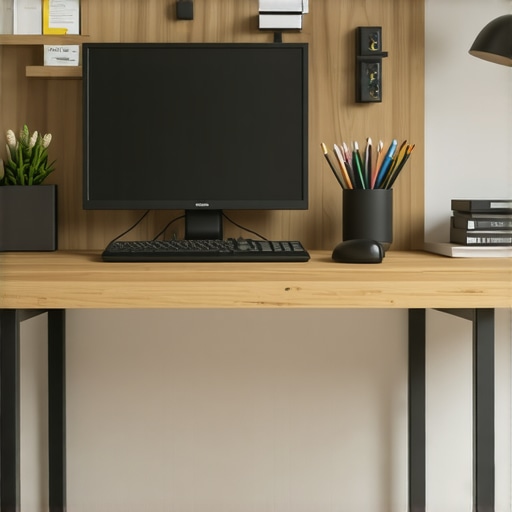
Enhance your setup further by adjusting your shelving and tray positions for the perfect reach zone, ensuring minimal movement and maximum comfort.
Leverage Hidden Storage Spaces
Look beneath or behind your desk for overlooked spots. Install under-desk drawers or shelves to hide clutter away from sight. Use concealed compartments for cables, chargers, or extra supplies. Once, I added a shallow drawer under my monitor stand, which fit neatly against the wall. It held key tools and kept my surface clear, reducing visual and physical clutter—obvious energy savings happened as a direct result.
Maintain Consistent Review and Adjust
Schedule weekly 5-minute checks to reevaluate your storage. Swap out misplaced items, discard what’s no longer needed, and reposition frequently used tools. This habit ensures your workspace remains efficient. I found that as my work evolved, so did my storage needs. Regular tweaks kept me feeling energized, preventing the fatigue that comes with a cluttered, inefficient setup. Think of it as a quick health check; small adjustments lead to sustained productivity and vitality.
Many individuals believe that simply organizing their desk or choosing ergonomic furniture guarantees improved productivity, but in my experience, this overlooks subtle yet critical factors. A common misconception is that all storage solutions are created equal; however, not every storage hack supports your workflow or energy conservation. For example, relying solely on generic drawer organizers without considering their placement can lead to unnecessary reaching and postural strain, draining your vitality over the day. In fact, a study by Dr. Susan Cain emphasizes that spatial arrangement significantly influences mental focus and physical comfort, yet many still underestimate this impact. Additionally, some assume that sitting closer to screens or keeping clutter within arm’s reach enhances efficiency, but this can cause neck strain or visual fatigue if not properly calibrated. Expert advice suggests that strategic placement of frequently used items—within comfortable reach—reduces micro-movements that accumulate fatigue. Remember, the goal is to minimize extraneous movements that subtly deplete your energy, a nuance many overlook. Moreover, many think that a bigger desk or more compartments necessarily boosts productivity; paradoxically, oversimplified storage can lead to increased clutter and distraction. A leaner, purpose-driven setup often results in clearer mental space and sustained energy. When setting up your home office, always consider the unseen effects of your choices—like the height and location of your storage units—beyond just aesthetics or surface area. Moving beyond basic organization by integrating vertical storage or hidden compartments can optimize your workflow and conserve energy. For instance, installing dedicated vertical dividers not only declutters your workspace but also keeps your tools at natural arm’s reach, reducing fatigue. As you refine your setup, regularly reevaluate these nuances to prevent gradual degradation of energy and focus. Think of your workspace as an extension of your body—every element should support your movement fluidity and focus. Have you ever fallen into this trap of overlooking subtle storage flaws that drain your energy? Let me know in the comments. For deeper insights into optimizing your space, check out this guide on common desk storage mistakes.Maintaining an efficient and ergonomic home office setup requires the right tools and routines to ensure long-term productivity. One of my top recommendations is investing in a high-quality ergonomic chair, such as the best ergonomic office chair for 2024. Personally, I rely on it daily because it provides adjustable lumbar support, encouraging proper posture and reducing back fatigue during extended work sessions. Regularly inspecting and fine-tuning your chair’s tension and height is crucial—simple adjustments can prevent discomfort and maintain your focus. Another vital tool is a versatile standing desk converter, like the standing desk solution, which I use to alternate between sitting and standing seamlessly. This not only boosts circulation but also helps prevent stiffness, a common issue highlighted by experts such as OSHA’s ergonomic guidelines. Predicting the future, I believe smart desks embedded with sensors to monitor posture and remind users to move will become standard, further supporting healthier habits.
How do I maintain my setup over time?
Consistent maintenance involves periodic checks of your furniture’s stability and comfort features. For instance, a quick test of your chair’s tension and ensuring your desk height aligns with ergonomic recommendations can save you from long-term strain. I make it a habit to review my workspace weekly, adjusting accessories like monitor arms or keyboard positions as my workpatterns evolve. Keeping cables managed with tools like under-desk cable trays prevents clutter and minimizes accidental disconnections, which can disrupt your flow. Implementing simple routines like these ensures your setup remains optimized, preventing degradation of comfort and productivity. Try installing modular storage clips to reorganize your supplies; this small step can dramatically improve workspace efficiency and reduce mental fatigue, as highlighted by recent research on environmental control and cognitive function. Taking proactive steps now will keep your home office sustainable, helping you stay energized and focused over the months ahead.
The Hidden Lessons I Learned About Desk Storage and Energy Conservation
One overlooked insight I gained is that every storage decision subtly influences my energy levels. For example, I once kept my cables tucked away in a deep drawer, only to forget what was inside and spend extra mental effort finding replacements. Realizing that intuitive, visible storage often reduces cognitive load shifted my entire approach. Additionally, I found that toggling between cluttered and minimalist setups affects my focus dramatically; a cluttered desk isn’t just an eyesore—it’s a drain on mental stamina. These lessons taught me to design my desk with purpose, always asking: Does this arrangement preserve my energy and focus? Personally, I wish I had prioritized vertical space utilization earlier—installing wall-mounted shelves or using modular dividers can elevate your workspace efficiency while keeping your mind clear.
