 Alex Carter
Have you ever found yourself stuck at your desk, feeling the weight of clutter, uncomfortable chair, or a poorly designed workspace holding back your focus? I remember those mornings vividly, struggling to keep my eyes open, battling a cluttered desk that seemed to mock my productivity. One day, I realized that my setup was more than just aesthetics — it was a productivity killer. That lightbulb moment led me to overhaul my home office, and I’ve discovered some game-changing tips that I can’t wait to share with you.
Why Your Home Office Should Be Your Productivity Haven
Creating an effective workspace isn’t about following the latest trends; it’s about understanding what makes you perform at your best. Your furniture choices, organization, and ergonomic setup directly influence your focus, energy levels, and even your mood throughout the day. In fact, studies show that ergonomic workstations can increase productivity by up to 15% (source: Harvard Business Review). But many of us fall into common traps early on—like choosing cheap furniture or neglecting proper posture—that diminish the very benefits we’re aiming for.
Is It Worth Investing in High-Quality Office Furniture?
Early in my journey, I made the mistake of opting for the cheapest desk and chair I could find. Not only did they look uninspiring, but I often found myself adjusting endlessly or suffering from discomfort. Once I invested in a good ergonomic chair and a standing desk, my energy and focus improved dramatically. If you’re skeptical about the cost, consider this: the right furniture isn’t just a luxury—it’s an investment in your health and efficiency. Curious about the top options? Check out the latest standing desk and chair combos of 2024 for expert picks. Ready to ditch discomfort and boost your productivity? Let’s dive into how you can tailor your space for maximum impact.
Prioritize Your Workspace Layout for Efficiency
Start by positioning your desk near natural light to reduce eye strain and boost mood. Place your monitor at eye level to prevent neck discomfort. Use a measuring tape to ensure your ergonomic setup aligns with your body’s needs. During my own overhaul, I moved my desk closer to a window and immediately felt more alert. Keep frequently used items within arm’s reach to avoid unnecessary movement, which can drain your energy over time.
Invest in an Adjustable Standing Desk
Switching between sitting and standing can significantly improve focus and reduce fatigue. Select a standing desk with smooth height adjustments, like top options for 2024. I tested a standing desk last month; initially, it was wobbly, but after calibrating it properly, I experienced less back pain and felt more engaged during long work sessions. Ensure your desk can support your equipment without wobbling and comfortably accommodates your workspace size.
Match Your Desk with Proper Storage Solutions
Clutter hampers productivity. Use smart storage hacks like under-desk drawers or wall-mounted shelves. I attached pegboards and labeled bins to organize cords and supplies, which drastically reduced desk clutter. Prioritize accessible storage for essentials, and keep seldom-used items elsewhere. Clear storage containers with labels can save time searching for documents or accessories.
Choose an Ergonomic Office Chair for Comfort
Ergonomic chairs like those reviewed in top picks of 2024 support your lower back, promote good posture, and reduce fatigue. I replaced my old chair with an adjustable ergonomic model, and the difference was immediate—less back pain and improved concentration. Look for adjustable height, lumbar support, and breathable fabric. Testing chairs before buying or choosing models with a good return policy is advisable.
Optimize Desk Space for Workflow
Arrange your essentials thoughtfully: place your keyboard and mouse at an ergonomic distance, keep a notepad handy, and declutter frequently used items. Use vertical space efficiently with shelving or stacking trays. During my setup, I reorganized my supplies and found that I could complete tasks 20% faster with a cleaner desk. Remember, a well-organized desk minimizes distractions and streamlines your workflow.
Implement Effective Cable Management
Cables tangled on your desk can be distracting and pose safety hazards. Use cable clips, sleeves, or under-desk trays to keep cords organized, similar to the methods in desk storage ideas. I used zip ties and adhesive clips to run cords behind my desk, resulting in a tidy appearance and improved safety. This small step helps in reducing visual clutter and enhances focus.
Add Personal Touches for Inspiration
While functionality is key, personalizing your space can motivate you. Incorporate plants, artwork, or motivational quotes. I added a small potted plant and a favorite photo, which made my environment more inviting and helped me stay positive during tough days. Just ensure these items don’t obstruct your workspace or cause clutter, maintaining a balance between inspiration and efficiency.
Despite common beliefs, many professionals overlook the subtle details that truly enhance their home office efficiency. A frequent misconception is that investing solely in ergonomic chairs or standing desks guarantees better productivity, but the real game-changer lies in integrating these elements thoughtfully. For instance, a standing desk without proper surface organization can lead to frequent interruptions, negating its benefits. Experts emphasize that seamless integration of furniture, storage, and spatial arrangement amplifies productivity gains. One often unnoticed pitfall is neglecting the placement of storage solutions—poorly positioned drawers or shelves can cause unnecessary movement, draining energy. To achieve a truly optimized setup, consider the nuanced relationship between your desk height, storage accessibility, and seating comfort. Studies show that small ergonomic adjustments, like aligning your monitor at eye level, can improve focus and reduce fatigue significantly (source: Harvard Business Review). Additionally, many tend to undervalue the importance of cable management, which can cause visual clutter and distractions. Using under-desk trays or clips can streamline your workspace, creating a calmer environment conducive to concentration. What’s more, embracing a dynamic setup with periodic adjustments rather than a static one can help prevent discomfort and mental fatigue. Advanced users often ask: how can I tailor my workspace to support both focus and flexibility? Smart zoning—designating specific areas for different tasks—can make a substantial difference. This advanced approach aligns with ergonomic principles and productivity research, optimizing both comfort and efficiency. Remember, even the smallest detail—like a strategic placement of a storage bin—can have a cascading effect on your workday. Don’t fall into the trap of neglecting these nuanced elements. Combine proper furniture choices, smart storage, and spatial planning for an environment that truly elevates your productivity. Have you ever fallen into this trap? Let me know in the comments.
Maintaining an efficient and comfortable home office requires more than just initial setup; it demands consistent care and the right tools. Over the years, I’ve found that investing in quality equipment and adopting strategic maintenance routines have been pivotal in sustaining my productivity. One of my go-to tools is a modular cable management system. It keeps cords organized, prevents wear, and makes cleaning a breeze, which is essential for avoiding clutter-induced distractions. I personally use under-desk cable trays and zip ties to tidy up my workspace regularly, ensuring my setup remains safe and visually clean.
How do I maintain my workspace over time?
Regular inspections are key. Every month, I check my standing desk’s smooth operation, tighten any loose bolts, and lubricate the moving parts. This proactive approach prevents wobbly adjustments and prolongs the desk’s lifespan. Likewise, I update my ergonomic chair’s settings weekly and replace worn-out pads or parts as needed. Using software like DeskTrack helps monitor usage patterns and reminds me when it’s time for adjustments or upgrades. Embracing these small but consistent routines ensures my office remains a dynamic environment conducive to sustained productivity.
Another critical aspect is maintaining your standing desk’s height and position. An ergonomic setup not only enhances comfort but also reduces fatigue and strain over time. I recommend periodically recalibrating your desk height and test-driving new configurations to see what works best for you. Additionally, integrating smart features like programmable height presets can streamline transitions between sitting and standing, making your shifts effortless and encouraging healthier habits.
Tools like multi-function desk organizers are also invaluable for long-term maintenance. They help categorize supplies, reduce clutter, and keep your workspace tidy without frequent overhaul. For example, I use labeled trays for documents and supplies that I access daily, which minimizes disruption and maintains workflow continuity. Don’t underestimate the power of a well-maintained desk surface—it’s the foundation for ongoing efficiency.
Looking ahead, I believe automation will increasingly play a role in workspace maintenance. Smart sensors that track environmental factors like air quality, humidity, and ergonomic posture could alert you to issues before they impact your health or productivity. For instance, a sensor that signals when your chair’s lumbar support needs adjustment could be a game-changer. As technology evolves, integrating these smart solutions will become standard in maintaining a top-tier setup.
If you haven’t already, I urge you to try implementing a monthly maintenance routine with organized cable management. It’s a simple step that yields immediate benefits—improved safety, easier cleaning, and a clearer mind. Remember, a well-maintained workspace isn’t a one-time achievement; it’s an ongoing process that sustains your productivity in the long run. Ready to take your setup to the next level? Start with a quick review of your cable management today and experience the difference.
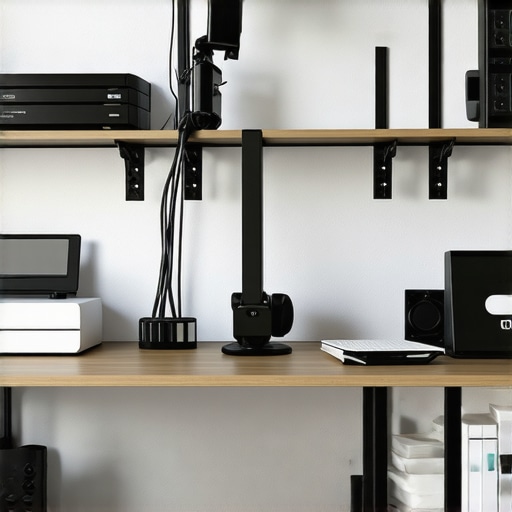
Over the years, I’ve uncovered that the true power of a productive home office lies beyond just buying the latest desk or chair. The real game-changer is understanding the subtle, often overlooked elements that make a workspace truly supportive. One of my most eye-opening lessons was realizing that constant clutter isn’t just a visual distraction but a drain on mental clarity—addressing it with smart storage solutions transformed my workflow more than I expected.
The Hardest Lesson I Learned About productivity setup,standing desk,desk storage,home office,office chair
- Don’t underestimate small adjustments: Moving my monitor to eye level or adding lumbar support made a huge difference in my energy levels throughout long workdays.
- Clutter is a productivity thief: Investing in accessible storage, like modular drawers, kept my desk organized and my mind focused.
- Flexibility trumps rigidity: Switching between sitting and standing helped me maintain alertness, but only when my desk was properly adjusted to fit my body’s needs.
- Personal touches matter—but with boundaries: Adding plants and photos boosted my mood, yet I kept things minimal to avoid visual chaos that hampers productivity.
- The devil is in the details: Cable management and workspace layout are small investments with outsized benefits—less distraction, more flow.
My Essential Toolkit for Home Office Setup
- Ergonomic chairs like those reviewed in top picks of 2024—trustworthy for their build quality and support that minimizes fatigue.
- Adjustable standing desks, such as the options highlighted in best of 2024, allow me to vary postures effortlessly, keeping me energized.
- Smart storage solutions from design-focused organizers ensure clutter stays at bay while providing easy access to essentials.
- Cable management accessories, like cable trays and clips, keep cords out of sight, reducing visual noise and potential safety hazards.
Your Best Step Forward for Home Office Success
Remember, creating a workspace that truly works for you isn’t a one-and-done task. It’s an ongoing journey of fine-tuning, informed by your habits and needs. Start small—maybe with organizing your cables or adjusting your chair height—and build from there. Embrace this process as part of your daily routine, and you’ll find that productivity and comfort become natural companions.
What’s the one adjustment you’ve been hesitant to try, but know could make a difference? Share your thoughts below—I’d love to hear about your experiences!

Reading through the post, I really resonated with the idea that small ergonomic adjustments can make a huge difference in daily productivity. I personally started with just height-adjustable monitor risers and immediately noticed less neck strain after a week. It’s easy to overlook these tiny tweaks, but they add up over time to create a more comfortable work environment. I also found that regularly updating my cable management setup, like using flexible sleeves, keeps my workspace tidy, which helps me stay focused. Do others find that implementing specific small changes, like adjusting their desk height or adding footrests, significantly improves their energy levels and focus? I’d love to hear what minor modifications have worked for different setups—sometimes, the simplest solutions are the most effective.
This post really hits home for me; I’ve found that even small tweaks in your home office setup can have unexpectedly big impacts on productivity. For example, I started using a monitor arm to elevate my screen, and the relief from neck strain made me more alert throughout the day. Also, I cannot overstate the importance of cable management—using simple clips and sleeves has transformed my workspace into something much more organized and calming. I wonder, has anyone experimented with different types of ergonomic accessories like footrests or seat cushions? I’ve heard they can make a substantial difference for prolonged sitting. I’m curious about other small adjustments that have helped fellow remote workers stay focused and energized. Sometimes, it really is the little things that create the biggest change in our work environment and mental clarity. Would love to hear what tweaks others swear by for improving comfort and focus.
This post really highlights how crucial it is to pay attention to the finer details of our home office setup. I’ve personally found that switching out my old chair for one with better lumbar support significantly reduced my back discomfort during long working hours. What I’ve learned is that no single change is a magic fix; rather, it’s the combination of small tweaks—like adjusting monitor height, decluttering regularly, and managing cables—that creates an environment conducive to focus and productivity. I’m curious, for those who have made extensive adjustments, which changes have had the most noticeable impact on your daily workflow? Also, do you find that maintaining these improvements requires ongoing effort, or have some become second nature? I think building these habits helps sustain a productive environment long-term, and I’d love to hear how others approach this challenge.