 Alex Carter
Ever found yourself staring at a cluttered desk, feeling overwhelmed before even starting your work? I remember those mornings vividly, where a mountain of papers, scattered pens, and random gadgets made my workspace feel more like chaos than a productive zone. That lightbulb moment hit me hard—my environment was directly impacting my mental clarity and focus. And honestly, it was preventing me from giving my best at work.
Why Decluttering Your Desk Is More Than Just Tidying Up
In today’s fast-paced world, a cluttered desk doesn’t just look messy; it hampers your ability to think clearly and make decisions swiftly. Scientific studies emphasize this connection, showing that physical clutter can negatively affect your concentration and cognitive performance (source: [Human-Computer Interaction Journal](https://journals.sagepub.com/doi/abs/10.1177/1473871619898371)). That’s why I’ve dedicated myself to developing minimalist storage solutions that keep my workspace streamlined and focused. The promise? Less distraction, more clarity, and a sharper mind in 2026.
Is Minimalist Storage Truly Effective in Boosting Productivity?
I used to think that investing in fancy storage units would be a waste—after all, how much difference can it really make? My early mistake was underestimating the power of simple organization. Once I started applying intentionally minimalist storage ideas, my productivity soared. No more digging through piles, and my mind felt lighter. If you’ve ever doubted whether decluttering can genuinely impact your efficiency, I get it. But trust me, transforming your workspace can be a game-changer. Ready to explore proven tips to banish clutter and boost your thinking clarity? Let’s dive in and discover the minimalist desk storage ideas that will redefine your work environment in 2026.
Prioritize Your Essential Items
Start by gathering everything you use daily—pens, sticky notes, chargers—and evaluate what truly belongs on your desk. Use small, labeled containers or drawer dividers to keep these essentials accessible but organized. I once dumped a drawer full of random cables and papers; after sorting and labeling, I saved ten minutes daily searching for my charging cables.
Streamline with Purpose-Driven Storage
Instead of generic drawers, invest in purpose-specific containers—like vertical file organizers for papers and shallow trays for frequently used stationery. For example, keep your current project documents within arm’s reach using a tiered letter tray, reducing clutter and mental overload.
Optimize Vertical Space
Vertical storage can dramatically free up desk surface. Mount wall shelves above your desk to hold books, decorative items, or additional supplies. I once installed a simple floating shelf above my standing desk, and it became my go-to spot for quick-access tools, turning clutter into space.
Implement Modular Storage Systems
Use modular cubbies or stackable drawers that can be rearranged as your needs evolve. During my recent home office upgrade, I opted for stackable clear acrylic containers, allowing me to see contents instantly, preventing unnecessary rummaging.
Declutter Regularly
Schedule a quick weekly review to remove unused items. Keep only what enhances your workflow. I set a timer for fifteen minutes every Sunday to reassess my desk items, which keeps clutter from piling up and distracts less during busy days.
Create Zones for Different Tasks
Designate specific areas for different activities—like a tech zone with accessories and chargers, and a paperwork zone with files and notebooks. This zoning minimizes cross-over and helps you stay focused. I learned this trick by dedicating one corner of my desk solely to digital tools, keeping my paper clutter elsewhere.
Use Multi-Functional Furniture
Choose desks or chairs with built-in storage options—like a drawer beneath the tabletop or a seat with compartments. This adds convenience and reduces the need for separate storage furniture. When I replaced my old desk with a model featuring integrated shelves, my workspace felt instantly more open and functional.
Leverage Hidden Compartments
Incorporate furniture with hidden compartments or pull-out trays for discreet storage of personal or seldom-used items. It’s surprising how much space is freed up when things are tucked away out of sight, yet easily accessible.
Adopt a Decluttering Mindset
Finally, cultivate the habit of regular assessment of your workspace. Does it serve your productivity or just collect dust? I force myself to evaluate my setup every month, ensuring my environment constantly promotes focus and efficiency.
When it comes to optimizing your home office for maximum productivity, many focus on the obvious—choosing a standing desk or ergonomic chair. However, there’s a common misconception that simply owning these essentials guarantees efficiency. In reality, the devil is in the details, and misunderstanding these nuances can undermine your entire setup.
Why Believing All Standing Desks Are Created Equal Is a Mistake
Many assume that investing in a standing desk automatically boosts productivity. But not all standing desks are designed with the same ergonomic considerations. For example, the height adjustability, stability, and surface area significantly influence comfort and usability. A premium standing desk with poor adjustability can lead to awkward postures, causing discomfort and reducing your focus. I recommend exploring guides like this resource to choose a model tailored to your needs.
Are You Falling for the Office Chair Myths?
A prevalent myth is that any ergonomic chair will solve back pain. Yet, the truth is more nuanced. The right chair must fit your body dimensions and support your lumbar spine properly. Over-tightening or incorrect seat height adjustments can negate ergonomic benefits. For instance, a chair set too low or high can place undue stress on your hips and lower back. Experts like ErgoExpert emphasize personalized fitting over generic solutions. Read more about selecting the best chair for your body type to avoid costly mistakes.
Common Oversights in Desk Storage That Hamper Workflow
Too often, people neglect the organization of their desk storage, leading to clutter that stifles productivity. The misconception is that having more storage compartments automatically means better organization. However, excess storage can create visual chaos and make it harder to find essentials quickly. Instead, adopting a minimalist, purpose-driven approach—such as smart storage solutions—ensures that your workspace remains functional and inspiring. Tailoring storage zones for different tasks can significantly streamline your workflow.
Is Your Home Office Environment Supporting or Sabotaging Your Focus?
Debates around lighting, acoustics, and even plants are common, but many overlook their impact relative to furniture choices. An environment saturated with distractions can negate all your ergonomic investments. The key lies in aligning your setup with your working style—this may involve noise-canceling headphones or strategic lighting placement. According to environmental psychology studies, modifying your workspace surroundings can boost focus almost instantly (source). Have you ever considered how small changes here can lift your productivity? Let me know in the comments.
Maintaining an efficient and ergonomic home office requires more than just investing in quality furniture and gadgets; it involves a proactive approach to upkeep and optimization. Regularly inspecting and tweaking your standing desk, office chair, and storage solutions ensures they continue to serve you well over time. For instance, periodically adjusting your standing desk’s height provides optimal ergonomics, preventing strain after months of use. Following expert guidance helps you stay aligned with best practices.
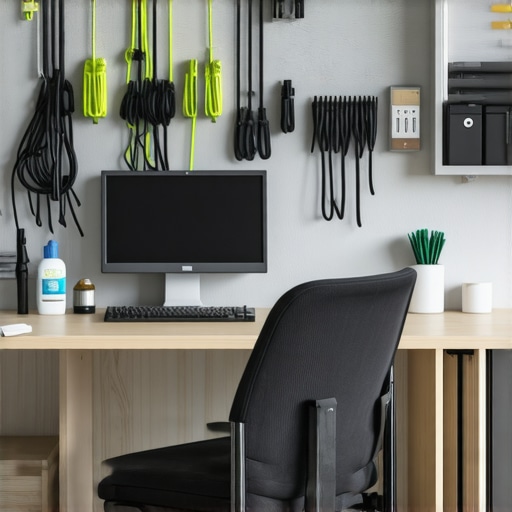
Tools like annual ergonomic assessments or digital apps can alert you to potential issues before they become problems. Deploying smart sensors on your desk or chair can collect data on usage patterns, prompting timely adjustments. Additionally, investing in reliable cleaning tools, such as microfiber cloths and compressed air cans, maintains your equipment’s longevity and aesthetics, especially in a high-use environment.
How do I maintain my home office setup over time?
Creating a maintenance routine is essential. Schedule quarterly reviews of your workspace, checking for wear and tear, and replacing worn components like chair wheels or desk mats. Employing a set of dedicated tools — for example, an Allen wrench set for tightening bolts or a cable management kit— simplifies ongoing upkeep. Establish a digital log or calendar reminder to perform these checks, which encourages consistency and prevents neglect.
Technological advancements promise even smarter solutions in the near future. For example, AI-driven ergonomic devices could automatically adjust to your posture or recommend health-boosting modifications via connected apps. Staying informed on these innovations ensures your setup remains cutting-edge and supports your productivity in 2026 and beyond.
If you haven’t already, try installing a cable management system that allows quick adjustments and prevents tangles—this small but impactful upgrade can streamline your workflow and reduce clutter. Regular maintenance not only prolongs the life of your furniture but also keeps your environment conducive to sustained productivity.
The Hardest Lesson I Learned About Organizing My Home Office
One of my most persistent mistakes was believing that filling every inch of my desk with gadgets and decor would boost productivity. I realized that clutter breeds distraction, not inspiration. The breakthrough came when I embraced minimalist principles and saw a tangible difference in my focus and efficiency.
Tools That Transformed My Workspace (and Could Change Yours)
Investing in purpose-built organizers, like modular shelving systems and cable management solutions, made a dramatic difference. I trust this guide on optimal desk setup to help craft a workspace that aligns with your workflow and keeps distractions at bay.
What’s the Biggest Obstacle to Your Perfect Home Office?
Often, it’s not a lack of equipment but a mindset—believing that your space is static. Adaptability is key. Regularly reevaluate your setup, integrate ergonomic adjustments, and stay open to upgrading. Remember, your environment should evolve with your needs, not hinder them. If you’re inspired to optimize further, check out this resource on standing desk tips to elevate your setup in 2026.
