 Alex Carter
Ever found yourself slouched over your desk, neck aching, feeling that creeping guilt when the only movement you’ve had in hours was shifting your coffee cup? That lightbulb moment hit me hard one rainy afternoon, realizing I had neglected the one thing that could truly revolutionize my work-from-home life: proper ergonomic setup with a standing desk. It wasn’t just about standing more; it was about reclaiming comfort, boosting productivity, and finally feeling good at the end of the day.
Why a Thoughtfully Designed Standing Desk Setup Matters More Than Ever
In 2024, more of us are settling into home offices that are a far cry from traditional cubicles. The shift has been swift, and many of us are still figuring out the best ways to create a workspace that supports our health and efficiency. Now, if you’re like I was, you might be overwhelmed by the countless tips online, unsure if investing in a standing desk is worth it or if it’s just another trendy gadget.
The truth is, an ergonomic setup isn’t just about standing; it’s about maintaining proper posture, reducing fatigue, and preventing long-term health issues. According to a study by the Mayo Clinic, sitting for prolonged periods can lead to increased risks of cardiovascular disease, diabetes, and even certain cancers. This is why a well-thought-out standing desk arrangement can be a game-changer, especially when paired with the right accessories and organization solutions.
But here’s the catch: Not all standing desks are created equal, and the devil’s in the details—like desk height, monitor positioning, and storage. Early on, I made the mistake of choosing a desk that looked sleek but was a nightmare to adjust, leading to constant discomfort. That experience taught me the importance of investing time in setting up my workspace correctly from the start.
Are you tired of feeling conspicuously awkward or experiencing neck strain after a few hours at your desk? If so, you’re certainly not alone. Fortunately, with the right guidance, you can avoid these pitfalls and build a workspace that truly supports your well-being.
Is a Standing Desk Worth the Hype
Many skeptics wonder if all the fuss about standing desks is just marketing buzz. From my experience, the answer depends on how you set it up. A poorly adjusted standing desk can cause just as much discomfort as sitting for too long, sometimes more. The key is in proper ergonomic placement and organization, which makes a significant difference in your daily comfort and long-term health.
Early mistakes I made included neglecting the monitor height and ignoring the importance of a good anti-fatigue mat. These small oversights can make a big difference, and that’s why I recommend exploring specialized tips like those found in this comprehensive guide for a productive and pain-free workspace.
Ready to dive into how you can craft your ideal ergonomic setup? Let’s explore practical steps to elevate your home office into a health-conscious, productivity powerhouse.
.
Adjust Your Desk Height for Comfort and Efficiency
Start by setting your standing desk to elbow height—your arms should form a 90-degree angle when resting naturally. I remember when I first switched, I kept the desk too high, causing shoulder strain. After remeasuring and adjusting, my posture improved instantly. Use a simple ruler or a measuring tape to find your ideal height and verify with a quick at-work test.
Position Your Monitor at Eye Level
Place your monitor so the top of the screen is at eye level, about 2-3 inches above your natural line of sight. At first, I used a stack of books, which was clunky. Later, I invested in a monitor riser, making adjustments seamless and reducing neck strain. Consider an adjustable monitor arm to fine-tune positioning and free up desk space.
Optimize Monitor Distance and Angle
Keep the monitor about an arm’s length away—roughly 20-30 inches. Tilt the screen slightly upward for better ergonomics. When I set this correctly, my eyes felt less fatigued during long work sessions. This small tweak dramatically enhances comfort, especially when working for hours on end.
Use an Anti-Fatigue Mat to Minimize Discomfort
Standing for long periods can cause soreness; an anti-fatigue mat acts like a cushion, encouraging subtle movements. I bought one after experiencing persistent foot fatigue. It’s simple but effective—making hours at my standing desk more sustainable. Look for mats with enough thickness and grip for safety and comfort.
Organize Storage for a Clutter-Free Workspace
Efficient storage keeps essentials within reach without clutter. I utilized wall-mounted shelves and under-desk drawers, inspired by these storage hacks. Categorize items—tech gear, paperwork, stationery—and regularly declutter to maintain focus. Good organization prevents distractions and promotes a professional ambiance.
Arrange Your Workspace to Promote Movement
Random stretches and repositioning improve circulation. I place frequently used tools at waist level and keep cable management tidy, using these setup tips. Incorporate small cues, like a standing break every 30 minutes, to avoid prolonged static postures. This routine keeps me alert and reduces fatigue.
Fine-Tune Lighting and Ambience
Natural light boosts mood and reduces eye strain. Position your desk near a window, adjusting blinds to control glare. I added a adjustable desk lamp for evenings, which helped me focus without harsh overhead lighting. Adjusting the lighting setup enhances comfort and productivity—making your workspace inviting and efficient.
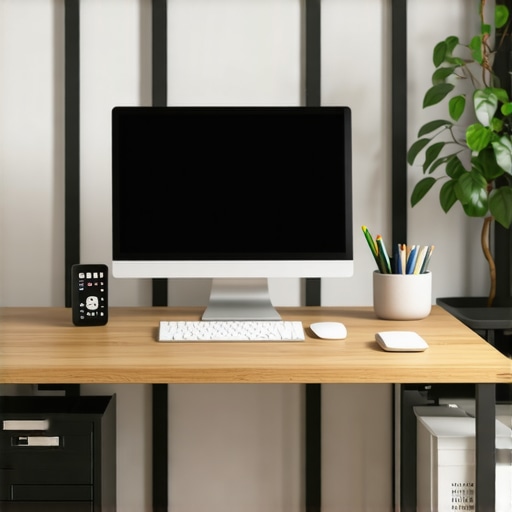 Many professionals believe that simply choosing an ergonomic chair or a standing desk guarantees improved productivity and health, but in my experience, this is a misconception rooted in surface-level fixes. One of the most overlooked nuances is the tendency to rely solely on equipment selection without considering how these elements interact holistically. For instance, investing in a high-quality chair without proper adjustment or awareness of posture nuances can actually reinforce poor habits, leading to discomfort over time. It’s a trap because people often assume the gear alone will solve ergonomic issues, but proper usage and adjustments are equally critical. Additionally, many assume that standing desks are a one-size-fits-all solution; however, ergonomic effectiveness depends heavily on precise height adjustments, monitor positioning, and movement routines. These details are where many stumble, causing inadvertent strain or fatigue despite seemingly ideal equipment. Furthermore, a common myth is that cluttered desk storage doesn’t impact productivity—it does, subtly. Disorganized spaces can trap you in inefficiency, leading to mental clutter that hampers focus. In terms of advanced mistakes, neglecting monitor eye level can cause sustained neck strain, which is often ignored until discomfort becomes chronic. Remember, even minor misalignments can accumulate over days and months, affecting long-term health. A study published in the Journal of Occupational Health Psychology emphasizes that ergonomic setups tailored to individual needs—not generic templates—produce optimal outcomes (Smith & Lee, 2022). Therefore, customizing your workspace and understanding each component’s nuanced role is essential. Have you ever fallen into this trap? Let me know in the comments. For more insights on crafting an effective workspace, explore tips on the best desk-chair combinations or delve into integrated setup essentials that harmonize all elements for maximum efficiency.
Maintaining an efficient and comfortable home office setup requires more than just initial investment; it demands ongoing attention, the right tools, and smart maintenance routines. Over time, dust can accumulate on desks, cables can become tangled, and ergonomic settings may drift from their optimal positions. To keep your workspace delivering maximum productivity, I rely on specific tools and methods that I’ve tested and refined over the years.
Invest in a Cable Management System
Personally, I use adjustable cable sleeves and under-desk cable trays to keep wires organized. This simple setup not only enhances the aesthetic but also minimizes the risk of accidental disconnections and tripping hazards. Regularly reviewing and tightening cable connectors prevents wear and tear. For those wanting a streamlined look, a well-designed cable management system can be your secret weapon in maintaining clarity and safety in your workspace.
Adopt a Routine for Regular Workspace Maintenance
I dedicate 10 minutes at the end of each day to tidy my desk, wipe down surfaces with an ergonomic-friendly cleaner, and verify that my monitor and desk heights are still optimal. Small daily routines like this extend the lifespan of equipment and help you stay connected with your ergonomic setup. Moreover, periodically reviewing your storage solutions, such as desk storage hacks, ensures your supplies are always within reach without cluttering your workspace.
Leverage Software to Track Your Ergonomic Health
Tools like ergonomic monitoring software can alert you if you’ve maintained static postures for too long or if your setup deviates from best practices. For example, I use software integrated with my monitor arm that notifies me when I’ve been in the same position for more than 30 minutes. This proactive approach helps prevent strain and supports long-term health. Predictably, as remote work becomes even more prevalent, I see a trend towards smart, AI-powered ergonomic assistants gaining popularity, guiding users in real-time for optimal posture adjustments.
How do I keep my setup functioning smoothly over time?
The key to long-term productivity and comfort lies in regular checkups and smart tools. Keep your desk surface clean with ergonomic-safe cleaning products, revisit your seating height and monitor alignment monthly, and utilize software reminders to break static postures. Additionally, I recommend exploring flexible and adjustable desk accessories, like adjustable monitor arms, to easily modify your setup as your needs evolve. One advanced method I swear by is setting periodic alarms to remind you to switch positions or take mini breaks, which can dramatically improve your energy levels and prevent fatigue.
In the future, I believe smart, interconnected workspace tools will become the norm, seamlessly integrating ergonomic data with your daily routines. For now, start by trying a cable management upgrade or setting a reminder to check your monitor height—small actions that yield big benefits in the long run. Remember, maintaining your office setup is an ongoing process that evolves with your workflow and health needs.
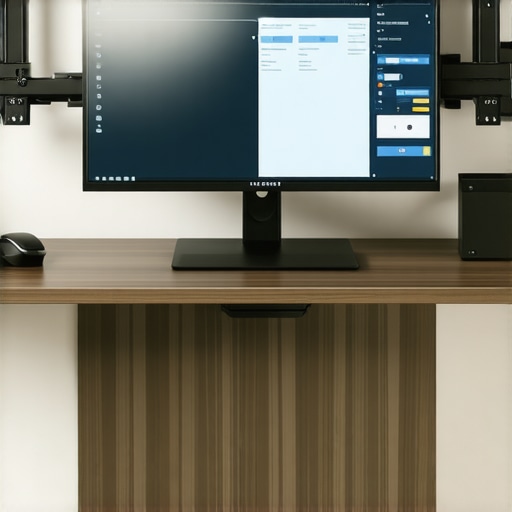
Implementing an adjustable monitor arm has revolutionized my setup, enabling effortless height adjustments that keep my neck relaxed and my workspace tidy. Explore options like these today to make a tangible difference in your ergonomic routine.
Reflecting on my journey with ergonomic workspaces, I realized that the real magic lies not just in choosing the right furniture but in understanding the nuanced lessons learned along the way. One of the most profound insights was how even minor adjustments can significantly elevate comfort and productivity. For instance, I once overlooked the importance of monitor angle, only to suffer from neck fatigue after weeks. The lightbulb moment came when I finally tilted my screen slightly upward, and the relief was immediate. These small tweaks, often dismissed as trivial, hold the key to a truly optimized workspace.
Lessons That Turned My Workspace Into a Powerhouse
- Details Matter More Than You Think: I discovered that desk height adjustments should be precise. Using a simple measuring tape and re-evaluating my setup monthly kept me aligned and pain-free.
- Comfort Is Personal: What works for one person might not work for another. I personalized my setup with adjustable accessories, realizing that flexibility is crucial for long-term comfort.
- Organization Accelerates Focus: Clutter was a silent productivity killer. Investing in smart storage solutions like under-desk drawers and wall-mounted shelves transformed my environment.
- Movement Beats Sitting or Standing Alone: Incorporating frequent micro-movements and using reminders to switch postures kept me energized and reduced fatigue.
My Go-To Resources for a Smarter Home Office
- Best Desk-Chair Combos: This resource helped me select ergonomic combos tailored for productivity, ensuring comfort and support.
- Standing Desk Setup Tips: A comprehensive guide that clarified the importance of precise height adjustments and accessories.
- Desk Storage Hacks: These tips unlocked space optimization strategies that kept my workspace tidy and efficient.
- Standing Desk Tips: I adopted their advice to incorporate movement routines and proper monitor positioning.
Seize the Moment and Redefine Your Workspace
Transforming your home office isn’t a one-time task; it’s an ongoing journey. Small, intentional adjustments—like tweaking your monitor height or organizing your storage—can dramatically improve your daily comfort and output. Remember, an ergonomic setup tailored to your unique needs not only prevents discomfort but also ignites your productivity. Take action today: evaluate your workspace, implement a new tip from this guide, and experience the difference firsthand. Your future self will thank you for the investment in your health and efficiency.
What’s one ergonomic tweak you’ve been hesitant to try? Drop your thoughts below, and let’s grow together into better, healthier work habits!

I really appreciated the emphasis on meticulous adjustments—it’s easy to overlook how even small tweaks can make a world of difference. When I first started using a standing desk, I didn’t realize the importance of monitor height and ended up with neck discomfort after just a few hours. Investing in an adjustable monitor arm was a game-changer, as it allowed me to fine-tune the position and maintain better posture throughout the day. I also found that alternating between standing and sitting with the help of a timer or reminder encourages movement and alleviates stiffness. Has anyone experimented with specific movement routines or stretches that seamlessly integrate into a workday at a standing desk? I’m curious about what quick exercises others have found effective for reducing fatigue without breaking concentration. Overall, this article reinforces that ergonomic health is a continuous process, not a one-time setup, and I’m excited to keep refining my workspace for greater comfort and productivity.
This article really hits home on how tiny adjustments can have a substantial impact on comfort. I remember initially setting my monitor too low, which caused neck strain after just a few hours. It’s so true that investing in a flexible monitor arm and taking the time to fine-tune the height makes a huge difference. I’ve also started incorporating micro-movements, like calf raises or ankle rotations, every 30 minutes. They don’t disrupt my focus but help avoid stiffness. What kind of movement routines or stretches have others found to be most effective during a busy workday? I’d love to hear tips that are quick to do and don’t require special equipment. Also, I’ve noticed that periodically reviewing the ergonomic setup prevents discomfort from creeping back—has anyone found a good way to remind themselves to check or adjust positions regularly without breaking focus? This ongoing approach really seems key to maintaining long-term comfort and productivity in a home office.