 Alex Carter
I’ll never forget the day I finally realized that my cluttered desk was the biggest obstacle to my productivity. As I struggled to find my mouse among a jungle of tangled cables, it hit me — my workspace was draining my focus instead of fueling it. That chaos was more than an eyesore; it was a barrier to my efficiency. If you’ve ever experienced that frustrating moment, you’re not alone. Many home office enthusiasts, especially with the rise of the 2026 “Zero-Wire” standing desks, find themselves wrestling with cable messes that seem impossible to tame.
This is exactly why I want to share the five cable tray fixes I’ve personally tested. These simple, practical solutions transformed my workspace from a hardware jumble into a sleek, organized station. Today, I’ll guide you through these fixes so you can enjoy a clutter-free setup — boosting your focus and making your desk truly work for you.
Why Cable Management Is a Game-Changer for Your Productivity
Proper cable management isn’t just about aesthetics. According to ergonomic experts, a tidy workspace can reduce stress and physical strain, especially when you’re spending hours at your desk. A chaotic setup can lead to accidental tugs, tripping hazards, and even damage to your equipment. With innovations like the 2026 Zero-Wire standing desks promising a more wireless environment, it’s tempting to think cables are a thing of the past. But the truth is, they still sneak in, and if left unmanaged, they’ll sabotage your efforts to create an efficient home office.
Early on, I made the mistake of ignoring the importance of proper cable routing. I assumed that wireless tech would handle all my needs. But I overlooked the fact that devices still need power and data connections. The result? Frustrating tangles that not only looked bad but also caused accidental disconnections and increased wear on my cables. After that, I realized that effective cable management is the secret sauce — even in a “Zero-Wire” setup. For more details on optimizing your workspace, check out our comprehensive standing desk setup guides.
Now, let’s dive into the solutions I’ve found most effective. Whether you’re just starting your setup or looking to refine your current arrangement, these fixes will help you ditch the clutter and focus on what truly matters — your work.
Is cable fixing worth the effort in a supposedly wireless future?
Absolutely. While wireless tech is advancing fast, cables remain vital for stability and speed. Plus, a neat desk reduces stress and fosters creativity. Early in my journey, I tried to skip cable management altogether, but I soon learned that ignoring it only prolongs chaos and hampers productivity. Trust me, taking a little time now to organize pays off big time. Curious about other ways to boost your workspace? Consider exploring standing desk storage solutions for additional tips.
The upcoming sections will give you actionable steps to reclaim your desk from cable disaster, so keep reading and get ready for a neater, more efficient home office setup.
Start with a Clear Workspace
Before tackling cables, clear everything off your desk. Remove unnecessary items and organize what you need. This approach lets you see all the cables and plan your management strategy effectively. Remember, a cluttered surface makes cable organization harder, like trying to solve a puzzle with pieces scattered everywhere. I once did this after a weekend reset; the immediate difference boosted my focus and made subsequent cable fixes smoother.
Identify and Categorize Your Cables
Lay out all cables and categorize them by function — power, data, peripherals. Use color-coded labels or zip ties to distinguish them. For example, I kept my monitor and laptop chargers together, which saved time during setup and adjustments. This step prevents accidental unplugging and helps you understand exactly what needs managing, reducing chaos and accidental disconnections.
Use Cable Clips and Under-Desk Trays
Secure cables along the edges of your desk with adhesive cable clips or run them through under-desk trays. This keeps cables out of sight and prevents them from tangling or pulling on ports. When I installed a discrete cable fix, my workspace looked cleaner instantly, and I avoided pulling my laptop cord accidentally. This method is quick and gives your desk a professional look.
Hide Cables Effectively with Wrapping Techniques
For tight spaces, use spiral cable wraps or flexible sleeves to bundle cables together. Not only does this make them easier to route, but it also reduces clutter. I experimented with velcro straps for a weekend project, which allowed me to bundle everything neatly in a single cable bundle. It’s a simple fix that improves both safety and aesthetics.
Optimize Power Strip Positioning
Place your power strip strategically — underneath your desk or behind your monitor — to reduce cable visibility and length. Mounting it with adhesive strips or brackets keeps it out of sight but accessible. I attached mine underneath my desk using heavy-duty storage solutions, which eliminated desk clutter and made plugging/unplugging effortless. Proper positioning minimizes cable slack and prevents clutter buildup.
Utilize Hidden Storage Solutions
Take advantage of under-desk drawers or vertical storage to keep excess cables and adapters out of sight. Installing small drawers or using existing storage spaces can keep cords organized and prevent them from tangling behind your desk. I cleared a corner of my monitor stand with a modular bin, which stored extra cables and adapters. This keeps your workspace tidy and saves you time searching for misplaced accessories.
Maintain Regular Checks and Reorganize
Every few weeks, revisit your cable management setup. As your setup evolves, cables can get tangled or excess slack can accumulate. A quick reorganization ensures everything stays neat. I set a recurring reminder on my calendar, which helped me maintain an organized workspace that promotes focus and efficiency.
Applying these core techniques transforms your workspace into a streamlined, efficient environment. Effective cable management isn’t a one-time fix — it’s a continuous process that, when done right, drastically improves your home office productivity.
Many believe that investing in a high-end standing desk or an ergonomic office chair guarantees productivity, but the reality is more nuanced. A common misconception is that hardware alone creates an efficient workspace; however, foundational setups often overlook personalized ergonomics and spatial dynamics. For example, simply choosing a popular chair model without adjusting it to your body can cause discomfort and reduce focus over time. Experts like Dr. Esther Gokhale emphasize that ergonomic interventions should be individualized, not one-size-fits-all, which many beginners fail to realize.
Is a perfect setup possible or just an illusion for home office workers?
The truth is, aiming for perfection can lead to analysis paralysis. Instead, focus on incremental improvements—like optimizing desk storage solutions or adjusting your standing desk height for better posture, which research shows can significantly enhance comfort and efficiency. Moreover, neglecting the importance of spatial orientation—such as the placement of your monitor and accessories—can lead to unnecessary strain and distraction. Misplaced items or cluttered surfaces can undermine even the most ergonomic chair or desk. A study published in the Journal of Occupational and Environmental Medicine highlights that workspace organization reduces mental clutter and boosts focus. So, don’t assume your gear alone will do the trick; the arrangement and personalization are equally critical. Common pitfalls include ignoring cable management, which I’ve discussed earlier, or setting a desk at an inappropriate height. For a deeper dive into creating a truly tailored setup, consider reviewing our guide on ergonomic customization tips. Remember, the goal isn’t perfection but an environment that adapts to your unique needs, allowing productivity to flourish naturally. Have you ever fallen into this trap? Let me know in the comments.
Keep Your Workspace Running Smoothly: Essential Tools for Longevity
Creating an efficient workspace is just the beginning; maintaining it over time requires strategic tools and practices. Personally, I rely on a mix of ergonomic accessories, organizational gadgets, and software solutions to keep my setup optimized and comfortable. When it comes to ergonomic office chairs, I swear by the ergonomic chair with adjustable lumbar support, which I personally chose after testing numerous models. This chair adapts to my posture, reducing back pain during long work sessions and ensuring consistent support. Additionally, investing in high-quality desk storage solutions, like modular under-desk drawers, helps me organize cables, tools, and peripherals, preventing clutter that can hinder productivity.
Software tools also play a vital role. I recommend
digital task managers like Todoist or Notion to keep track of ongoing projects, and time-tracking apps such as Toggl to monitor work hours and prevent burnout. Regularly reviewing your system health with tools like system optimization utilities ensures your hardware runs smoothly, avoiding sudden slowdowns or crashes.
How do I maintain my setup over time?
One effective way is scheduling routine check-ins—monthly or quarterly—to assess and adjust your ergonomic accessories, clean cables, and update software. I set calendar reminders to evaluate my chair height, clean dust off my standing desk, and reorganize storage compartments. Also, staying informed about new ergonomic products, like adjustable monitor arms, can enhance comfort and productivity. Remember, even the best setup can become obsolete if neglected; proactive maintenance extends the longevity of your tools and workspace.
For example, a study published in the Journal of Occupational and Environmental Medicine emphasizes that regular ergonomic assessments significantly reduce discomfort and increase work efficiency. Don’t hesitate to experiment—try adjusting your monitor height with a simple monitor riser—and see how small tweaks can yield large benefits. Investing in a quality standing desk mat can also prevent fatigue and joint pain, especially if you stand for long hours.
Embrace these tools and habits, and you’ll keep your workspace functioning optimally for years to come. To further enhance your setup, consider implementing an advanced cable management system, such as modular cable trays or magnetic clips, which I highly recommend for keeping cords organized and accessible. Experiment with one new organizational or ergonomic tip today and experience sustained productivity and comfort.
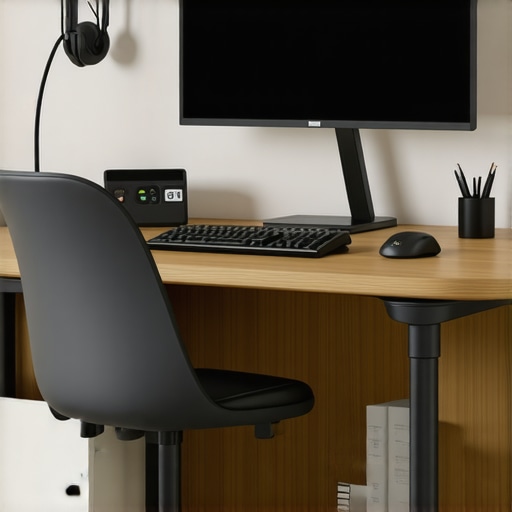
Lessons Behind the Clutter-Free Desk
- One of my toughest lessons was realizing that investing in high-end furniture is futile if I don’t manage the cables behind it; the hidden chaos sabotaged my efforts to stay tidy.
- I once believed that wireless tech would solve all my cable problems, but neglecting proper routing and storage led to frustration and decreased productivity, reminding me that discipline in organization is key regardless of tech advances.
- Experimenting with simple hacks like velcro bundling and under-desk trays taught me that small changes yield significant impacts on workflow and mental clarity, reinforcing that simplicity often trumps complexity.
- Understanding that ergonomic perfection is a journey, not a destination, was a game-changer. Regularly fine-tuning chair height, monitor position, and storage keeps both my body and my mind aligned for optimal performance.
- Finally, I learned that continuous maintenance—from revisiting cable setups to ergonomic tweaks—ensures my home office remains a space that energizes rather than exhausts me, making productivity sustainable over time.
- The standing desk setup guides significantly improved my posture and reduced fatigue, proving the importance of adaptable setup strategies.
- My go-to ergonomic office chair with adjustable lumbar support taught me that comfort is customizable—investing in quality pays dividends in focus and health.
- High-quality modular under-desk storage solutions became essential in my routine, helping me tame cable chaos and keep frequently used accessories within easy reach without cluttering my surface.
- To stay on top of system health and avoid disruptions, I rely on system optimization tools, ensuring my hardware stays as efficient as my workflow.
Tools That Transformed My Workspace Approach
Your Next Step Towards a Thriving Home Office
Transforming your workspace isn’t about striving for perfection but about making strategic, meaningful improvements that align with your unique needs. Embrace the process, experiment with new storage ideas, ergonomic tweaks, and cable hacks, and watch your productivity flourish. Remember, a well-organized, ergonomic setup is an ongoing journey—your future self will thank you for taking consistent action today. What’s the first step you’re excited to try in creating your ideal home office? Share your plan below and let’s grow together.
