 Alex Carter
I remember a morning not too long ago, stumbling out of bed feeling exhausted, despite a full night’s sleep. I realized it wasn’t just fatigue; it was my workspace. A cluttered desk, an uncomfortable chair, and a standing desk setup that didn’t quite fit my needs were draining my energy and focus. That lightbulb moment prompted me to reevaluate everything about my home office. Have you ever felt that frustrating sense of sluggishness, wondering if it’s your environment holding you back? You’re not alone, and the good news is, small changes can make a world of difference. Today, we’ll delve into practical, tried-and-true ergonomic setups, including the best office chairs and smart storage solutions, that can genuinely boost your productivity and comfort.
Why Your Home Office Setup Can Make or Break Your Productivity
For many of us working remotely, our home office isn’t just a space—it’s the engine of our daily productivity. But often, unnoticed details undermine our efficiency. An improperly adjusted ergonomic chair can cause discomfort, leading to frequent breaks or worse, chronic aches. Overstuffed drawers or a poorly organized desk can sap focus and add unnecessary stress. Research from Harvard Business Review highlights that a well-designed workspace reduces stress and improves concentration. I learned this the hard way early on, when I was juggling multiple tasks from a cluttered corner. I thought pushing through fatigue was normal—that is, until I started experiencing persistent aches and a decrease in output.
The truth is, a chaotic setup can be a sneaky productivity killer. So, if you’ve ever found yourself distracted by discomfort or overwhelmed by clutter, know you’re not alone. The good news? Making resolute, intentional changes like investing in a supportive ergonomic office chair or optimizing your standing desk can transform your workday. These adjustments aren’t just luxury—they’re essentials that support your physical health and mental clarity. Want to learn how to craft a home office environment that actually energizes you? Let’s explore the key elements that can elevate your workspace today.
Is Standing Desk Adjustments Overhyped?
One of my early mistakes was thinking that simply shifting between sitting and standing was enough. I neglected to consider proper ergonomics or sufficient storage, which made my standing periods uncomfortable and chaotic. Over time, I realized that without proper accessories and organization, even the best standing desk wouldn’t unlock its full benefits. The real magic lies in the details—like choosing a supporting office chair and effective storage strategies. If you’re skeptical, I get it. After all, not every gadget or tip is a game-changer. But proper setup does matter, and understanding the nuances can help you avoid common pitfalls and make smarter choices. Curious how small tweaks can lead to big productivity gains? Keep reading to discover the most impactful ergonomic improvements for your home office setup.
Adjust Your Standing Desk for Peak Comfort
Start by ensuring your standing desk is at the proper height—your elbows should form a 90-degree angle when your hands are on the keyboard. Replace your old desk with a height-adjustable model if needed, or use a sturdy monitor riser. I once spent hours fiddling with my desk height, testing different positions until I found the sweet spot that kept my wrists straight and back comfortable. This small tweak drastically reduced my fatigue by the end of the day.
Set Up Ergonomic Support Devices
Integrate anti-fatigue mats and monitor arms to reduce strain and facilitate easy adjustments. Think of these tools as the shock absorbers of your workspace, absorbing the bumps of long hours. When I added a monitor arm, I eliminated neck strain, which made my video calls much more comfortable. Visit this guide to find the options that suit your setup.
Organize Your Desk for Efficient Workflow
Clear clutter and implement a dedicated storage system. Use drawer dividers and desktop trays to keep essential items within reach and unnecessary clutter out of sight. Imagine your workspace like a well-organized kitchen: everything in its place ensures smooth cooking. Last week, I pulled out all my desk drawers, labeled each section, and created a mini command center for pens, notes, and gadgets. The result was an immediate boost in my ability to focus and execute tasks swiftly.
Optimize Storage with Smart Solutions
Utilize vertical organizers, cable management clips, and under-desk shelves. Think of these as the shelving units of your office, maximizing space without cluttering the surface. I installed a few under-desk baskets to hold chargers and accessories, freeing up my desktop for work. Reach this resource for innovative storage ideas tailored for standing desks.
Enhance Your Seating for Support and Flexibility
The right chair is crucial. Invest in an ergonomic office chair that adjusts for lumbar support, seat height, and tilt. Think of this chair as the foundation of a building—if it’s unstable, everything else suffers. I once used a generic chair, but after switching to an ergonomic model, my lower back felt supported even after long hours. Check this guide to select the best fit for your needs.
Replace Cushions with True Support
Use adjustable lumbar cushions and seat pads to customize your seating experience. Like customizing a car seat for comfort, fine-tuning cushions can prevent fatigue and discomfort. I played around with different cushions until I found one that alleviated my lower back pain, allowing me to work longer without strain.
Fine-Tune Lighting to Reduce Eye Strain
Position your desk to benefit from natural light while minimizing glare. Add adjustable task lamps with warm bulbs to create a soothing environment. It’s like choosing the right lighting for a camera—good light makes everything clearer. I moved my desk closer to a window, and with a simple adjustable lamp, I reduced eye fatigue during long screen sessions. For more tips, explore this article.
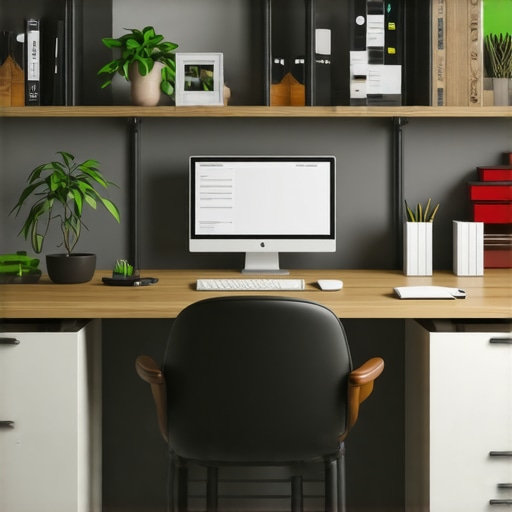
Many assume that simply adding a standing desk or investing in trendy storage solutions automatically boosts productivity. However, that’s a misconception rooted in surface-level thinking. One common pitfall is believing that standing all day is inherently better than sitting, but in reality, the real benefit comes from *how* you use the standing desk rather than the act itself. Overuse can lead to fatigue and discomfort, especially if ergonomic adjustments aren’t done correctly. This mistake often results in more harm than good, emphasizing the importance of proper setup and strategic use rather than just standing for extended periods.
Another prevailing myth concerns desk storage—many think that cluttered spaces foster creativity or that minimalism limits functionality. But recent studies, such as those from the University of California, show that well-organized workspaces reduce decision fatigue and improve focus. The key isn’t less storage but smarter, personalized solutions that keep essential items accessible without overwhelming your environment. Relying solely on sleek designs without considering your workflow can backfire, as inadequate storage hampers efficiency. It’s crucial to tailor storage solutions that fit your needs, like vertical organizers or cable management, which optimize space without sacrificing accessibility.
Is it better to focus solely on ergonomic tools or overall workspace harmony?
Many professionals fixate on acquiring the latest ergonomic office chair or standing desk accessories, but neglect the broader context. The true nuance lies in creating a harmonious environment where every element—from lighting to desk height—is calibrated to support your specific tasks and body. For instance, a high-quality chair alone won’t prevent fatigue if your monitor isn’t at eye level or if your desk height doesn’t match your seated position. It’s about integrating these components thoughtfully. Experts like neuroscientist Dr. John Medina emphasize that environment design profoundly impacts focus and cognitive performance. An imbalance—such as mismatched ergonomics—can cause subtle yet persistent discomfort that undermines productivity over time.
Furthermore, be cautious of falling into the trap of over-relying on technical gadgets. For example, mechanized sit-stand desks with numerous bells and whistles may seem appealing but can be a distraction if not properly configured. Focus instead on achieving a cohesive setup that aligns with your natural workflow, allowing you to toggle between sitting and standing seamlessly. To master this, consider exploring comprehensive guides like these strategies for optimizing your entire workspace, rather than chasing quick fixes.
Have you ever fallen into this trap? Let me know in the comments.
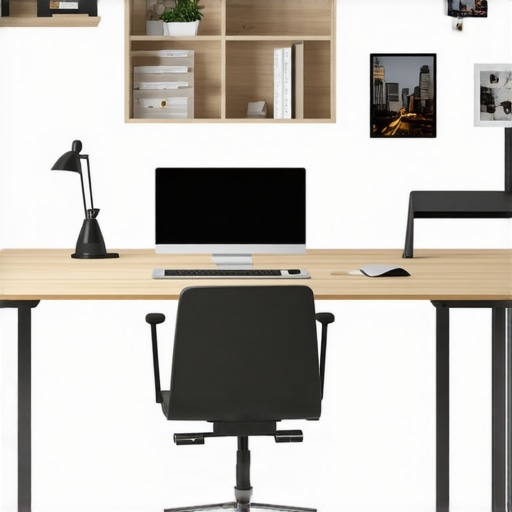
Once you’ve invested in quality standing desks, ergonomic chairs, and smart storage solutions, the next step is ensuring these tools stay effective over the long term. Proper maintenance isn’t just about cleaning; it’s about preserving the function and safety of your equipment so your productivity remains uninterrupted. Let me share the specific tools and routines I personally rely on to keep my home office setup in top shape.
Regular Checkups for Your Ergonomic Equipment
Schedule routine inspections of your adjustable standing desk mechanisms and chair components. I recommend setting monthly reminders to tighten bolts, lubricate moving parts with silicone spray (like WD-40 Multi-Use), and verify smooth height adjustments. These small steps prevent wear and tear from turning into costly repairs or replacements. For example, I noticed my desk’s pneumatic lift was sluggish until I applied a bit of silicone spray to the joints, restoring effortless height changes and extending its lifespan.
Invest in Diagnostic Apps and Digital Tools
Use software like ErgonomicsCheck or posture tracking apps to monitor your sitting and standing habits. These tools help you identify when you’re maintaining poor posture over extended periods. I personally use a combination of posture reminder apps and eye-strain monitors, which prompt me to correct my position before discomfort develops. Investing in these digital aids can dramatically improve your long-term health outcomes while reinforcing good habits. As research from Harvard Business Review emphasizes, consistent feedback significantly enhances ergonomic compliance, preventing chronic issues.
Maintain Your Office Environment with Scheduled Deep Cleans
Dust and debris can impair your equipment’s functioning—especially on moving parts and air vents of adjustable desks and chairs. I dedicate time quarterly to deep-clean my workspace, including vacuuming under furniture and wiping down surfaces with microfiber cloths and mild disinfectants. This not only extends the lifespan of sensitive components but also creates a more inviting work environment that encourages ongoing care.
How do I keep my workspace tools effective over time?
Creating a maintenance routine tailored to your specific setup is key. For example, regularly oiling the joints of adjustable desks and inspecting your ergonomic chair’s tilt and lumbar support ensures consistent comfort. For storage solutions, periodically reorganize to prevent clutter buildup that can hinder accessibility. Using a dedicated maintenance kit containing silicone spray, microfiber cloths, and small tools ensures readiness when issues arise. In addition, referencing expert guidance—such as the standing desk storage guide—can give you tailored tips to maximize tool longevity. As an actionable tip, I suggest setting a bi-monthly calendar alarm to perform quick checks on all key components. Just a few minutes can save you hours of discomfort or costly repairs down the line. Remember, consistent care keeps your entire ergonomic setup performing at its peak, ensuring your home office remains a true productivity powerhouse.
What I Wish I Knew When I Started Organizing My Home Office
One of the most profound lessons I learned was the importance of tailoring ergonomic choices to my unique workflow and body. Simply following generic advice didn’t fulfill the comfort and efficiency I craved. For instance, investing in an adjustable monitor arm allowed me to keep my screen at eye level, which drastically reduced neck strain. It taught me that customization surpasses one-size-fits-all solutions.
Second, sacred space matters—setting boundaries for my workspace helped me switch off after hours, preserving my mental well-being. I discovered that a clean, well-organized desk isn’t a luxury but a necessity, as clutter can subconsciously drain my focus. This insight encouraged me to allocate time weekly for maintenance, transforming my workspace into a true productivity sanctuary.
Lastly, I realized that consistent maintenance of my ergonomic tools prevents minor issues from turning into major disruptions. Regularly tightening bolts on my standing desk and checking lumbar support saved me from unexpected discomfort. These small, routine practices prove that longevity in home office setup requires nurturing—something I wish I prioritized from day one.
My Essential Tools for a Resilient Home Office
Among my trusted tools is the ergonomic office chair I rely on because its adjustable lumbar support and tilt features genuinely make a difference. I also swear by cable management clips, which keep cords tidy and prevent tripping hazards—an underrated aspect of safety and focus.
To optimize storage, I use vertical organizers and under-desk trays, maximizing space without cluttering my surface. Lastly, digital posture reminders from apps have kept me conscious of maintaining correct alignment, reminding me that technology can be an active ally in health.
Crafting a Workspace That Inspires Action
Your home office is an evolving project—every adjustment, every improvement, adds up to a more productive future. Small yet intentional changes, like fine-tuning your desk height or tidying your storage, can spark renewed motivation and better health. Don’t wait for discomfort to be a barrier; start today, and commit to ongoing care. Remember, your workspace should empower you—make it a place where innovation and well-being thrive.
What’s the next ergonomic upgrade you’re excited to try? Share your thoughts below—I’d love to hear how you’re transforming your home office!

I completely relate to the importance of this topic. I used to overlook the ergonomic setup of my home office, thinking a basic chair would suffice. But after experiencing persistent back pain, I realized how crucial a supportive and adjustable chair is. I invested in one with lumbar support, and it made a noticeable difference even after long hours. What I found especially helpful was using a monitor arm for keeping my screen at eye level, which alleviated neck strain. The post’s emphasis on maintenance tips, like tightening bolts and cleaning, resonated with me—simple routines that can prolong equipment life and keep your workspace efficient. For anyone struggling with discomfort, have you tried including regular movement or stretching as part of your routine? Sometimes, small tweaks like this can boost both comfort and productivity.