 Alex Carter
Ever had one of those mornings where you sit down at your home office desk and realize there’s nowhere to put your coffee, your notes are spilling over, and your chair feels like it’s conspiring against your back? Yeah, me too. It hit me one day—after a chaotic scramble to find my charger or a sticky note I needed—how much a cluttered, poorly organized workspace was secretly sabotaging my focus and efficiency. That lightbulb moment made me realize: my setup was holding me back, not helping me thrive.
Why a Well-Organized Standing Desk Could Change Your Workday
Since then, I’ve dedicated myself to mastering the art of a productive home office. The good news? Small tweaks—like optimizing your standing desk and storage—can make a world of difference. Think about it: a clutter-free, ergonomic setup isn’t just about aesthetics; it’s about creating a space that propels you toward your goals instead of dragging you down. And trust me, once I streamlined my workspace, my focus sharpened, my energy levels soared, and I felt less tired at the end of the day. Curious how to do the same? Stick around, because I’m about to walk you through practical, proven steps that will revolutionize your home office experience.
Is This Just Another Trend or Really Worth It?
Early on, I made the mistake of thinking, “It’s just a desk, how complicated can it be?” Spoiler: I bought a standing desk that’s too high, with zero thought about storage. Guess what? I ended up spending more time trying to find my pens and papers than actually working. That mistake taught me a valuable lesson: a good standing desk isn’t just about height—it’s about integrating smart storage solutions and ergonomic comfort. Want to avoid my rookie errors? Check out this guide to learn how to create a setup that works seamlessly for you.
So, if you’ve ever felt overwhelmed by a messy workspace or uncomfortable at your desk, know you’re not alone—and there’s a better way. Let’s dive into practical strategies that will help you craft a home office that boosts your productivity and keeps you motivated every single day.
Set Up for Success: Adjust Your Desk Height Precisely
Start by choosing a standing desk that offers fine-tuned height adjustments—think of it like tuning a guitar string to get the perfect pitch. I once bought a desk that only had two height settings, and after a week of discomfort, I realized the importance of precision. Use a measuring tape or a height adjustable desk with a digital readout to set your work surface so your elbows are at a 90-degree angle. This reduces strain on your shoulders and wrists, keeping you comfortable during long work sessions.
Maximize Space with Efficient Storage Hacks
Imagine your workspace as a well-organized toolbox—everything has a designated spot. I struggled initially with clutter, but a simple trick transformed my setup: vertical storage. Install wall-mounted shelves or pegboards to keep frequently used items like notebooks, chargers, or headphones within arm’s reach, freeing up desk space. Use drawer dividers and stackable trays to categorize papers and supplies, making it easy to find what you need without rummaging through piles. For more detailed ideas, check out this guide on desk storage solutions.
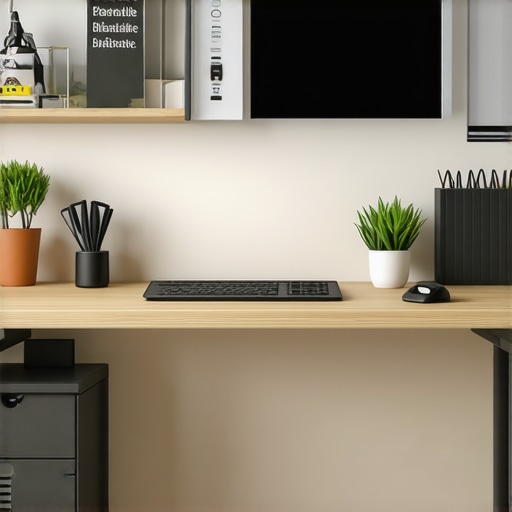
Proper storage is like a well-planned closet—maximize every inch for efficiency and peace of mind.
Integrate Ergonomics and Storage Seamlessly
Think of your ergonomic setup as the foundation of a sturdy house; without it, everything else collapses. Use an adjustable ergonomic chair like the ones recommended in this guide to complement your standing desk. Position your monitor at eye level to avoid neck strain—use monitor stands or wall mounts for flexibility. Combine this with underneath-desk storage or rolling carts to keep essential items close but out of sight, maintaining a clean look. This integration ensures you stay comfortable and organized, boosting productivity and reducing fatigue.
Create Zones for Different Tasks
Designate specific areas of your workspace for different activities. For example, have a dedicated zone for computer work, another for paperwork, and a separate spot for brainstorming or quick breaks. Use storage bins or labeled containers to keep supplies for each zone separated and easy to access. When I reorganized my desk into clearly defined zones, I noticed a significant drop in distraction and a boost in focus. For ideas on optimizing your entire setup, explore this comprehensive setup guide.
Regularly Declutter and Maintain
Set aside 5 minutes at the end of each day to tidy your workspace. Think of it as a quick tune-up for your car—preventative maintenance keeps everything running smoothly. Dispose of unnecessary papers, wipe down surfaces, and reorganize misplaced items. Over time, this habit prevents clutter from building up and ensures your space remains inviting and efficient. Remember, a clean desk is a clear mind, ready to tackle whatever the day throws at you.
Many home office enthusiasts focus on obvious aspects like choosing a standing desk or adding storage solutions, but there’s a layer of nuance that often gets overlooked—especially by those trying to optimize their workspace for real results. Let’s dig deeper into what most people get wrong about creating an efficient, ergonomic setup and how to avoid these pitfalls.
Why the Biggest Myths About Ergonomics Might Hold You Back
A common misconception is that simply having an adjustable chair or a sit-stand desk automatically guarantees comfort and productivity. In reality, many fall into the trap of focusing solely on equipment without understanding the importance of proper alignment and movement. According to a study published in Applied Ergonomics, consistent micro-movements and posture shifts are crucial for reducing fatigue and preventing musculoskeletal issues. This means that even the best setup can fail if you ignore the importance of active engagement—like regularly changing your position or incorporating stretching routines. So, don’t just buy trendy ergonomic furniture; learn the *correct* ways to use it. For detailed advice, check out this guide.
Another myth is that storage solutions are only about decluttering; in fact, they’re about strategic placement. Overstuffed drawers or shelves filled with rarely used items can create visual clutter that distracts your mind. The real trick is to categorize and position items based on how frequently you need them. For example, keep daily essentials within arm’s reach and store less-used items elsewhere. This approach minimizes unnecessary movement and mental clutter, which is supported by research from the Journal of Environmental Psychology. Remember, a clean desk is not just a neat desk—it’s a foundation for clear thinking.
Beware the Over-Optimization Trap
It’s tempting to chase after the perfect setup, but overdoing it can lead to analysis paralysis. I’ve seen many get caught in endless cycles of buying new gadgets, adjusting heights, or reorganizing storage, thinking they’ll finally unlock peak productivity. The truth? Sometimes, the best progress comes from making simple, intentional tweaks rather than constantly overhauling your entire setup. For instance, setting a fixed but comfortable desk height and establishing a daily declutter routine can be more effective than obsessing over every detail. To learn how to implement these strategies efficiently, explore this resource.
Lastly, advanced users often overlook the importance of integrating their ergonomic setup with task-specific zones. For example, creating dedicated areas for focused work versus quick meetings or brainstorming sessions can significantly boost efficiency. Use modular storage or movable partitions to define these zones, and tailor your equipment placement accordingly. As research from Harvard Business Review suggests, spatial organization influences how quickly and effectively you transition between tasks. So, don’t just think about storage and ergonomics in isolation—consider how your entire space works cohesively to support different activities.
Have you ever fallen into this trap? Let me know in the comments! Remember, mastering your home office isn’t about perfection; it’s about continuous refinement based on your unique needs and habits.
Maintaining an efficient and ergonomic home office setup goes beyond initial organization. To keep everything functioning optimally over time, investing in the right tools and adopting proven methods is essential. From ergonomic accessories to organizational software, I’ll share exactly what I personally use and recommend to ensure your workspace remains productive and comfortable for the long haul.
Invest in a Quality Monitor Stand and Cable Management
One of the simplest yet most impactful upgrades I made was adding a sturdy monitor stand. Not only does it elevate my screen to eye level—reducing neck strain—but it also creates space underneath for storing accessories like keyboards or notebooks. I personally prefer stands with built-in cable management channels, which help hide and organize cords, preventing the dreaded spaghetti mess. For example, the ergonomic office chairs and desk storage ideas include recommendations for cable organizers that make daily maintenance effortless.
Using cable sleeves and clips, I keep my power cords and device connections tidy, reducing wear and tear over time. Regularly checking and rerouting cables prevents accidental disconnections or damage, especially when adjusting your workspace. This kind of upkeep is crucial for long-term durability.
Leverage Software for Organization and Focus
Technology isn’t just for work tasks—it’s also a powerful aid for maintaining your workspace. I rely heavily on digital tools like Todoist for task management and Evernote for note organization. These apps keep my to-do lists clear and my ideas accessible, preventing clutter on paper or desktop icons. Additionally, I use website blockers during focused work sessions, like StayFocusd, which help me resist distractions and maintain momentum. Regularly reviewing my tasks and decluttering digital files keeps my workspace from becoming overwhelming.
Furthermore, employing calendar apps with integrated reminders ensures I allocate time for cleaning and reorganizing routines—making workspace maintenance part of my schedule rather than an afterthought.
Schedule Routine Upkeep to Prevent Clutter Accumulation
Just as a car needs regular oil changes, your home office benefits from scheduled maintenance. I set aside 10 minutes every Friday afternoon to tidy my desk, archive completed files, and check cables and devices. This routine prevents clutter from building up and helps spot potential issues—like a loose screw or a worn-out cable—before they become bigger problems. Over time, this habit maintains a clean, efficient environment that supports sustained productivity.
Future Trends in Workspace Maintenance
Looking ahead, I predict that smart workspace gadgets—like automated cable organizers and IoT-connected ergonomic devices—will become standard. These innovations will simplify maintenance tasks, automatically adjust settings based on usage, and alert you to potential issues. Embracing these technologies now will give you a head start in creating a future-proof home office.
How do I keep my workspace in top shape over time?
The key is consistency. Regularly scheduled maintenance, combined with the right tools—like cable management accessories, organizational software, and ergonomic upgrades—ensures your workspace remains a place where you can thrive. Don’t wait until clutter or discomfort disrupts your flow; make maintenance a daily habit and invest in quality tools that last. For more detailed recommendations tailored to maximizing your setup, explore this guide and start implementing these tips today.
The Unexpected Lessons That Changed My Home Office Approach
- One of the biggest revelations was realizing that investing in a high-quality monitor stand and cable management dramatically reduced clutter and improved my posture. It’s a simple upgrade that pays off over time.
- Another lightbulb moment was understanding that ergonomics isn’t just about the right chair or desk height, but about incorporating movement and posture shifts throughout the day to prevent fatigue and injury.
- Finally, I learned that regular maintenance—like a quick daily tidy—can prevent chaos from creeping back into my workspace, keeping my focus sharp and my mind clear.
Tools and Resources That Keep My Home Office Running Smoothly
- Ergonomic Office Chairs: I trust the recommendations in this guide because of their thorough testing and focus on long-term comfort.
- Desk Storage Solutions: For maximizing space, I use smart storage ideas that keep essentials within reach without cluttering my workspace.
- Productivity Apps: Digital organization tools like Todoist and Evernote help me keep track of tasks and notes, reducing paper clutter and mental overload.
- Cable Management Accessories: I rely on cable sleeves and clips to keep cords tidy, which makes adjusting my setup effortless and safe.
Your Next Step to a Better Home Office Starts Today
Creating an efficient, ergonomic home office isn’t a one-time project but a continuous process of refinement. By applying these tips and choosing the right tools, you’re investing in your productivity and well-being. Remember, small improvements lead to big results—so don’t wait to start transforming your space. How will you begin optimizing your home office today? Share your plans below and let’s support each other in creating the perfect workspace.
