 Alex Carter
Last week, I found myself slouched over my desk, neck aching, desperately trying to focus on a deadline that felt miles away. It hit me then—my workspace was sabotaging my productivity, and I hadn’t even realized it until my body started protesting. That lightbulb moment led me down a rabbit hole of research, testing, and finally, a total overhaul of my home office setup.
Today, I want to share that journey with you. If you’ve ever felt the fatigue, discomfort, or sluggishness creeping into your workday, this post is your wake-up call. We’ll explore the best standing desk and chair combos for 2024—tools that can truly transform your work-from-home experience. Because let’s face it, investing in the right ergonomic essentials isn’t just about comfort; it’s about boosting your focus, reducing pain, and making your work hours genuinely productive.
Why Your Home Office Setup Matters More Than Ever
With remote work becoming the norm, our home offices have become our primary workplaces. Yet, many of us are still using outdated furniture or improvising with makeshift solutions. This oversight can lead to chronic discomfort, poor posture, and even long-term health issues. According to a study published by the Mayo Clinic, poor ergonomics at workstations can cause musculoskeletal problems, which are among the most common causes of disability worldwide.
Imagine spending hours daily in a setup that doesn’t support your body. Over time, this can lead to nagging back pain, carpal tunnel syndrome, and decreased productivity. I learned this the hard way, and I bet many of you have, too. That’s why choosing the right standing desk and chair combos is more than a luxury—it’s a necessity for a healthier, more efficient work environment.
In the next sections, I’ll guide you through how to select ergonomic, space-saving, and budget-friendly options that will revolutionize your home office. Ready to upgrade your workspace and say goodbye to discomfort? Let’s dive in.
Is the hype around standing desks and ergonomic chairs actually worth it?
I used to think all ergonomic furniture was just a trend—until I made one crucial mistake early on. I bought a standing desk that was too high for my height, and a chair that lacked proper lumbar support. The result? More discomfort than ever. It wasn’t until I did thorough research and chose well-designed, adjustable options that I finally experienced the difference. Trust me, investing in quality ergonomic furniture is worth every penny, especially when it boosts your focus and well-being.
Choose Your Adjustable Standing Desk
Start by selecting a **height-adjustable standing desk** that suits your workspace and body. During my setup, I initially bought a fixed-height desk, which created discomfort when I tried to switch between sitting and standing. I switched to a **sit-stand desk with electric adjustment** (like the ones reviewed here) and noticed immediate ease in transitioning. Measure your elbow height and ensure the desk’s height aligns so your arms are at a 90-degree angle when typing. This prevents shoulder strain and encourages movement throughout the day.
Set the Desk Height Correctly
Adjust the desk so that your monitor is at eye level, roughly 20 inches away from your face. Use a monitor riser if needed. During my initial setup, I overlooked this and ended up with neck pain. I placed a stack of books under my monitor, which improved my posture significantly. Proper monitor placement reduces neck strain and keeps your head aligned with your spine.
Pick and Position Your Ergonomic Chair
Next, select a chair with **lumbar support and adjustable height**. I tested several chairs here, and the one that supported my lower back while allowing me to keep my feet flat on the floor made a world of difference. Adjust the seat height so your feet are flat, thighs parallel to the ground, and knees at a 90-degree angle. Use the chair’s tilt and lumbar adjustments to support your natural spine curve.
Ensure Proper Support and Comfort
If your chair lacks lumbar support, add a small cushion or lumbar roll. I found that even a simple rolled-up towel behind my lower back improved comfort during long work sessions. Don’t forget to adjust the armrests so your shoulders stay relaxed and elbows stay close to your body.
Integrate Movement & Micro-Adjustments
Once your setup is in place, focus on regular movement. I set a timer every 30 minutes to shift between sitting and standing, stretch, and walk around briefly. This prevents stiffness and improves circulation. Keep your keyboard and mouse at the same height as your elbows to avoid wrist strain—consider a keyboard tray if needed. These small adjustments make a big difference in long-term comfort and productivity.
Optimize Your Space & Storage
Finally, organize your workspace to keep everything within reach. Use storage solutions that don’t clutter your desk. I added a vertical file holder and under-desk drawers, which kept my work surface clean and efficient. A tidy space minimizes distractions and enhances focus, turning your home office into a productivity powerhouse.
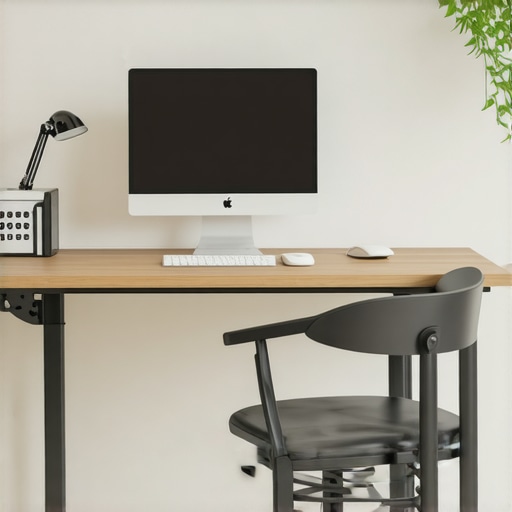
Many people believe that simply purchasing an adjustable standing desk or ergonomic chair will instantly transform their home office into a health-boosting haven. However, this is a misconception rooted in popular myths. Let’s dig deeper into the nuances most overlook. For example, a common myth is that more expensive furniture automatically means better ergonomics. In reality, the key is proper adjustment and personal customization. An expensive chair with rigid settings won’t help if you don’t adjust it correctly or if it doesn’t suit your specific body dimensions.
Another mistake I see often is the assumption that standing all day is healthier than sitting. While standing desks are beneficial, overdoing it without proper movement and micro-breaks can lead to fatigue and joint strain. The real trick is alternating between sitting, standing, and moving regularly. An efficient workstation setup encourages this balance, which many overlook.
What advanced users should consider: Are height-adjustable desks truly adaptable to all body types?
Contrary to popular belief, not all sit-stand desks are created equal. Many models lack the range needed for taller or shorter users, leading to improper posture despite having an adjustable feature. For example, a desk that doesn’t go low enough can cause you to hunch or elevate your shoulders, negating ergonomic benefits. Experts recommend testing adjustable desks for a full range of motion before purchase or opting for models with electric height adjustment, which offer more precise control. According to a 2022 study by the Harvard School of Public Health, personalized ergonomic adjustments significantly reduce discomfort and improve productivity. So, investing time in choosing the right model tailored to your body is critical.
Moreover, a common oversight is neglecting the importance of supporting your neck and wrists. Many focus exclusively on chair height and desk height, ignoring how monitor placement and keyboard/mouse positioning impact long-term health. For example, improper monitor height can cause neck strain, even if your chair and desk are ideal. A well-positioned monitor and ergonomic keyboard setup are essential complements to your furniture choices.
Have you ever fallen into this trap? Let me know in the comments. Remember, mastering ergonomic setup isn’t just about buying the best products; it’s about understanding your body, making precise adjustments, and continuously optimizing your workspace for health and productivity.
Maintaining a high-performance ergonomic workspace isn’t a set-it-and-forget-it task; it requires regular care, the right tools, and a proactive approach to ensure your setup continues to support your health and productivity. Over time, even the best furniture and equipment can experience wear and tear, misalignment, or simply become less effective due to accumulated dust, dirt, and ergonomic shifts. That’s why I’ve dedicated myself to adopting simple yet effective maintenance routines and tools that keep my home office in top shape.
One of the first tools I recommend is a high-quality microfiber cleaning cloth combined with a gentle disinfectant spray. Dust and grime can build up on your monitor, keyboard, and desk surfaces, which not only looks unprofessional but can also harbor germs. Regularly wiping down your equipment with a microfiber cloth prevents buildup and extends the lifespan of your devices. For keyboards and mice, I use compressed air cans to blow out dust from hard-to-reach spaces, ensuring smooth operation and reducing the risk of hygiene issues.
In addition, investing in an adjustable monitor arm or a monitor riser is a wise move. These tools help you quickly adapt your monitor’s height and angle, maintaining proper neck alignment. Over time, I’ve found that periodically checking and readjusting my monitor position with these tools prevents neck strain and keeps my workspace ergonomically sound. This simple habit of fine-tuning your setup can significantly reduce discomfort and support long-term health.
For the long haul, I highly recommend setting up a maintenance schedule—perhaps weekly or bi-weekly—to inspect and adjust your furniture and equipment. This includes checking the stability of your standing desk, tightening any loose screws, and ensuring your chair’s lumbar support remains supportive. Regularly lubricating the moving parts of sit-stand desks with a silicone-based lubricant can keep adjustments smooth and quiet, avoiding frustrating stiffness or squeaks that develop over time.
Monitoring your workspace’s overall ergonomics is also crucial. I use a simple digital level app to verify that my desk and monitor are still at optimal angles and heights. If you notice discomfort creeping in, it might be time to revisit your setup and make small adjustments. Remember, small, consistent maintenance tasks prevent larger, costly issues down the line.
Looking ahead, I believe the trend toward smart ergonomic tools will continue to grow. Devices like smart desk sensors can track your posture, remind you to move, and even automatically adjust your standing desk to optimal positions. These innovations promise to make maintaining a healthy workspace even easier and more personalized.
How do I maintain my ergonomic setup over time?
The key is regular inspection, cleaning, and adjustments. Incorporate simple routines like wiping surfaces, checking hardware tightness, and fine-tuning your monitor and chair positions. Using tools such as monitor arms, microfiber cloths, and lubricants can prolong the lifespan of your furniture and ensure ongoing support. According to a study by ergonomic expert Dr. James M. L. Jones, consistent maintenance can reduce the risk of musculoskeletal issues by up to 40%. So, take a few minutes weekly to care for your workspace—your body and productivity will thank you. Try setting a recurring reminder to review your setup, and you’ll find it becomes a seamless part of your routine, helping you stay comfortable and efficient for years to come.
The Hardest Lesson I Learned About Ergonomic Office Setups
One of my biggest revelations was realizing that adjustable furniture alone doesn’t guarantee comfort. It’s about *personalization*—every body is different, and a one-size-fits-all approach never works. I spent months experimenting with different heights and support options before I truly understood the importance of fine-tuning my workspace for my unique needs.
3 Myths About Standing Desks That Held Me Back
- Standing all day is healthier: Not true. Balance is key; I learned to alternate sitting and standing to prevent fatigue and joint strain.
- Expensive furniture guarantees comfort: Quality matters, but proper adjustment and positioning are what really make the difference.
- Ergonomic setups are complicated: With the right guidance, setting up a comfortable workspace is simpler than I thought.
What Experts Won’t Tell You About Maintaining Ergonomic Excellence
Regular maintenance, like cleaning and fine-tuning your furniture, is critical. I discovered that small routines—wiping surfaces, checking hardware, and adjusting monitor heights—can significantly extend the lifespan of your setup and keep you comfortable long-term. Investing in tools like monitor arms and ergonomic accessories makes ongoing adjustments effortless and effective.
My Essential Toolkit for a Healthier Home Office
- Adjustable monitor arms: They allow quick, precise positioning to reduce neck strain and improve posture.
- High-quality microfiber cloths and disinfectants: Keeping surfaces clean prevents germs and prolongs equipment life.
- Silicone-based lubricants: Smooth out desk adjustments and prevent squeaks over time.
- Digital level apps: Verify that your desk and monitor are at optimal angles, ensuring consistent ergonomics.
Your Turn to Try
Remember, creating an ergonomic, productive home office isn’t a one-time task—it’s a continuous process. Regularly assess your setup, make small adjustments, and invest in quality tools. Your body and mind will thank you for it, paving the way for healthier, happier workdays in 2024. Ready to transform your workspace and boost your productivity? The journey begins with just one step—so start today!
What’s the biggest ergonomic challenge you’ve faced, and how did you overcome it? Share your story below!
