 Alex Carter
How I Discovered the Power of a Comfortable Home Office Setup
Last year, I found myself struggling to focus during long work sessions at home. My old desk chair was uncomfortable, and I often felt stiff after hours of sitting. That’s when I decided to invest in ergonomic solutions, and honestly, it was a game-changer. I started exploring options for ergonomic chairs and standing desks, realizing how much these tools could enhance my daily productivity and well-being.
My Experience with Ergonomic Chairs: Sitting Comfortably for Hours
Choosing the right ergonomic chair was not as straightforward as I thought. I wanted something that supported my lower back, allowed for good posture, and was adjustable. After researching and testing a few models, I settled on a chair that offered lumbar support and breathability. The difference in comfort was immediate; I no longer felt the usual aches and pains after a long workday. For those interested in similar upgrades, I recommend checking out the best standing desks and office chairs for optimal comfort.
Standing Desks: The Dynamic Alternative to Sitting All Day
Initially skeptical about standing desks, I was surprised at how easily I adapted to this new setup. Alternating between sitting and standing helped reduce fatigue and improved my focus. I placed my standing desk near a window, making it a bright, inviting workspace. The key, I learned, was to find a desk height that allowed my arms to rest comfortably and my monitor to be at eye level. Incorporating a standing desk significantly boosted my energy levels, and I felt more engaged during work hours. To build a productive and ergonomic home office, I also explored comprehensive setup guides.
What Makes a Home Office Truly Ergonomic and Personal?
Creating an ergonomic space isn’t just about the furniture; it’s about personal comfort and habits. I found that combining adjustable chairs and standing desks with proper lighting and organization made a real difference. It’s worth considering how each element contributes to your overall well-being. Do you think ergonomic accessories really improve productivity? I believe so, especially when tailored to your specific needs. For more organization tips, I recommend browsing desk storage and organization ideas.
How Do I Know if My Home Office Is Truly Ergonomic?
That’s a great question. An ergonomic workspace should allow you to sit or stand comfortably without strain. Your monitor should be at eye level, feet flat on the floor, and your back well-supported. I often check my posture throughout the day and adjust my chair height or desk position as needed. According to ergonomic experts, small adjustments can make a big difference in preventing discomfort and enhancing productivity (CDC Ergonomics Guidelines). I encourage you to experiment and find what works best for your unique space and body.
If you’ve made changes to your home office setup, I’d love to hear about your experience! Feel free to share your tips or ask questions in the comments below. Remember, your workspace should support you, not hinder you—so invest in your comfort and productivity today.
What Are the Hidden Benefits of Ergonomic Accessories in Your Home Office?
Beyond immediate comfort, ergonomic accessories can have profound effects on your long-term health and work efficiency. For instance, ergonomic keyboard trays or mouse pads with wrist support can prevent repetitive strain injuries, which are common among remote workers. These accessories not only reduce discomfort but also promote better posture, helping to avoid chronic issues like carpal tunnel syndrome or neck pain. Integrating ergonomic tools effectively requires understanding your unique workspace and personal needs. For detailed insights, check out the best ergonomic office accessories.
How Can You Personalize Your Ergonomic Setup for Maximum Impact?
Personalization is key to creating a truly ergonomic home office. This involves more than just choosing adjustable furniture; it requires tailoring your workspace to your specific body dimensions and work habits. For example, adjusting your monitor height to align with your eye level, or using footrests to support your legs, can significantly enhance comfort. Moreover, incorporating elements like anti-fatigue mats when using a standing desk can reduce lower limb fatigue. To optimize your workspace, explore detailed guides on custom ergonomic setups. Remember, small tweaks often lead to the biggest improvements in comfort and productivity.
Are There Common Ergonomic Mistakes That Could Be Sabotaging Your Productivity?
Absolutely. Many remote workers unknowingly adopt habits or setups that undermine their ergonomic benefits. For example, sitting too low at your desk, hunching over your laptop, or placing your monitor too far away can cause strain and reduce focus. Additionally, neglecting to take regular breaks or failing to alternate between sitting and standing can lead to fatigue and discomfort. Ergonomic success hinges on awareness and deliberate adjustments. Regular posture checks, using ergonomic tools, and following expert guidelines—such as those from the CDC Ergonomics Guidelines—are essential. Curious about how to identify and correct these mistakes? Consider consulting ergonomic specialists or reading comprehensive resources to refine your setup.
If you’ve made ergonomic improvements in your home office, share your experiences or ask questions in the comments. Your insights could help others craft a workspace that truly supports their health and productivity!
Beyond Basic Comfort: The Nuanced Art of Personalizing Your Ergonomic Setup
When I first transitioned to a more ergonomic home office, I believed that adjustable chairs and standing desks were the ultimate solution. However, over time, I realized that true ergonomic mastery involves a subtle understanding of how small adjustments can significantly impact comfort and productivity. For instance, I discovered that tweaking my monitor tilt and adding a footrest not only alleviated fatigue but also fostered a more engaged mindset during long work sessions. Personalization isn’t just about the furniture—it’s about tuning every detail to fit your unique body and work habits, transforming your workspace into a true extension of yourself. If you’re curious about fine-tuning your ergonomic environment, explore detailed guides on custom ergonomic setups.
How Do Ergonomic Accessories Prevent Long-Term Injury—And Are They Worth It?
In my experience, ergonomic accessories like wrist supports, anti-fatigue mats, and adjustable keyboard trays do more than just provide immediate relief—they serve as preventive measures against chronic injuries. I’ve personally seen how a well-chosen wrist rest can make a difference in avoiding repetitive strain injuries like carpal tunnel syndrome. The key lies in their proper use; for example, positioning a wrist rest at the correct height ensures your wrists remain neutral, reducing strain over hours of typing. According to ergonomic researchers, investing in these tools pays off by maintaining long-term health and reducing downtime caused by discomfort (CDC Ergonomics Guidelines). For those who often work late into the night or have demanding tasks, these accessories can be a game-changer, making your workspace both safer and more efficient.
What Are the Surprising Psychological Benefits of a Thoughtfully Designed Ergonomic Space?
Creating an ergonomic workspace isn’t solely a physical endeavor; it profoundly influences mental clarity and motivation. When I redesigned my home office to incorporate natural light, personalized organizational elements, and ergonomic tools, I noticed a boost in my mood and focus. A well-organized, comfortable environment reduces stress and fosters a sense of control over your workday. The psychological benefits extend further—being intentional about your workspace encourages mindfulness and respect for your own well-being. I’ve found that these small design choices, like choosing calming colors or adding plants, can elevate your work experience beyond mere functionality. If you’re interested in exploring how your environment impacts your mindset, check out organization and aesthetic tips.
Can Ergonomic Improvements Truly Boost Your Cognitive Performance?
This is a question I’ve pondered deeply. While ergonomics primarily targets physical comfort, its ripple effects on cognitive function are undeniable. When I feel physically at ease, my ability to concentrate and think creatively improves significantly. Research suggests that reducing discomfort minimizes mental distraction, allowing your brain to focus more effectively on complex tasks (NCBI Study on Ergonomics and Cognitive Performance). For those seeking to maximize mental clarity, investing in ergonomic tools is more than just a health choice—it’s a strategic move toward sustained mental agility. I encourage you to share your experiences or ask questions about how ergonomic adjustments have impacted your cognitive performance in the comments—your insights might inspire others to elevate their workspace and mind alike.
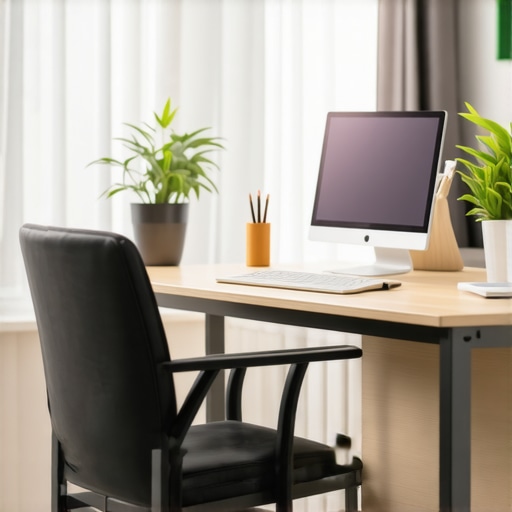
The Nuanced Art of Fine-Tuning Your Ergonomic Environment
Transitioning to a thoughtfully designed ergonomic home office initially felt like a straightforward upgrade—adjustable chairs, standing desks, and proper lighting. But as I delved deeper, I realized that true mastery lies in the subtle art of personalization. Small tweaks, such as adjusting monitor tilt angles or repositioning footrests, can profoundly influence comfort and productivity. I found that fine-tuning these details creates a workspace that not only supports my posture but also enhances my mental engagement, transforming routine work into a seamless flow. Exploring detailed guides on custom ergonomic setups can help you discover personalized adjustments tailored to your unique needs.
Are Ergonomic Accessories Worth the Investment in Long-Term Health?
From my experience, ergonomic accessories such as wrist supports, anti-fatigue mats, and adjustable keyboard trays are invaluable in preventing chronic injuries. Properly positioned wrist rests, for instance, ensure neutral wrist alignment, reducing the risk of carpal tunnel syndrome. Anti-fatigue mats alleviate lower limb fatigue when standing for extended periods, maintaining energy levels and focus. According to authoritative research by the CDC Ergonomics Guidelines, these tools are essential preventive measures that safeguard your long-term health. Investing in quality ergonomic accessories not only alleviates immediate discomfort but also fortifies your workspace against future health issues, making them a wise choice for dedicated remote workers.
How Do Ergonomic Improvements Influence Cognitive Efficiency and Creative Output?
This is a question I’ve pondered extensively. The connection between physical comfort and mental performance is profound. When my workspace is ergonomically optimized, I notice a significant reduction in mental distractions caused by discomfort. This clarity fosters deeper focus and sparks creative insights. Research published in the NCBI Study on Ergonomics and Cognitive Performance supports this, indicating that ergonomic interventions can enhance cognitive function by minimizing physical stress. For those aiming to elevate their mental agility, prioritizing ergonomic excellence is more than a matter of health—it’s a strategic investment in sustained productivity and innovative thinking. Share your own experiences or questions below; your insights could inspire others to optimize their workspace for maximum cognitive benefit.
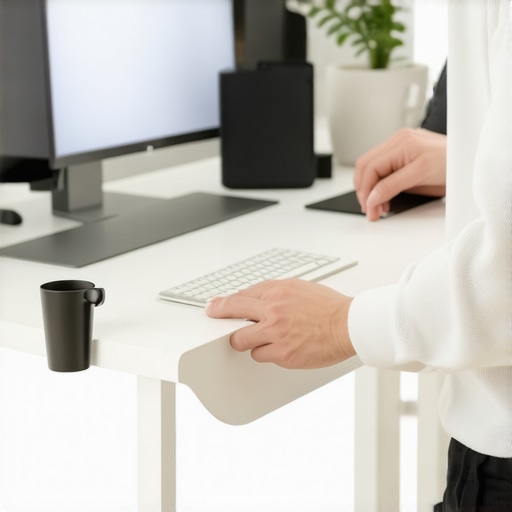
Things I Wish I Knew Earlier (or You Might Find Surprising)
The Power of Small Adjustments
One of the most eye-opening lessons I’ve learned is that tiny tweaks—like adjusting my monitor tilt or adding a footrest—can dramatically improve comfort and productivity. It’s tempting to think only big investments matter, but the truth is, little details often make the biggest difference in creating an ergonomic workspace.
The Myth of Perfect Setup
I used to believe there was a perfect ergonomic setup I could achieve once and for all. Over time, I realized that ergonomics is an ongoing process of customization. What works today might need tweaking tomorrow, especially as your work habits evolve. Staying flexible and attentive to your body’s signals is key.
Comfort Boosts Creativity
Since upgrading my home office ergonomics, I’ve noticed a surprising increase in my creative flow. When I’m physically comfortable, my mind is freer to think innovatively. Ergonomics isn’t just about avoiding pain; it’s about unlocking your full potential.
Investing in Ergonomic Accessories Pays Off
Initially, I was hesitant to spend on ergonomic accessories, but I’ve come to see them as essential investments. Items like wrist supports and anti-fatigue mats have helped prevent long-term injuries and keep me focused during marathon work sessions. They’re worth every penny.
Environmental Factors Matter
Beyond furniture, elements like lighting, plants, and noise levels impact my ergonomic experience. A well-lit, calming environment reduces fatigue and enhances focus. Ergonomics is holistic—your entire workspace environment plays a role.
Listening to Your Body is Crucial
The most valuable tip I’ve picked up is to listen to what your body tells you. Discomfort is a signal to adjust. Regularly checking your posture and taking breaks has become second nature, and it’s helped me maintain long-term health and productivity.
Resources I’ve Come to Trust Over Time
- CDC Ergonomics Guidelines: A comprehensive and trusted resource that offers practical advice on maintaining ergonomic health. I refer to it often to fine-tune my setup.
- NCBI Studies on Ergonomics and Cognitive Performance: These scientific articles helped me understand the direct connection between physical comfort and mental clarity, reinforcing the importance of ergonomic investments.
- Home Office Tech Gear Showcase: A curated site I rely on for the latest ergonomic furniture and accessories, ensuring I stay updated with quality options.
- Workplace Wellness Books: Books like “The Healthy Home Office” provide actionable tips and inspiring stories that motivate me to keep improving my workspace.
Parting Thoughts from My Perspective
Creating an ergonomic home office isn’t a one-time fix; it’s a continuous journey of personalizing and fine-tuning your workspace. The benefits go beyond physical comfort—they influence your mental clarity, creativity, and overall well-being. I’ve learned that investing in ergonomic accessories and paying attention to environmental details can significantly boost your productivity and health in the long run. If you’re serious about making your home office work for you, start small, stay flexible, and listen to your body. Remember, your workspace should support you—so prioritize your comfort and enjoy the process of optimizing it. If this resonated with you, I’d love to hear your experiences or tips—feel free to share in the comments or pass this along to someone who might find it helpful.

I completely relate to the importance of small adjustments in optimizing a home office. I used to think that having the right desk and chair was enough, but I discovered that minor tweaks—like adjusting monitor height or adding a footrest—made a huge difference in my comfort and focus. It’s fascinating how these subtle changes can prevent fatigue and boost productivity over time. I’ve also found that daily posture checks and taking regular breaks help me stay aligned and avoid discomfort.
What are some of the most overlooked ergonomic details that others have found surprisingly impactful? I’d love to hear your experiences or tips on fine-tuning a workspace for maximum comfort and efficiency. Sometimes, the smallest adjustments can unlock a more productive and healthier work routine, and sharing these insights could help others avoid common pitfalls or discover new ways to improve their setup.
Reading through this post really highlights how essential small ergonomic adjustments can be in creating a productive home office. I remember initially focusing solely on getting a good chair and desk, but over time I realized that details like monitor height, keyboard placement, and even the positioning of your mouse can make or break your comfort levels during long hours. What I found particularly impactful was using a plantar fasciitis sock as a footrest—such a simple upgrade, but it significantly reduced foot fatigue. It made me wonder, are there other ergonomic accessories or positions that people have found unexpectedly helpful? For example, I’ve heard some swear by wrist stretches or adjustable sit-stand mats. I’d love to hear from others about their little tweaks that led to big improvements in their daily work life.
This post really resonates with my experience. I used to think investing in an ergonomic chair was enough, but I’ve discovered that small details, like the angle of my monitor and even how I position my keyboard, can make huge differences in comfort and productivity. I’ve recently started using a lumbar roll for better lower back support, and honestly, it’s made my long workdays much more bearable. It’s fascinating how these minor tweaks add up. One thing I’ve been curious about is how others find the right standing desk height, especially when you share the space with a partner or children in a small home. Do you have tips for customizing shared setups? I’d love to hear your thoughts on this and any other overlooked ergonomic details that have helped you create a more supportive workspace.
Reading this post really hit close to home for me. Last year, I was also struggling with my home office setup, especially after long hours of work. I tried a few ergonomic chairs, but it wasn’t until I added a footrest and adjusted my monitor height that I felt a real difference in my comfort level. It’s amazing how small tweaks like these can lead to better posture and less fatigue. I’ve also been experimenting with short, frequent breaks to stretch and reset — do you find that incorporating movement into your routine further enhances the benefits of ergonomic furniture? I believe that personalization and mindful habits are key to creating a truly supportive workspace. What other small ergonomic adjustments have made a surprising impact for others here? I’m curious to hear your stories and recommendations.
I really appreciate this detailed post—it’s unlocked my curiosity about how minor tweaks can make a big difference in workspace comfort. I’ve recently started experimenting with adjustable monitor arms and found that reorienting my screen to eye level alleviated neck strain significantly. Another small adjustment I made was using a supportive cushion on my chair to maintain proper lumbar support, especially during long sessions. It made me wonder—what are some unconventional ergonomic tools or setups that others have found surprisingly effective? For example, I heard that some folks swear by balancing balls instead of chairs for core engagement, or using foot hammock supports while standing. I believe that personalizing your workspace with these small innovations can be game-changing, especially when working remotely for hours on end. Have you all found anything unexpected that worked out for you? Would love to hear your creative solutions or insights!
Reading this post really emphasized how much small ergonomic tweaks can enhance long-term comfort, especially when working at home. I recently started using a height-adjustable sit-stand desk and found that switching positions throughout the day greatly reduces fatigue. One thing I’ve noticed is that even minor adjustments, like repositioning my monitor or using a footrest, can make a significant difference in how I feel after several hours. It’s interesting how these micro-adjustments sometimes get overlooked but are crucial for maintaining good posture and focus. I’m curious, has anyone experimented with unconventional ergonomic accessories, like balance balls or even sit-stand mats with built-in cushioning? What unexpected tools or strategies have worked well for you in creating a supportive workspace? I believe personalized tweaks are the key to making a home office truly ergonomic and productive.