 Alex Carter
I remember the exact moment I collapsed onto my office chair after a long day; my back was aching, and my energy was at an all-time low. Despite setting up my standing desk, I felt like I was fighting an uphill battle against discomfort and inefficiency. That lightbulb moment made me realize something crucial — my routine was flawed, and I wasn’t alone in this struggle. If you’ve ever found yourself sitting or standing for hours on end, only to feel worse than when you started, you’re not missing something—you’re probably missing the right approach.
Discover the Truth Behind Your Stumbling Home Office Routine
Today, I want to share a proven strategy that transformed my productivity and comfort: the 20-8-2 rule. It’s a simple, effective method to maintain energy levels, reduce strain, and keep you focused throughout the day. It’s not just about alternating between sitting and standing; it’s about mastering a rhythm that optimizes your body and mind. If you’ve been battling fatigue or back pain, this could be your game-changer. Before diving into the ‘how,’ consider this: According to research published in the Journal of Occupational and Environmental Medicine, sitting more than six hours a day significantly increases health risks, including cardiovascular disease. So, it’s clear—staying sedentary isn’t just uncomfortable; it’s dangerous. I made the mistake early on of ignoring this fact, thinking my ergonomic setup alone would solve everything. Spoiler alert: it doesn’t. Good ergonomics are essential, but without a sustainable routine, you’ll still face setbacks. Ready to learn a routine that actually sticks and gets results? Let’s get started.
Optimize Your Standing Desk for Comfort and Efficiency
Start by adjusting your standing desk to the proper height. Your elbows should form a 90-degree angle when resting on the surface, and your monitor should be at eye level. Think of your desk as the foundation of your workspace — if it’s not level, everything else becomes unstable. I recall once setting my desk too high, causing neck strain. I fixed it by measuring from my elbow to the floor and aligning my monitor accordingly, which instantly alleviated my discomfort. To ensure long-term comfort, consider tools like a standing desk height fix and ergonomic accessories.
Perfect Your Ergonomic Seating
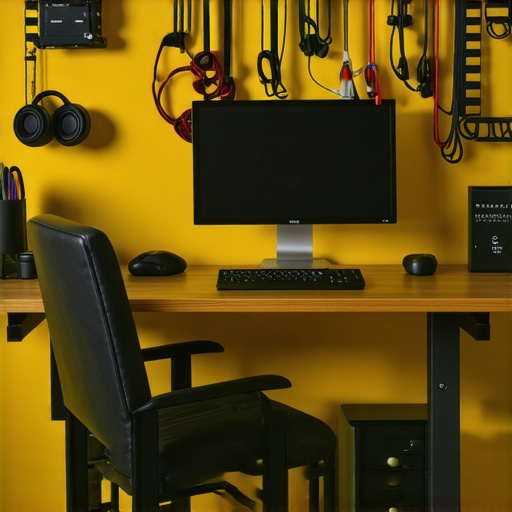
Your chair is your second most critical piece after your desk. It should support your lower back adequately and allow your feet to rest flat on the floor. I experimented with different chairs, eventually choosing an ergonomic model with adjustable lumbar support. Regularly resetting its lumbar cushion is vital—visit lumbar support tips to keep your back healthy. A well-fitting chair reduces fatigue and boosts focus, turning your work session from a chore into a breeze.
Maximize Desk Storage for Focus
Clutter is the enemy of productivity. Use modular desk storage clips and hidden compartments to keep cables, notebooks, and accessories out of sight. For example, I installed under-desk trays to organize cables, which not only looks cleaner but also prevents accidental disconnections. Think of your workspace as a well-organized toolbox — everything has its place, and you waste less time searching for essentials.
Find the Right Balance with Movement
Incorporate the 20-8-2 rule into your routine: 20 minutes of work, 8 minutes of movement, then 2 minutes for focused breaks. Set a timer to remind yourself, just like I did during my first attempt—initially messy, with frequent resets needed. I started with simple stretches or quick walks around the room. Over time, this habit improved my posture and energy levels, proving that consistent movement prevents stiffness and boosts productivity. For detailed steps, check out standing desk movement strategies.
Implement Cable Management to Reduce Distractions
Cables clutter can be a silent productivity killer. Use cord clips and sleeves to route cords neatly along your desk and under your workspace. I once spent an hour untangling a spaghetti of cables, which disrupted my rhythm. Now, with proper management, I enjoy a clean surface and faster setup times, similar to how AI-enhanced chair adjustments improve ergonomics—small tweaks lead to big gains.
Adjust and Fine-Tune Regularly
Your workspace setup isn’t a one-time task. Regular adjustments are essential—monitor your comfort level and make small tweaks as needed. I set a quarterly review to revisit my setup, inspired by chair tilt checks. This habit ensures your ergonomics evolve with your needs, preventing pain and maintaining productivity over time.
Many assume that simply adding more shelves or choosing an ergonomic chair guarantees a productive workspace, but the reality is more nuanced. A common mistake is overemphasizing abundant storage without considering accessibility or workflow; this often leads to clutter elsewhere or frequent interruptions. Experts like Dr. Gary H. Weiss emphasize that strategic placement and decluttering are more impactful than the sheer volume of storage solutions. Additionally, some believe that standing desks alone can resolve posture issues, yet without proper adjustment and routine, they may inadvertently cause discomfort. A frequent misconception is that the most expensive or advanced office equipment is inherently better, but in truth, familiarity and proper calibration trump costs. Also, many overlook the importance of customizing their setup; what works for one person might not work for another, especially regarding chair height, monitor positioning, and cable management. A critical trap to avoid is neglecting ongoing maintenance—regularly revisiting and fine-tuning your arrangement can prevent long-term discomfort and inefficiency. Research in occupational health suggests that habits like adjusted routines and mindful organization significantly boost productivity and reduce strain. So, before investing in the latest gadgets or adding cluttered storage units, evaluate what truly enhances your workflow. Remember, a well-thought-out setup isn’t static; it evolves with your needs. Want to learn how to refine your workspace smartly? Check out tips on maximizing your home office storage here. Have you ever fallen into this trap? Let me know in the comments.Maintaining an effective workspace over time requires not only choosing the right equipment but also implementing a strategic maintenance routine. Regularly inspecting your ergonomic chairs, standing desk setups, and storage solutions ensures sustained comfort and productivity. Personally, I schedule quarterly reviews to adjust my chair height and check for wear, referencing expert advice from this article ensuring my ergonomic setup remains optimal. Employing quality tools like a digital caliper for precise desk height calibration helps prevent postural issues, especially as equipment ages. Investing in a versatile toolkit with screwdrivers, torque wrenches, and cable testers can tackle minor adjustments or repairs promptly.
How do I maintain my setup over time?
Incorporating a routine of periodic cleaning, component checks, and calibration keeps your workspace in top shape. Lingering dust and debris can degrade equipment performance, so a simple wipe-down with microfiber cloths is essential. Additionally, software tools such as desk calibration applications provide reminders to recalibrate electronic height adjusters or monitor ergonomic data. Looking ahead, advancements in IoT-connected furniture suggest that future setups will automatically alert you when adjustments are needed, reducing manual oversight. So, I highly recommend trying the habit of weekly checks with a digital level and making small adjustments to prevent long-term strain. This proactive approach minimizes wear and sustains your comfort, ultimately saving time and reducing discomfort. Embrace these maintenance practices now to keep your workspace performing flawlessly for years to come.
What I Didn’t Expect About Desk Storage and Comfort
One of the most eye-opening lessons I learned was how much small tweaks in desk organization and ergonomic adjustments can impact overall productivity and well-being. I used to believe that spending a fortune on high-end furniture was the key, but I soon realized that thoughtful placement and routine maintenance made far more difference. Incorporating simple habits, like weekly cable checks or quarterly ergonomic reviews, transformed my space into a true productivity hub. This insight reminded me that the most powerful changes are often those you make consistently, not necessarily the most expensive upgrades.
The Tools That Keep My Home Office Running Smoothly
Over years of tweaking, I’ve come to rely on certain tools that I trust deeply. For ergonomic precision, I swear by lumbar support resets—they help me prevent back pain before it starts. When it comes to desk organization, modular storage clips have revolutionized my workflow by keeping essentials within reach yet out of sight. And for maintaining optimal desk height, I use AI-assisted adjustments—a small step that makes a big difference. These tools, combined with commitment, create a workspace that adapts to me rather than the other way around.
Ignite Your Passion for a Better Workspace Today
Building a home office that supports your best work isn’t a one-and-done task—it’s an ongoing journey. Small, deliberate adjustments can lead to a dramatic boost in comfort and productivity. Remember, your workspace should evolve with your needs, not confine you. Take the time to revisit your setup, explore new organizational hacks, and fine-tune your ergonomic habits. Don’t wait for discomfort to become a hindrance; start today and watch how your daily routine transforms. Your ideal work environment is within reach—commit to creating it now.
What’s the first change you plan to make in your home office setup? Share your ideas below—I love hearing how others are customizing their workspace to thrive!
.
