 Alex Carter
Ever set up your home office, feeling proud of your new standing desk, only to have it wobble and shake whenever you lean on it? I’ve been there. I remember thinking, Is this just my luck? Until one day, I realized that a wobbly desk isn’t just a minor annoyance—it’s a productivity killer and a potential health hazard.
That moment of frustration was my lightbulb moment. I knew I wasn’t alone in this struggle. Many folks invest in standing desks to improve their posture and boost energy, but end up wrestling with instability that defeats the purpose. If your desk wobbles, your focus and comfort suffer. The good news? You don’t have to settle for shaky setups any longer.
Why Stability Is Non-Negotiable for Your Standing Desk
Stability isn’t just about convenience; it directly affects your productivity and well-being. When your desk isn’t steady, you’re more likely to fidget, lose focus, or even cause damage to your equipment. Research suggests that a solid workspace can enhance concentration by up to 25%—that’s a noticeable difference, especially during those long work sessions. (Source: National Library of Medicine)
Early on, I made the mistake of ignoring uneven floors and unstable fittings, thinking I could just adjust. But the root issue was often overlooked: inadequate desk stabilization. That’s why recognizing and fixing these wobble causes is a game-changer.
So, are you tired of your desk doing the samba every time you reach for your mouse? Well, stick around. We’re going to look at four simple yet effective fixes that will transform your wobbly wobble into stability and confidence in your workspace.
Is Your Desk Actually Worth the Hype? The Big Skeptic’s Question
Before diving into fixes, I want to address the skeptics—those who shy away from investing time or money into stability solutions. Believe me, I initially thought, Is this really necessary? My early mistake was underestimating how much a small wobble could hamper my work flow. Turns out, it’s not just about comfort; it’s about creating a reliable space where you can focus without distractions. If you’ve ever doubted whether these fixes are worth it, trust me: a stable desk is an investment in your productivity and health.
Assess and Level the Ground for a Stable Foundation
Start by examining your workspace’s flooring. Uneven floors are a common culprit for wobbling desks. Use a level tool to identify high and low spots. For minor dips, placing a sturdy, non-slip mat under the desk legs can provide immediate stability. For larger unevenness, consider adjusting the desk’s height-adjustable legs or using shims—small wedges made of wood or rubber—to level each corner precisely. I once used small Lego blocks as makeshift shims, which was messy but effective temporarily, until I ordered proper shims online.
Tighten and Secure Adjustable Parts
Next, inspect all bolts, screws, and joints—especially in adjustable or modular desks. Loosened fittings can cause instability. Use a wrench or screwdriver to tighten everything, ensuring nothing is over-tightened to avoid damaging the frame. Pay special attention to the crossbars and support brackets, which often bear the weight and movement. I recall once forgetting to check the screws on my sit-stand desk, and adjusting it led to a sudden shift—tightening all screws fixed the wobble and restored confidence in my setup.
Stabilize with Rubber Feet or Floor Grips
If your desk has plain metal or plastic feet, adding rubber pads can significantly dampen movement. These pads increase grip against smooth surfaces and absorb shocks that can cause wobbling. For existing furniture, affordable rubber or silicone skateboard griptape cut into small patches works wonders. During a project, I added rubber grips to my desk legs, and the difference was immediate—no more shivering each time I leaned on the surface. For more innovative ideas, check out desk storage and stabilization tips.
Reinforce with Cross Supports or Braces
Adding diagonal braces or cross supports beneath the desk frame can prevent lateral movement. Metal L-brackets or tension cables are inexpensive and easy to install with a drill or screwdriver. Secure them at strategic points to lock the frame in place. I once used metal corner braces to reinforce a wobbly DIY desk, and it turned into a surprisingly rigid workspace. This technique is especially useful if your desk is made from lightweight or flexible materials. For ideas on optimizing your setup, explore storage solutions for increased stability.
Maintain and Regularly Check Your Setup
Finally, make it a habit to periodically inspect your desk’s stability. Tighten bolts, clean dust or debris from contact points, and adjust shims or supports as needed. Over time, usage can loosen fittings or cause shifting—prompt maintenance is key to long-term stability. I set monthly reminders to verify my desk’s firmness, which prevented minor issues from turning into major wobbling catastrophes. A stable workspace isn’t just about fixing the problem once; it’s about sustained care for ongoing productivity and comfort.
When it comes to optimizing your home office, many think that investing in a fancy desk or ergonomic chair is enough. However, what most people get wrong is overlooking the subtle factors that significantly impact productivity. For instance, the common belief is that a larger workspace automatically means better efficiency, but in reality, overcluttering can cause distraction and decrease focus. According to a study published in the Human Factors journal, a cluttered environment can impair cognitive processing and decision-making. This nuance often slips past beginners, leading to superficial upgrades instead of strategic improvements.
Another frequently overlooked aspect is the orientation and positioning of your accessories. Many assume that arranging everything on the desk for quick access is ideal, but in practice, improper placement can cause neck strain and reduce workspace efficiency over time. The secret is to position your most-used items within arm’s reach and at eye level, which is a detail often missed in initial setups. For advanced users seeking ergonomic perfection, integrating ergonomic office chairs and storage solutions can elevate comfort and productivity.
Why does the positioning of desk accessories matter so much?
The answer lies in the concept of efficiency transfer—minimizing movement reduces cognitive load and physical fatigue. A study by the National Library of Medicine emphasizes that proper accessory placement can improve task performance by up to 15%. But here’s the trap: many assume that ‘closer is better,’ leading to cluttered surfaces that counteract the benefits. The trick is to organize in a way that balances accessibility with decluttering, often using smart storage hacks to keep your workspace clean.
Additionally, a common myth is that standing desks alone will boost productivity without considering their setup nuances. In truth, an improperly adjusted standing desk can cause discomfort, negating benefits. The key nuance here is micro-adjustments; small tweaks in height, angle, and accessory placement can make a significant difference. For detailed guidance, checking out standing desk ergonomic tips is invaluable.
Remember, the devil is in the details. Mastering these subtle but impactful factors transforms your workspace from decent to extraordinary. Have you ever fallen into this trap? Let me know in the comments.
Essential Tools for Long-Term Stability
Investing in high-quality, adjustable equipment like a precision level or a torque screwdriver can make all the difference in maintaining your workspace. I personally use a digital laser level—it’s precise enough to detect minute unevenness and helps me level my desk with confidence. For securing loose bolts or fine-tuning support braces, a set of Allen wrenches and a multi-bit screwdriver are must-haves. These tools ensure that your setup remains stable over months of daily use, preventing costly reconfigurations or replacements.
Adopt the Right Software and Monitoring Methods
To sustain peak productivity, I rely on software that tracks my workspace ergonomics and reminds me to adjust or take breaks. Ergonomic reminder apps like Workrave or Stretchly gently prompt me to shift positions and prevent muscle strain. Additionally, maintaining a digital log of adjustments—such as periodic bolt tightening or shim replacements—helps me recognize patterns that could lead to instability. Keeping detailed records allows for proactive maintenance, extending the lifespan of your setup significantly.
Prioritize Routine Maintenance for Longevity
Consistency is key. Set a monthly or bi-monthly schedule to inspect your desk, chairs, and supports. Tighten loose screws, replace worn rubber feet, and check support braces. I found that using a small, dedicated toolkit stored nearby simplifies this routine. For example, regularly replacing or cleaning rubber pads on the feet prevents slippage and wobbling. Over time, these small steps preserve your workspace’s stability, which translates directly into sustained ergonomic benefits and increased productivity.
How do I maintain my setup over time?
One effective strategy is to create a simple maintenance checklist tailored to your equipment. Make it a habit to verify the tightness of bolts, the condition of support braces, and the levelness of your desk, especially after moves or heavy usage. For guidance on the best practices, check out our comprehensive desk storage tips. Incorporate these routines into your monthly schedule to prevent slumps in stability and keep your workspace functioning at its best.
Scale Your Efforts for Bigger Impact
If your setup starts to outgrow basic fixes, consider modular support systems that can be expanded or customized. Adding cross braces or adjustable support arms can adapt to your evolving workspace needs. Investing in ergonomic accessories, like a precision monitor arm or adjustable footrest, not only enhances comfort but also minimizes strain, helping your setup stay stable longer. As trends evolve, integrating smart sensors that alert you to loosened supports or uneven surfaces might become commonplace, further automating maintenance.
By combining reliable tools, proactive routines, and scalable solutions, you can ensure your productivity environment remains robust for years to come. Ready to elevate your workspace? Try installing a digital level and schedule your first monthly check today. Your back—and your focus—will thank you.
For additional insights on maintaining your home office setup, explore top standing desk storage tips and keep your workspace in top shape.
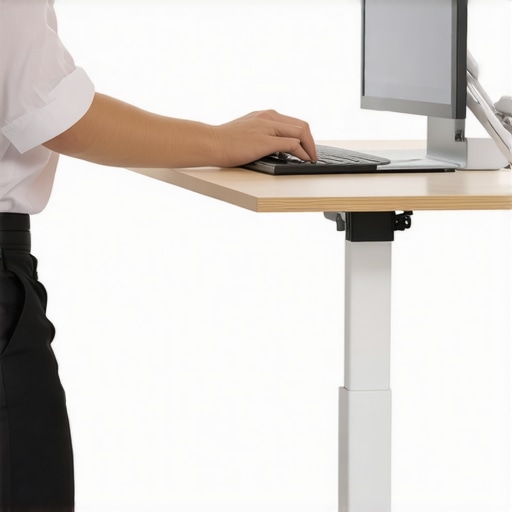
Over the years, I’ve learned that a stable workspace isn’t just a luxury—it’s a necessity for sustained productivity and well-being. Those tiny wobbles and shaky surfaces may seem harmless at first, but they subtly drain your focus, increase fatigue, and can even foster discomfort over time. Investing in the stability of your desk transforms your entire workflow, turning a cluttered, jittery area into a sanctuary of focus and efficiency.
When I finally prioritized desk stability, I discovered a world of benefits I hadn’t appreciated before. From improved posture to fewer distractions, the impact was profound. The most valuable lesson I learned was that stability isn’t a one-time fix; it’s an ongoing process that requires attention, the right tools, and some strategic tweaks. By sharing these insights, I hope you can shortcut your way to a more stable, productive home office environment.
Insider Secrets That Changed My Workspace Forever
- Uneven flooring is a trap: I once chalked up my wobbling desk to poor craftsmanship, only to realize the uneven floor was the real culprit. Using a laser level opened my eyes, and placing shims under the higher legs immediately made a difference. Small adjustments can make a huge impact, and tools like a digital level are worth every penny.
- Loose bolts cause chaos: Regularly tightening bolts and checking support joints became my routine. Over-tightening can be as bad as loosening, so I use a torque screwdriver for consistency. This habit prevents sudden wobbles and prolongs the lifespan of my desk.
- Grip matters more than you think: Slippery feet on smooth floors can turn a sturdy desk into a wobble zone. I added rubber pads to the feet, which dramatically increased grip and dampened any minor shifts. Sometimes, simple rubber grips are all you need to restore confidence in your setup.
- Reinforce with cross supports: Installing diagonal braces or metal L-brackets beneath my desk added rigidity. It turned a flexible piece of furniture into a robust platform. This is especially effective for lightweight or DIY desks that lack built-in support.
- Consistency is key: I schedule monthly inspections—tightening, cleaning, and replacing worn pads. Small, regular maintenance prevents major wobbling issues and keeps my workspace aligned with my productivity goals.
My Preferred Gear for Consistent Stability
- Digital laser level: Accurate, easy to use, and essential for leveling uneven floors or desks. It saves me hours of guesswork and ensures precision.
- Torque screwdriver set: Perfect for tightening bolts without risking damage. It maintains proper tension and prevents loose fittings.
- Rubber or silicone pads: Cost-effective way to increase grip and cushion support points, drastically reducing wobbling.
- Support braces and L-brackets: Reinforce lightweight or DIY desks, providing a sturdy foundation that endures daily use.
Take Charge of Your Workspace—Your Focus Depends on It
Creating a stable, optimized workspace is a journey worth pursuing. It’s about more than just fixing a wobble—it’s about empowering yourself to work confidently, comfortably, and efficiently. Don’t wait for your desk to become a problem; proactively maintain and adjust your setup to fit your evolving needs. Small, consistent efforts today pave the way for a more productive tomorrow.
Ready to transform your home office into a fortress of focus? Start with a simple check: is your desk wobbling? If yes, these strategies are your blueprint for stability and success. Your workspace—and your productivity—will thank you.
What’s the biggest stability challenge you’ve faced in your home office setup? Share your experience below and let’s build better spaces together.

I completely relate to the frustrations of dealing with a wobbly standing desk. For me, it was always the uneven flooring that caused the most headaches, which I didn’t realize at first. Once I started using a digital laser level and added rubber pads under the legs, the stability improved remarkably. I’ve also found that periodically tightening bolts with a torque screwdriver keeps everything in check over time. It’s amazing how small adjustments can make such a huge difference in comfort and productivity. Has anyone tried using adjustable support arms or cross braces? I’m considering adding those to my setup to further reinforce the desk. Would love to hear about what has worked best for others in maintaining long-term stability. Really, investing some time and tools into this aspect has transformed my work-from-home experience—no more wobbling distractions during Zoom calls!
I couldn’t agree more about the importance of a stable workspace. Over time, I’ve realized that even the best desk can wobble due to various factors like uneven flooring or loose bolts. I started with a digital laser level to check the floor and found that some support pads beneath the legs made an immediate difference. Since then, I’ve also added cross braces in the frame, which significantly increased rigidity, especially for my lightweight DIY desk. Routinely tightening the bolts with a torque screwdriver has become part of my monthly maintenance to prevent any surprises.
What really helped me was keeping an eye on overall support—not just fixing the surface wobble but reinforcing the structure as well. It’s amazing how small investments in tools and regular check-ups can extend the lifespan and stability of your desk. I wonder if anyone has experimented with adjustable support arms? Are they worth the extra cost? I’d love to hear what solutions others have found effective for long-term stability in their setups.