 Alex Carter
I remember the exact moment I realized my home office was sabotaging my productivity. It was after a long day of back pain, frequent breaks, and a lingering feeling that I wasn’t getting enough done. The culprit? My outdated setup — a flimsy desk and a chair that was more about aesthetics than ergonomics. That lightbulb moment led me down the rabbit hole of ergonomic furniture, and what I discovered changed everything.
Why Your Home Office Setup Matters More Than Ever in 2024
With remote work becoming a permanent fixture for many, creating a workspace that boosts efficiency isn’t just a luxury — it’s a necessity. An ergonomic, well-designed home office can significantly reduce fatigue, improve focus, and even boost your overall health. According to recent studies, poor ergonomics can lead to chronic pain and decreased productivity, costing both time and money. So, investing in the right standing desks and ergonomic chairs isn’t just about comfort; it’s about optimizing your entire workday.
Have you ever felt stiff after sitting for hours? Or maybe you find yourself constantly shifting positions, trying to find relief? I’ve been there. And that’s precisely why I started exploring the latest ergonomic solutions for 2024. From adjustable standing desks to supportive chairs, the right setup can revolutionize your work-from-home experience.
Is the Hype Around Standing Desks and Chairs Justified?
Early on, I made the mistake of believing all the hype about standing desks. I bought a cheap model expecting instant transformation. Spoiler: it didn’t. It was uncomfortable, unstable, and quickly collected dust. The truth is, not all standing desks and chairs are created equal. You need quality, adjustability, and proper support. That’s why I’ve curated the best options for 2024, so you don’t have to go through the same trial and error. Want to learn more? Check out this ultimate guide for choosing the perfect setup.
In the next sections, I’ll share practical tips and top product picks that will help you create a home office where you can thrive. Ready to transform your workspace? Let’s dive in!
Adjust Your Desk and Monitor Height Correctly
Start by setting your standing desk or regular desk height so that your elbows form a 90-degree angle when typing. Your monitor should be at eye level, roughly an arm’s length away, to prevent neck strain. I once spent an afternoon fiddling with my monitor stand and desk height, which initially looked perfect but caused discomfort. After a quick adjustment, I noticed immediate relief and increased focus.
Choose the Right Ergonomic Chair and Fine-Tune Its Settings
Select a chair that supports your lumbar spine and allows adjustable height, tilt, and armrests. Sit back fully and adjust the chair height so your feet are flat on the floor or on a footrest. I remember spending a frustrating hour trying different chairs; once I found one with adjustable lumbar support and set it correctly, my lower back pain vanished. For more insights, check `https://homeoffice.techgearshowcase.com/ergonomic-home-office-setup-best-desks-chairs-storage-tips-for-2024`.
Lock in Your Posture and Take Micro-Breaks
Once your setup is optimized, maintain your posture by sitting upright, keeping shoulders relaxed, and avoiding slouching. Use a timer to take a micro-break every 30 minutes—stand, stretch, or walk around for 1-2 minutes. I once ignored breaks during a crunch deadline, which led to stiffness and decreased productivity. Introducing short, regular breaks significantly boosted my focus and comfort.
Optimize Storage and Desk Organization
Clutter hampers productivity. Use under-desk drawers or vertical organizers to keep essential items within reach and off your main workspace. When I organized my desk with simple storage solutions, I reduced search time for supplies and felt more in control. For top storage ideas, visit `https://homeoffice.techgearshowcase.com/home-office-storage-ideas-to-organize-your-desk-boost-productivity`.
Implement Standing and Sitting Intervals
Alternate between sitting and standing every 30-60 minutes. Use a timer or an ergonomic standing desk converter to switch positions effortlessly. My first day with a sit-stand desk was chaotic—trying to figure out the correct height and timing—but once I established a rhythm, my energy levels soared. For recommended setups, see `https://homeoffice.techgearshowcase.com/optimize-your-home-office-productivity-with-standing-desks-storage-tips`.
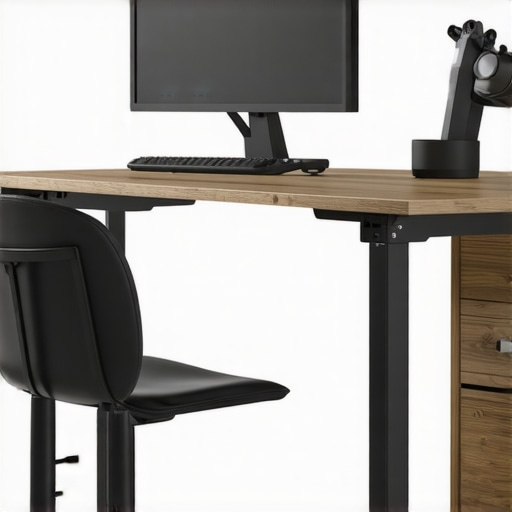
Image showing a well-organized ergonomic home office with adjustable desk and supportive chair, demonstrating proper setup.
Many people believe that simply investing in a good chair or standing desk will automatically transform their home office into a productivity haven. However, this is a misconception rooted in a broader misunderstanding of ergonomics. In reality, the devil is in the details, and overlooking these nuances can undermine even the most expensive setups.
Contrarian View: While most assume that ergonomic furniture alone guarantees comfort, the truth is that proper adjustment and personalized ergonomics are far more critical. A high-end chair that isn’t correctly tuned to your body can cause as much discomfort as a cheap, poorly designed one. For example, studies show that adjustable lumbar support and seat depth are often overlooked but are vital for long-term comfort (source).
The ‘Oops’ Factor: One common trap is believing that ergonomic furniture is a one-size-fits-all solution. In practice, what works for one person might not work for another. For instance, a standing desk that is perfect for someone tall may be uncomfortable for a shorter person unless it has proper adjustability. This is why investing time in fine-tuning your setup and understanding your body’s unique needs is crucial. Check out this guide for detailed adjustment tips.
What Advanced Ergonomic Adjustments Do Most People Overlook?
Many assume that standard adjustments are enough, but advanced ergonomics involve fine-tuning your monitor angle, keyboard tilt, and even foot positioning. For example, tilting your keyboard slightly can reduce wrist strain, and ensuring your monitor is at eye level prevents neck fatigue. Experts like ergonomic specialist Dr. J. David Beale emphasize that small, often overlooked adjustments can significantly reduce musculoskeletal issues (source).
Furthermore, consistent micro-adjustments over time, driven by body feedback, are essential for maintaining comfort. Remember, ergonomic setup isn’t a one-time fix; it’s an ongoing process. Have you ever fallen into this trap? Let me know in the comments.
Maintaining an ergonomic home office setup is not a one-and-done task; it requires ongoing attention and the right tools to ensure long-term comfort and productivity. Over the years, I’ve found that investing in specific maintenance routines and reliable tools can dramatically extend the lifespan of your furniture and keep your workspace performing at its best.
How Do I Maintain My Ergonomic Setup Over Time?
First, regular cleaning is essential. Dust and debris can compromise the mechanical parts of your adjustable desk and ergonomic chair, leading to stiffness or malfunction. Use a soft, damp cloth for surfaces and a gentle lubricant like silicone spray for moving parts—particularly on height adjustment mechanisms and swivel joints. For example, I routinely apply a small amount of silicone spray on my sit-stand desk’s adjustment tracks, which keeps the movements smooth and quiet.
Second, check and recalibrate your ergonomic tools periodically. Adjust your monitor height, keyboard tilt, and chair settings every few months as your body or work habits evolve. I set a recurring reminder to revisit these adjustments, ensuring my setup always aligns with my ergonomic needs.
Third, consider investing in quality maintenance tools. A digital level or an adjustable monitor stand can help you fine-tune your setup with precision. Additionally, a good set of screwdrivers or Allen wrenches is invaluable for tightening loose bolts or replacing worn-out components. I personally keep a small toolkit nearby for quick fixes, which prevents minor issues from turning into major discomforts.
Recommended Tools I Use
- Adjustable Wrench and Screwdriver Set: Essential for tightening or replacing parts on adjustable furniture. I prefer a set with ratcheting handles for ease of use.
- Silicone Spray or Lubricant: Keeps moving parts operating smoothly. I use it on my desk’s height adjustment tracks and chair joints.
- Digital Level: Ensures monitor and desk are perfectly aligned, preventing strain. I use mine to verify that my monitor is exactly at eye level.
- Microfiber Cleaning Cloths: Regular cleaning prolongs furniture lifespan and maintains a fresh workspace environment.
Looking ahead, I predict that smart maintenance tools—like IoT-enabled adjustable desks that self-calibrate or notify you of issues—will become standard. This integration will further simplify long-term upkeep and help sustain ergonomic benefits.
Final Tip: Stay Proactive with Your Ergonomic Tools
Don’t wait until discomfort appears to perform maintenance. Make it a monthly habit to assess your setup, clean your equipment, and adjust as needed. That way, you’ll enjoy sustained comfort and productivity for years to come. For a comprehensive list of recommended ergonomic tools and maintenance routines, check out this resource.
The Hardest Lesson I Learned About Ergonomic Setups
One of my biggest lightbulb moments was realizing that even the most expensive ergonomic chair is useless if not properly adjusted. I wasted weeks on trial and error, only to discover that small tweaks—like adjusting lumbar support or seat depth—made all the difference. It taught me that personalization is key, and understanding your body’s unique needs should always come first.
3 Myths About Ergonomics That Held Me Back
For a long time, I believed that a standing desk alone would solve all my posture issues. Turns out, it’s about how you use it, not just owning it. Another misconception was that ergonomic furniture was only for people with back problems; in reality, everyone benefits from a well-designed workspace. Finally, I thought setting up once was enough, but ergonomics is an ongoing process of fine-tuning.
What Experts Won’t Tell You About Long-Term Comfort
Experts emphasize that micro-adjustments over time—based on how your body feels—are crucial for sustained comfort. Small changes, like tilting your keyboard slightly or adjusting monitor height periodically, help prevent strain from becoming chronic. The real secret is staying proactive and attentive to your body’s signals, rather than waiting for discomfort to appear.
My Essential Toolkit for Ergonomic Success
Over the years, I’ve curated a set of tools that keep my setup in top shape. A digital level ensures my monitor is at eye level, while silicone spray keeps adjustable parts moving smoothly. I also keep a handy toolkit with screwdrivers for quick fixes. These tools may seem simple, but they’re invaluable for maintaining an ergonomic workspace that evolves with your needs.
Where to Go from Here
If you’re ready to elevate your home office ergonomics, start with trusted resources like the comprehensive ergonomic guide. Remember, the journey to comfort is ongoing—invest in your setup, listen to your body, and make adjustments regularly. Your future self will thank you for it!
Your Turn to Try
Are you currently using any tools or routines to maintain your ergonomic setup? Share your experiences or ask questions below—let’s build a comfortable, productive workspace together!
