 Alex Carter
I remember the exact moment I realized my office chair was turning into a deep, uninviting trap. I was leaning back, trying to focus on an important project, when suddenly my lower back cramped, and I felt more slouched than a teenager ignoring chores. That deep seat cushion, which seemed comfortable at first, had become a liability rather than an asset. Sound familiar? If your 2026 office chair feels too deep and you’re wondering why it’s causing discomfort or reducing your productivity, you’re not alone. Many folks struggle with this seemingly minor issue that impacts their entire workday.
Mastering the Deep Seat Dilemma: Quick Fixes for Your Office Chair
Before jumping into complex replacements or costly upgrades, let’s explore some practical, quick solutions I’ve picked up from my own experience and other ergonomic enthusiasts. These fixes can be applied in under five minutes and often make a significant difference. A well-adjusted chair isn’t just about comfort; it’s about supporting your body in a way that boosts focus and reduces strain. Curious how to get there? Stick around, because I’ll walk you through easy adjustments and tips that have helped me and countless others transform their workspace today.
Is Your Office Chair the Real Problem, or Is It Just a Bad Habit?'
Early in my journey to better ergonomics, I made a common mistake: I believed that buying the latest high-tech chair would solve all my issues. Turns out, many problems stem not from the chair’s design but from how I was using it. It’s surprisingly easy to overlook simple adjustments that could alleviate persistent discomfort. Research confirms that improper chair setup can increase the risk of back pain and fatigue by up to 80% (source: Harvard Health Publishing). So, before investing in expensive upgrades, let’s explore some quick fixes you can implement now to make your chair fit you better and feel less like a deep abyss.Adjusting your office chair to better fit your body can drastically improve comfort and focus. Start by checking the seat depth: sit back and ensure there’s a two to four-inch gap between the front edge of the seat and your knees. If it’s too deep, try moving the seat forward or use a small pillow or cushion at the back of the seat to reduce the effective depth. Locking the seat in a more ergonomic position can prevent slouching and lower back strain.
Fine-tune Your Chair and Workspace for Lasting Comfort
Modify the Seat Depth Immediately
Take a moment to adjust the seat depth; most chairs have a lever or knob under the seat. I once spent 10 minutes experimenting with different settings, eventually securing the seat at a position that supported my thighs without compressing my knees. Applying this minor tweak yielded immediate relief from lower back discomfort and let me focus longer during work sessions. For more detailed adjustments, check out this guide on [office chair adjustments](https://homeoffice.techgearshowcase.com/office-chair-hip-pain-3-tweaks-that-actually-work-in-2026).
Use Cushions for Customized Support
If your chair lacks adjustable depth, a firm, ergonomic cushion can help. Place it at the back of the seat to shift your sitting position forward, creating the right lumbar support and reducing pressure on your tailbone. Combining this with proper height adjustments ensures your feet are flat on the floor and your knees form a 90-degree angle. This setup promotes better posture and prevents you from sinking into the chair, which can cause slouching and neck strain. Remember, a balanced posture reduces fatigue and boosts productivity.
Elevate Your Desk and Monitor Setup
Next, focus on your desk height and monitor placement. An improperly positioned monitor causes you to crane your neck or lean forward, increasing strain. Position your monitor at eye level, about an arm’s length away, to maintain a neutral neck angle. If raising your monitor isn’t enough, consider a monitor arm for smooth adjustments. Pair this with a keyboard and mouse at a height where your elbows are close to a 90-degree angle, reducing shoulder and wrist tension. For troubleshooting common desk setup issues, visit this comprehensive guide on [desk ergonomics](https://homeoffice.techgearshowcase.com/4-standing-desk-height-fixes-to-stop-2026-wrist-ache).
Streamline Your Storage for Clear Thinking
Clutter can be distracting and hinder your focus. Implement simple storage hacks to keep essentials within reach but out of sight. Use vertical organizers or attach [modular bins](https://homeoffice.techgearshowcase.com/6-modular-bins-to-sort-your-2026-desktop-charging-hub) to your desk wall or under the desk to free up surface space. Digital organization tools can also declutter your workspace, improving mental clarity. Clearing your environment creates a calm, efficient space that enhances your ability to concentrate and execute tasks effectively.
Experiment with Standing Desks for Better Energy
Incorporate a standing desk into your routine to reduce prolonged sitting. Start by adjusting the height so your elbows are at a 90-degree angle when typing. Use [height-fix tips](https://homeoffice.techgearshowcase.com/4-standing-desk-height-fixes-to-stop-2026-wrist-ache) if the desk feels too high or low. Alternate between sitting and standing every 30 minutes to prevent fatigue. Adding anti-fatigue mats can lessen foot soreness. Remember, the key is consistency; small changes in your posture and environment can have a cumulative impact on your well-being and work efficiency.Many assume that simply choosing the most expensive ergonomic chair or the latest standing desk automatically guarantees comfort and productivity. However, this is a common misconception. The truth is, most people overlook nuanced details that can significantly affect their workspace efficiency and health. For instance, a popular belief is that a bigger desk allows for better organization, but in reality, oversized desks can promote clutter if not managed properly, leading to decreased focus and productivity. Instead, focusing on **smart storage solutions**, like [discreet under-desk trays](https://homeoffice.techgearshowcase.com/5-under-desk-storage-trays-for-your-2026-cable-mess), can make a substantial difference without sacrificing space.[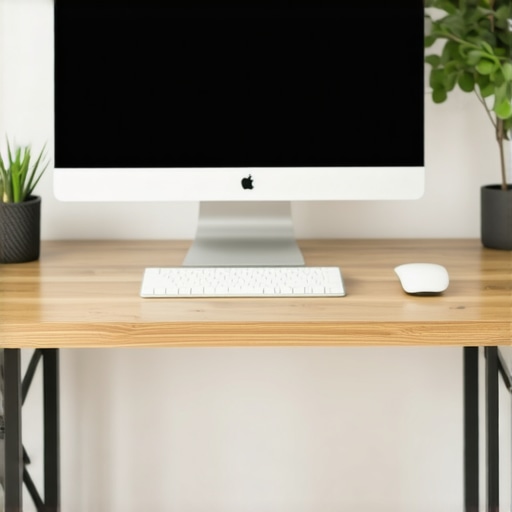 ]A critical mistake many make is neglecting the importance of **dynamic movements** during work hours. Even the best desk setup can become counterproductive if you remain static for too long. Incorporating movements, such as short stretch routines or alternating between sitting and standing, can prevent fatigue and boost circulation. According to a study from the Harvard T.H. Chan School of Public Health, frequent positional changes can reduce the risk of musculoskeletal issues and enhance mental alertness. It’s not enough to set up your workspace once and forget about it; ongoing tweaks are essential for true ergonomic optimization.
Another overlooked nuance involves **the subtle impact of visual ergonomics**. Many focus solely on chair or desk adjustments, but screen positioning plays a crucial role. An improperly placed monitor can lead to neck strain and decreased focus. Positioning your monitor at eye level and about an arm’s length away isn’t just a recommendation—it can actively prevent common issues like shoulder tension and eye fatigue.[] Moreover, believing that tech gadgets alone will solve ergonomic problems leads many astray. For example, integrating [monitor arms](https://homeoffice.techgearshowcase.com/3-monitor-arm-tweaks-to-fix-2026-screen-fatigue-tested) or adjustable keyboard stands can be game-changers when used correctly, but they require proper setup and understanding of your unique body mechanics.
Ever wondered why your productivity wanes despite investing in ergonomic gear? Often, the answer lies in **habits and environmental consistency**. Small habits like regularly updating your workspace setup or taking micro-breaks can compound into significant health benefits and productivity gains.[] As you refine your setup with these nuanced insights, remember it’s an ongoing process. The key is to stay informed and adaptable. Have you ever fallen into this trap? Let me know in the comments.Maintaining an efficient and ergonomic home office requires more than just initial setup; it calls for the right tools and routines to ensure long-term productivity and comfort. One of my top recommendations is investing in a high-quality monitor arm, which I personally use to finely tune monitor height and reduce neck strain during long work sessions. This simple addition allows for seamless adjustments, keeping your visual ergonomics optimal, especially if you switch between multiple screens. Additionally, utilizing digital organization tools like Todoist or Notion helps keep track of maintenance schedules, checklists, and tweaks needed to sustain your setup’s health over time. Regular cleaning supplies such as microfiber cloths and keyboard cleaners are also crucial—they prevent dust buildup that can impair equipment function and longevity. For cable management, magnetic cable channels or sleeves create a clutter-free workspace, reducing distractions and accidental disconnections. Looking ahead, I believe the future of maintaining a productive home office will lean more towards smart sensors that monitor posture and environmental conditions, alerting you when adjustments are needed. How do I keep my setup in top shape? I adhere to a weekly routine that includes inspecting all adjustable components, updating software drivers for efficiency, and cleaning dust from vents and moving parts. Implementing a dedicated tool for routine maintenance—like a checklist app—ensures nothing slips through the cracks. I highly recommend trying out a modular cable management system; these are adaptable and last longer, making ongoing maintenance easier. To learn more about advanced cord and cable organization, check out this detailed guide on [7 magnetic cable spools](https://homeoffice.techgearshowcase.com/7-magnetic-cable-spools-to-fix-your-2026-under-desk-mess). Staying proactive with these tools can transform your workspace into a reliable, long-lasting environment, supporting your productivity day after day.
Over the course of optimizing my workspace, I came to realize that the real improvements often come not from expensive gear but from understanding the subtle nuances that make a difference. The lessons learned from many late-night tweaks taught me that small adjustments can lead to significant relief and productivity boosts, transforming a dull office into a personal sanctuary for focus and creativity. Remember, achieving ergonomic harmony is a journey of continual refinement and listening to your body’s signals. By prioritizing thoughtful modifications over costly purchases, you empower yourself to create a workspace that adapts to your evolving needs, ensuring sustained comfort and efficiency for years to come.
