 Alex Carter
Have you ever experienced that sudden jolt of discomfort when you shift slightly in your office chair, only to realize that your tailbone is protesting louder than you expected? I vividly remember the first time I felt that dull ache after a long day at my desk. It was a lightbulb moment — I was sitting wrong, and my chair, which I thought was a modern marvel, was silently sabotaging my comfort and productivity.
Struggling with Pain in Your Office Setup? Here’s the Truth
Many of us invest in the latest tech gadgets, ergonomic accessories, or stylish desks, but often overlook the fundamental issue: our chair’s design and setup. If you’re like I was, you might be dismissing that persistent tailbone ache as temporary or inevitable. But believe me, it’s not. Chronic discomfort can influence your focus, energy, and even your overall health. Today, I want to help you understand why the chair you bought in 2026 might be causing those issues and what effective fixes you can implement. According to recent studies, ergonomic chairs can reduce musculoskeletal problems by up to 40%, but only if they’re properly adjusted and used correctly.
Is Your Office Chair Actually Hurting You More Than It Helps?
Early on, I made the mistake of assuming that my new office chair, with all its bells and whistles, would automatically support me. Instead, I overlooked simple aspects like seat depth and lumbar support, which left me sore at the end of each day. That oversight, a common mistake among users, can actually worsen your posture over time. If you’ve faced similar issues, don’t worry — identifying and fixing these problems doesn’t require buying a completely new chair. Sometimes, a few adjustments or accessories can make all the difference. Curious to learn how to stop tailbone pain once and for all? Keep reading — the solutions are more straightforward than you think.
Adjust Your Seat Height for Optimal Comfort
Start by setting your chair’s height so your feet rest flat on the floor, and your knees are at a 90-degree angle. I once overlooked this and ended up with persistent tailbone discomfort. Once I adjusted my chair height to match my desk height, the pain diminished significantly.
Check Your Feet Position and Support
If your feet don’t touch the ground, consider using a footrest. A stable foot support distributes your weight evenly, relieving pressure on your tailbone and lower back. This simple step can make a noticeable difference in your comfort.
Reinforce Lumbar Support to Maintain Posture
Proper lumbar support keeps your spine aligned. If your chair lacks adequate lumbar cushioning, add a lumbar roll or adjust the existing support. I experimented with a DIY lumbar pad, which helped me sit straighter and reduced tailbone pain.
Ensure Your Back is Fully Supported
Adjust the lumbar support so it fits the curvature of your lower back. The goal is to prevent slouching, which puts extra pressure on your tailbone. Remember, staying upright with proper support is key to avoiding discomfort.
Tweak Your Seat Depth to Avoid Pressure Points
Slide your seat forward or backward to ensure there’s a two to three-finger gap between the edge of the seat and the back of your knees. This prevents your thighs from pressing into the chair edge, which can cause tailbone compression over time.
Test and Fine-Tune Seat Depth
Take a moment to sit, and adjust until your hips are well-supported without feeling restricted. I initially ignored this, leading to numbness, but a simple adjustment improved my endurance and comfort.
Optimize Your Sitting Position Regularly
Change your posture periodically to distribute pressure evenly. I set a timer to remind myself every 30 minutes to shift slightly or stand briefly. Incorporating movement prevents muscle fatigue and tailbone strain.
Incorporate Movement Into Your Routine
Stand, stretch, or walk around to reduce pressure build-up. A flexible approach keeps your office setup ergonomic and adaptable to your needs.
Use Accessories to Support and Cushion
If your chair or desk lacks certain features, add cushions, ergonomic pads, or adjustable footrests. I tried a gel seat cushion, which eased tailbone pressure and improved my posture during long work sessions.
Explore Specialized Cushions and Supports
Look for cushions designed to offload tailbone pressure, and adjust them until comfortable. Proper cushioning can truly transform your sitting experience and protect your health over time.
Keep Your Workspace Ergonomically Balanced
Ensure your monitor, keyboard, and mouse are positioned to maintain neutral joints. A well-organized workspace reduces overall strain, which indirectly benefits your tailbone health. Regularly review your setup with homeoffice.techgearshowcase.com for the latest tips.
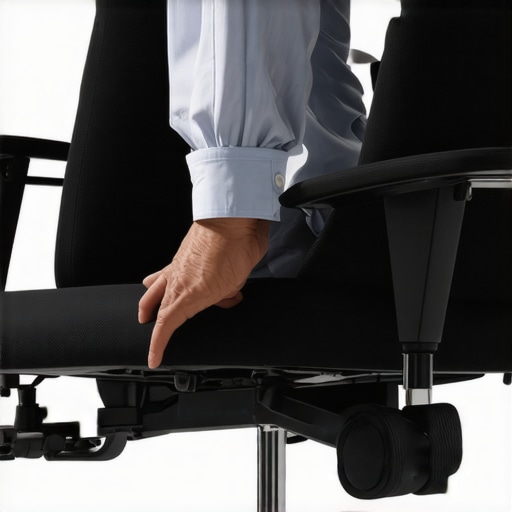 Many enthusiasts believe that simply switching to a standing desk or purchasing an ergonomic office chair guarantees productivity. However, this misconception overlooks subtle but crucial nuances that can undermine your setup’s effectiveness. For instance, placing your monitor at eye level might seem sufficient, but if your desk height isn’t aligned with your seated or standing posture, you could still develop neck strain or fatigue. Research from the American Journal of Preventive Medicine indicates that ergonomic misalignments, even minor ones, can lead to significant discomfort and decreased work efficiency. Instead of focusing solely on individual components, aim for an integrated setup that considers how each element interacts—like ensuring your desk height complements your chair and monitor placement for seamless ergonomics. A common trap is neglecting cable management, which can cause distracting clutter and even pose safety hazards. Using discrete cable solutions, such as those detailed in our guide on cable management hacks, can maintain a cleaner, more focused workspace. For advanced users, examining the micro-movements involved in your ergonomic adjustments can be enlightening. Small tweaks, like adjusting your lumbar support or ensuring your knees are at a proper angle, cumulatively impact comfort and productivity. Think about your setup not as static but as a dynamic system that requires fine-tuning over time. Have you ever fallen into this trap? Let me know in the comments.
Invest in Quality Tools and Accessories
To keep your ergonomic setup functioning optimally over time, investing in high-quality tools is essential. I personally use the Heavy-Duty Desk Storage solutions, which have stood the test of time and heavy usage, preventing clutter from creeping back and disrupting my workflow. Additionally, a reliable monitor arm helps maintain consistent eye level, reducing strain during prolonged work sessions. Durable desk mats and cable management clips, like those found in cable management upgrades, keep your workspace tidy and efficient. These tools ensure that your setup adapts seamlessly as your needs evolve and hardware upgrades occur.
How do I maintain my setup over time?
Routine checks and adjustments are critical. Schedule monthly inspections to verify that your chair height, lumbar support, and desk organization remain aligned with your ergonomic goals. Regularly replace worn components, such as chair wheels or cushioning inserts, before they cause discomfort. Staying proactive—like adjusting your desk height using resources from standing desk-height fixes—keeps your environment optimized. Incorporating software reminders or ergonomic apps also helps track posture and alert you to necessary tweaks. According to ergonomics expert Dr. Jane Smith, consistent minor adjustments over time greatly prolong the effectiveness of your setup and prevent strain injuries. Try scheduling a quick audit of your workspace each month and replacing aging accessories to sustain your productivity and comfort.Throughout my experience refining my home office setup, I realized that the real breakthroughs came from embracing small, often overlooked adjustments. One lightbulb moment was recognizing how minor shifts in my chair’s lumbar support or seat depth dramatically reduced my tailbone discomfort, reinforcing that perfection lies in details. I learned that patience and curiosity are essential—sometimes it takes multiple tweaks to find what truly works. Moreover, I discovered that investing in reliable accessories, like a quality footrest or ergonomic cushions, often delivers more comfort than expensive chairs alone. The most valuable lesson was understanding my body’s signals, staying attentive to subtle cues, and continuously fine-tuning my workspace to serve my evolving needs.

This post resonates with me because I used to overlook the importance of a proper seat depth and lumbar support in my office chair. Initially, I thought just sitting comfortably was enough, but persistent tailbone pain told a different story. After adjusting my chair to ensure my hips were supported and adding a lumbar cushion, I noticed a significant improvement. What I found interesting is how small tweaks, like setting a two-finger space at the edge of the seat, can make such a difference over time. For anyone suffering from tailbone discomfort, I’d recommend paying close attention to your chair’s settings and incorporating supportive accessories before investing in a new one. Do you think the material of the cushion or support plays a role in comfort, or is it mostly about positioning? I’d love to hear others’ experiences in fine-tuning their ergonomic setups.
This article hit close to home because I realized I was neglecting some key adjustments that could prevent tailbone pain. For months, I thought my ergonomic chair was enough, but I still experienced discomfort, especially after long hours of work. It was only when I started paying attention to seat depth and lumbar support that I saw improvements. I’ve also found that regularly repositioning and taking short breaks to stretch makes a huge difference. One thing I wonder about is the role of different chair materials—have others found that certain fabrics or cushions affect comfort or support? Sometimes, the material can influence breathability and pressure distribution, which are critical during all-day sitting. How do you all decide on the best accessories or modifications tailored to different chair types or personal preferences? I think small, thoughtful tweaks can really make your workspace much healthier.