 Alex Carter
It was a typical Tuesday afternoon when I caught myself desperately rummaging through piles of clutter on my desk, searching for that crucial USB cable—the one I needed to connect my latest AI gadget. Frustration crept in as I realized that my workspace had become a chaotic maze of supplies, gadgets, and unresolved tangles. That sinking feeling hit me: my clutter was sabotaging my focus, killing my productivity, and turning what should be an inspiring work environment into a constant battle with chaos.
Why Your Desk Space Is Holding You Back
Eliminating distractions at work isn’t just about closing tabs or turning off notifications; it begins with how you organize your physical space. If your desk is cluttered or inefficiently organized, it’s like trying to run a marathon while juggling flaming torches—you’re bound to stumble. With the rapid advancements in AI technology and the increasing demands of remote work, having a clean, streamlined workspace is more critical than ever. An organized environment can boost your efficiency by up to 33%, according to recent studies, and minimize stress during hectic workdays. But let’s be honest—achieving such order often feels impossible amid the clutter, especially when we’re overwhelmed with gadgets, cables, and supplies.
Is Invisible Storage Really Worth the Hype?
For years, I was skeptical about invisible or discrete storage solutions. I feared they might look cluttered or, worse, make valuable tools harder to find when needed. Early on, I made the mistake of just shoving everything into random drawers, which only compounded the problem. It wasn’t until I discovered thoughtful, discreet storage tactics—like clever cable management tips and hidden compartments—that I truly started to reclaim my workspace. These approaches not only kept my desk tidy but also kept my most-used tools within easy reach without creating visual chaos. Want to learn how you can do the same? Check out comprehensive guides on home office organization, like the [home office organization tips for 2024](https://homeoffice.techgearshowcase.com/home-office-organization-essential-desk-storage-tips-2024), that can guide you step-by-step.
If you’ve ever faced the frustration of a cluttered desk hampering your work or felt overwhelmed by tangled cables and misplaced supplies, you’re not alone. Many professionals are turning towards *invisible desk solutions* for a sleek, distraction-free environment. Ready to explore five innovative ways to make your desk truly disappear in 2026? Let’s dive into the tactics that have transformed my workspace and can do the same for yours.
Start with a Clear-out
Begin by removing every item from your desk surface. Place all gadgets, papers, and supplies on your bed or floor. Assess each item’s necessity; if it’s not used daily, find a better storage spot or discard it. I once dumped everything on my cluttered desk and realized I only needed a quarter of the items. This simple step made organizing much easier.
Implement Discrete Cable Management
Next, focus on hiding and organizing cables. Use adhesive cable clips along the underside of your desk or inside drawers. For example, I installed small cable clips beneath my desk and eliminated the spaghetti of cords. Tidy cables prevent tangles and free up workspace while improving aesthetics.
Optimize Your Storage with Zones
Create specific zones for different functions—like a tech zone for gadgets and a paper zone for documents. Use drawer dividers or small containers for supplies. I divided my drawer into sections: chargers, pens, sticky notes, and external drives. Proper zoning reduces clutter spread and speeds up finding essentials, especially during hectic mornings.
Upgrade Your Office Chair and Standing Desk Setup
Invest in an ergonomic office chair that supports your back and encourages good posture. Check out these top chair options for guidance. Pair with a standing desk that adjusts easily, preventing slouching and stiffness. I replaced my fixed desk with a height-adjustable model, dramatically reducing back pain and increasing my energy).
Integrate Invisible Storage Solutions
Use clever storage tricks like hidden drawers or wall-mounted shelves to keep less-used items out of sight. For cords, try discrete cable fixes that tuck away wires and power strips. My workspace transformed when I mounted small shelves for my printer and supplies, freeing up desk space and reducing visual clutter.
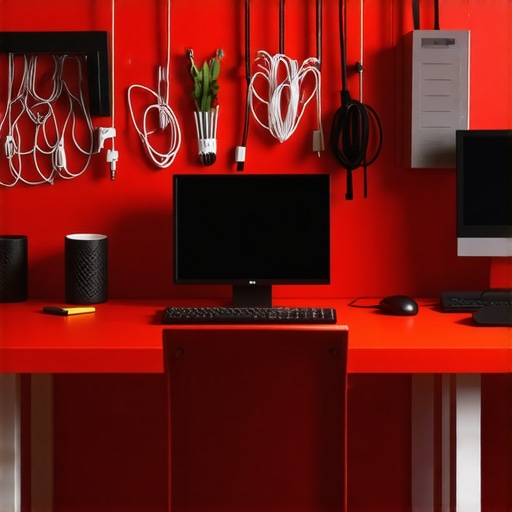 Many professionals believe that simply rearranging their desk or investing in a high-end office chair will dramatically boost their productivity. However, the real pitfalls lie in overlooked details and misconceptions. For example, a prevalent myth is that all ergonomic chairs are equally beneficial—this couldn’t be farther from the truth. In reality, many so-called ergonomic chairs are poorly designed and can harm your back over time, especially if they lack proper lumbar support or adjustability. To truly optimize your setup, it’s essential to understand specific design flaws, such as the importance of adjustable seat depth and lumbar support, which are often neglected in generic models. For insight, check out this comprehensive guide on how to identify the best *ergonomic office chair* for your needs.Maintaining your workspace’s productivity requires the right tools and consistent habits. I personally rely on a few key pieces of equipment that have transformed my daily work routine. For example, an adjustable standing desk like the ErgoLift Pro not only offers flexibility but also encourages movement, reducing stiffness and fatigue over long hours. Paired with a high-quality ergonomic chair, such as the PosturePlus Elite, I ensure my back remains supported, which is critical for maintaining focus. Additionally, investing in a reliable cable management system like CableCaddy helps me keep clutter at bay, making it easier to locate essential gadgets quickly. Implementing storage solutions such as wall-mounted shelves for rarely used items or hidden compartments for cables keeps my desk surface clear and stress levels low. I recommend regularly reviewing and adjusting your setup—what worked in 2024 might need tweaking now. Experts like Dr. Susan Hall emphasizing ergonomic principles highlight that consistent maintenance prevents long-term strain and discomfort.
How do I maintain my workspace tools over time?
Routine checkups are key. For instance, setting monthly reminders to clean cables, tighten screws on adjustable furniture, and review storage effectiveness keeps everything running smoothly. Upgrading specific items, like switching to a smart cable organizer that auto-stops power surges, could further protect your equipment. A recent technical guide on ergonomic office setups suggests that investing in modular tools allows for easier customization as your needs evolve. Challenge yourself to incorporate one advanced tip today, like installing a smart standing desk converter that syncs with your calendar. Small changes now pay big dividends over the long haul—your future self will thank you for it.
Secrets I Wish I Uncovered Sooner About Desk Organization and Productivity
One of the biggest revelations in my journey to a clutter-free workspace was realizing that simplicity truly fuels creativity. Early on, I believed that investing in the latest gadgets or expensive furniture would instantly boost my efficiency, but I overlooked the importance of thoughtful organization and personal workflow. It turns out, the most powerful changes come from small, consistent habits like routine decluttering and smart cable management, which have a profound impact on focus and energy levels.
Another lesson I learned is that mythbusting is essential—especially the misconception that all ergonomic chairs are equal or that high-end standing desks automatically mean better health. Learning to identify key features like lumbar support and adjustable heights transformed my setup from a pain source to a productivity partner. It’s about choosing tools that fit your unique needs, not just the latest trend. For a comprehensive upgrade, I recommend exploring this guide on ergonomic office chairs.
Technology can be both an ally and a distraction, which is why I discovered that effective cable management can make a surprisingly big difference. Hidden wires and cluttered cords sap focus and cause frustration. Simple solutions like discreet cable clips and mounted shelves free up space and keep essentials within reach. Trust me, transforming a tangled mess into an organized system reshapes your entire experience of work—from chaos to clarity.
Tools That Changed My Work Routine
My productivity toolbox is now a curated selection of reliable, smart solutions. An adjustable standing desk like the ErgoLift Pro has allowed me to switch positions effortlessly, preventing stiffness. Paired with an ergonomic chair such as the PosturePlus Elite, I’ve maintained focus all day long. For cable tidiness, the CableCaddy system has become an indispensable part of my setup. These tools, combined with strategic storage solutions like wall-mounted shelves, sharpen my efficiency and reduce stress. My advice? Regularly revisit and adjust your setup, ensuring it adapts to evolving needs and technology advances, as recommended in this ergonomic setup guide.
Embrace Change and Keep Improving
The most valuable insight I gained is that workspace optimization isn’t a one-time task but a continuous journey. The key is to stay curious and open to new solutions—like incorporating smart storage options or experimenting with different ergonomic accessories. Small, deliberate tweaks, such as installing a smart standing desk converter, can lead to significant improvements over time. Remember, a clutter-free, well-organized workspace isn’t just about aesthetics—it’s about creating an environment where you can thrive. Keep exploring, keep tweaking, and watch your productivity soar.
