 Alex Carter
I remember the exact moment I realized my home office was more chaos than productivity. Papers piled high, cords tangled like a wild jungle, and every time I sat down, I felt overwhelmed before I even started working. It hit me — my space mattered. Not just for the aesthetics, but for my focus, energy, and mental clarity. It was a lightbulb moment that prompted a deep dive into what makes a home office truly efficient.
Why the Right Desk and Storage Can Make or Break Your Day
In 2024, the buzz around ergonomic furniture and stylish storage solutions often feels overwhelming, right? But here’s the truth: the right setup doesn’t have to be complicated — it’s about smart choices that support your workflow and well-being. When I upgraded to a standing desk and decluttered with purpose-driven storage, I noticed an immediate boost in my productivity. According to a study by the National Institutes of Health, standing desks can reduce discomfort and improve focus, which is a game-changer for home-based work. After my mistakes early on—like choosing a desk that was too shaky or storage that made everything look cluttered—I learned that investing thoughtfully pays off.
Have You Faced This Same Home Office Nightmare?
If you’ve ever stared at your desk, feeling like it’s sabotaging your productivity, you’re not alone. The good news is, with the right standing desk and storage solutions, you can turn that chaos into calm, and work with purpose and ease. Stay tuned — in the upcoming sections, I’ll walk you through exactly how to create a workspace that fuels your success, minus the overwhelm. Whether you’re just starting out or want to upgrade your current setup, these tips will help you make 2024 your most productive year yet. Ready to transform your home office? Let’s begin.
Build a Foundation with a Functional Desk and Storage
Choosing the right desk is like laying a solid foundation for a house; it must support your work and match your habits. Opt for a standing desk that accommodates your height and workspace needs. During my own upgrade, I selected a height-adjustable model, which I set up in a corner to maximize space, much like arranging furniture in a tight apartment. To keep essentials within reach, incorporate drawer units or under-desk shelves. Use desk storage solutions that keep clutter down, allowing your workflow to flow smoothly. Visualize your desk as a command center, organized to boost efficiency and reduce time wasted looking for items.
Designed for Ease: Think Accessibility and Flexibility
Place frequently used items like your mouse, keyboard, and notepads within arm’s reach. Less reaching means less fatigue and more focus. Organize cables with under-desk trays or clips—imagine them as a jungle tamer, keeping cords tangle-free. During my last setup, I used cable management sleeves, which transformed a spaghetti mess into a controlled flow, saving me minutes daily. Consider stacking vertical storage like shelves or wall-mounted organizers to free up desk space—it’s like adding floors to a building, expanding without expanding your footprint.
Choose Your Hardware with Purpose
Select an ergonomic office chair that supports your back and promotes good posture. During my transition, I tested multiple models, finally settling on one with adjustable lumbar support. Think of your chair as a trusted companion, always ready to support you through long hours. Combine this with a standing desk you can easily switch positions on, improving circulation and reducing stiffness. For more tips on pairing chairs and desks effectively, visit this comprehensive guide. Setting up your workspace ergonomically is like tuning a musical instrument—precision here enhances comfort and productivity.
Implement Smart Organization Hacks
Use drawer dividers or small containers to separate stationery, tech accessories, and personal items. Think of this as creating drawers within drawers—easy to access and hard to lose items. During my own overhaul, I categorized supplies by use and stored infrequently used items in labeled boxes on a shelf, turning disorder into clarity. These simple hacks turn your desk into a command post, minimizing distractions and maximizing focus.
Test and Tweak Your Setup
After assembling your workspace, spend time working in it, noting what feels natural and what causes discomfort. Small adjustments, like changing monitor height or repositioning a keyboard, can make a big difference. Remember, your home office should evolve with your needs, much like a well-tended garden. Keep experimenting until your setup feels intuitive—this iterative process ensures long-term productivity and comfort.
By focusing on tangible changes—selecting the right furniture, organizing thoughtfully, and refining your environment—you transform your chaotic space into a powerhouse of productivity. These steps, rooted in practicality, ensure your home office adapts to your work style, now and for years to come.
Many professionals focus on purchasing the latest ergonomic chair or standing desk, believing these are the secrets to boosting productivity. However, what many overlook are the nuanced mistakes that can undermine even the best equipment. Let’s dig deeper into these overlooked areas and uncover how to truly optimize your home workspace.
Are You Falling for the Storage Myths That Sabotage Efficiency?
There’s a widespread misconception that minimal storage automatically equals better organization. In reality, too little storage can lead to clutter spilling over, negating the benefits of sleek minimalist desks. Conversely, excessive storage can become a black hole for forgotten items, cluttering your workspace and hampering focus. The goal is finding a balanced approach: incorporate smart, purpose-driven storage solutions that keep essential items accessible without chaos. For example, integrating vertical shelves or under-desk drawers can streamline your workflow, reducing search time and mental clutter. In fact, a study by this guide emphasizes designing storage with your specific habits in mind, rather than defaulting to trendy solutions. Remember, the key isn’t excess but intentionality.
Why Standing Desks Can Backfire Without Proper Adjustment
Many assume that simply owning a standing desk will boost health and productivity. But here’s the catch: improper setup can cause more harm than good. Prolonged standing in an incorrect posture can lead to discomfort, joint strain, or even circulatory issues. The nuance lies in adjusting the desk to match your body’s ergonomics and alternating between sitting and standing. For instance, the monitor height should be aligned with your eye level, and the keyboard should allow your elbows to remain close to your body at about 90 degrees. Skipping this fine-tuning can result in a setup that’s awkward and fatiguing, defeating the purpose entirely. Experts suggest periodically reassessing your posture and desk setup—small adjustments can significantly improve comfort. For a comprehensive understanding of ergonomic best practices for standing desks, check out this in-depth guide.
Office Chairs: Are You Choosing for Style or Support?
It’s common to select an office chair based on aesthetic appeal or price, but this oversight can lead to long-term discomfort and even injury. The #1 mistake is focusing solely on appearance, neglecting adjustable lumbar support, seat depth, and overall ergonomics. An ill-fitting chair forces your body into unnatural positions, causing back pain and reducing productivity. The nuance here? Prioritize adjustability and support features that align with your body type and work habits. Investing in a chair that adapts to your movements promotes better posture and sustained focus. Remember, a good chair isn’t a luxury; it’s a foundation for effective work. To avoid falling into this trap, explore options like those discussed in this expert roundup. Have you ever fallen into this trap? Let me know in the comments.”}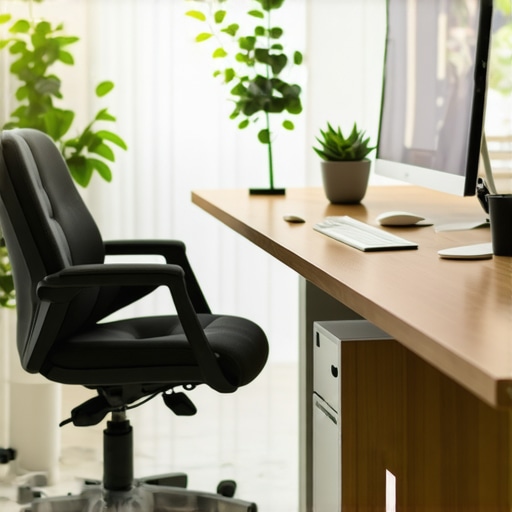 }**
}**
Keep It Working: Tools and Techniques for Longevity
Once you’ve crafted an efficient workspace, the real trick lies in maintaining its functionality over time. Regular upkeep prevents clutter from creeping back in and ensures your ergonomic investments continue to serve you effectively. One tool I personally rely on is a digital task manager like Todoist—it helps me set recurring reminders to clean my desk, check for worn-out cables, or reassess my ergonomic setup every few months. Additionally, investing in quality cable management sleeves and adhesive clips keeps tangles at bay, making daily tidying effortless. As technology advances, consider adopting smart home integration—smart plugs or sensors can alert you when devices need updating or maintenance. Looking ahead, I believe automation and IoT devices will play an even larger role in optimizing home office environments, simplifying maintenance routines and enhancing productivity.
How do I maintain my desk setup over time?
Establishing a routine is key. Schedule monthly quick checks to declutter, inspect for wear and tear, and adjust your setup based on your evolving needs. Keep a checklist of components to review, such as monitor height, chair support, and storage organization. Regularly updating software and firmware for your devices ensures optimal performance. For example, checking that your ergonomic chair’s lumbar support remains effective or replacing worn-out mouse pads can prevent long-term discomfort. Additionally, dedicating time to refine your storage solutions—like utilizing smart organization hacks—keeps your workspace running smoothly. Adopting these habits guarantees that your setup continues to boost productivity for years to come.
Tools I recommend for sustained productivity
Beyond physical gear, software tools are vital. I swear by Todoist for task tracking—its recurring reminders help me stay on top of maintenance routines. For managing cables and clutter, my favorite storage hacks include sleeve clips and adjustable drawer dividers, which I use to keep everything organized and accessible. Breaks are equally important, so I use the Pomodoro Technique with apps like Focus Booster to maintain focus and ensure I step away periodically, preventing burnout. Remember, integrating these tools into your routine ensures your workspace remains efficient and enjoyable. Consider trying one of these tips today—like setting up a monthly workspace review—so your home office stays as productive as the day you first optimized it.
Where is home office organization headed?
The future of workspace maintenance points toward increased automation and AI-driven diagnostics. Imagine a desk that tracks wear and tear or signals when a component needs replacing, dynamically adapting to your work patterns. This proactive approach reduces downtime and extends the lifespan of your equipment. As hardware and software tools become smarter, maintaining an efficient home office will become more intuitive, freeing you to focus on what truly matters—your work. Embracing these innovations now can prepare your setup to thrive in the changing landscape ahead.
Start implementing a regular check-in routine today, perhaps with an advanced tool or simple checklist, to keep your workspace functioning smoothly. Small, consistent actions today lay the foundation for long-term productivity and comfort tomorrow.
Over the years, I’ve learned that creating a home office isn’t just about purchasing the latest gadgets or sleek furniture—it’s about understanding the nuanced lessons that truly make a difference. Here are some insights I wish I had embraced earlier on.
The Surprising Power of Personal Customization in Your Setup
One of the most overlooked truths is that a workspace tailored to your unique habits outperforms any generic setup. I used to follow popular advice blindly, only to find myself uncomfortable and unproductive. Now, I focus on fine-tuning my desk height, chair support, and storage placement until they fit my needs — and the results are obvious. Customization isn’t just luxury; it’s a necessity for sustained comfort and productivity.
Why Less Can Be So Much More—But Not Too Little
There’s a common misconception that minimalist setups automatically lead to better organization. The truth is, inadequate storage can turn neat ideas into clutter chaos. The key is balancing simplicity with purpose-driven solutions that keep daily essentials accessible. I’ve found success by incorporating vertical organizers and modular drawers that grow with my needs, avoiding overwhelm yet maintaining order—making me more agile in my work flow. Check out these smart storage ideas for inspiration.
The Mindset Shift That Transformed My Ergonomic Approach
Owning an ergonomic chair and standing desk isn’t enough—they must work together harmoniously. I used to get frustrated when adjustments felt clunky or ineffective, until I realized that small tweaks in monitor height and foot positioning made all the difference. This awareness prompted me to adopt a mindset of continuous fine-tuning, rather than one-and-done setup. Remember, your ergonomic environment should evolve as you do, preventing long-term discomfort and boosting focus. For detailed ergonomic tips, visit this guide.
How I Discovered the True Value of Routine Maintenance
Building the perfect setup is just the beginning—what truly sustains productivity is regular upkeep. I set monthly reminders to check cable tangle, inspect my chair’s support, and reassess my storage needs. These small habits saved me from unexpected downtime and kept my workspace feeling fresh. Over time, I’ve learned that committing to routine maintenance transforms a good setup into a great one, ensuring it continues to serve your growth. Tools like Todoist help streamline this process and make upkeep effortless.
Resources That Have Guided My Home Office Evolution
Drawing from trusted sources has been invaluable. I highly recommend checking out various tools and guides to craft your ideal environment. For example, this comprehensive guide offers insights into maximizing storage with standing desks, while this ergonomic resource helps tailor your chair and desk choices. Additionally, books like “Deep Work” by Cal Newport have reshaped my understanding of focus and productivity principles, inspiring me to optimize my entire setup.
Take Action and Make It Yours
The journey to a home office that truly works for you is ongoing—every tweak and adjustment is a step toward better productivity and comfort. Investing in thoughtful organization, ergonomic harmony, and routine maintenance pays dividends over time. Remember, the most effective workspace is the one that adapts to your evolving needs, not the one dictated by trends or generic advice. Embrace your unique work style, experiment boldly, and watch your efficiency flourish.
What’s the one change you’re excited to try in your home office today? Let me know below—I’d love to hear about your journey toward creating a space that truly supports your work and well-being.

Reading this post really hit home for me. I used to think that simply buying a fancy standing desk or sleek storage solutions would automatically boost my productivity, but I quickly discovered the importance of fine-tuning and customization. The process of adjusting my monitor height and organizing my cables really transformed my workspace into a place I actually enjoy working in. It’s fascinating how small tweaks can make such a big difference in comfort and focus. One thing I’ve learned over time is that routine maintenance is just as crucial—regularly checking on the condition of your equipment and storage keeps everything running smoothly and prevents unexpected disruptions. I’m curious, how do others ensure their setup stays optimized without becoming a tedious chore? Do you have any practical tips for simplifying routine upkeep and staying motivated to keep your workspace in top shape? I’d love to hear your experiences and suggestions.