 Alex Carter
My Personal Journey to a Better Home Office Setup
When I first started working from home, I quickly realized that my old, uncomfortable desk chair was sabotaging my productivity and causing back pain. I knew I needed an upgrade, but navigating the vast world of ergonomic furniture was overwhelming. After some trial and error, I discovered that choosing the right standing desk and office chair was a game-changer for my daily comfort and focus.
Why I Switched to a Standing Desk — And Never Looked Back
At first, I was skeptical about standing desks, thinking they might be impractical or uncomfortable. However, after consulting reputable sources like Healthline, I learned that they can help reduce sedentary behavior and improve posture. I decided to give it a try, and I opted for a height-adjustable standing desk that allowed me to switch between sitting and standing seamlessly. The difference in my energy levels and back health was immediate and undeniable.
How My Office Chair Became My Daily Companion
While the standing desk was a revelation, I knew I couldn’t stand all day without risking fatigue. So, I invested in a high-quality ergonomic office chair. I looked for features like lumbar support, adjustable height, and breathable fabric. The chair I chose not only provided comfort but also encouraged better posture, which I think is crucial for long hours at the desk. For anyone curious about the science behind ergonomic design, reading OSHA’s ergonomic guidelines gave me some valuable insights.
What Are the Best Standing Desks & Office Chairs for 2024?
After extensive research and personal experience, I found some standout options that I believe are perfect for anyone looking to upgrade their home workspace. For standing desks, the Fully Jarvis and Uplift V2 desks offer excellent stability, smooth height adjustment, and durable build quality. As for office chairs, the Herman Miller Aeron and Steelcase Leap chairs are renowned for their ergonomic features and long-term comfort, which I can personally attest to.
Is It Worth Investing in Ergonomic Furniture?
Absolutely. Investing in ergonomic furniture has transformed my workday — I feel more energized, less tense, and more focused. Plus, it’s an investment in my health that pays off over time. According to a detailed review by CNET, ergonomic chairs and sit-stand desks are essential for anyone spending hours at a desk. If you’re contemplating a home office upgrade, I highly recommend exploring options that prioritize your comfort and health.
How can I personalize my workspace to stay motivated?
Personal touches like plants, inspiring artwork, or even a good-quality speaker can transform your workspace into a place where you enjoy spending your time. I’ve found that small changes make a big difference in maintaining motivation and positive energy throughout the day.
If you’re considering upgrading your home office, feel free to share your experiences or ask questions in the comments below! And don’t forget to check out my comprehensive guide on the ultimate home office setup for 2024.
The Science Behind Ergonomic Workspace Design
Creating an ergonomic home office isn’t just about choosing a fancy chair or a standing desk; it’s about understanding the science of human movement and comfort. Experts emphasize that proper ergonomics can prevent repetitive strain injuries, improve posture, and boost productivity. For example, maintaining a neutral wrist position while typing and ensuring your monitor is at eye level can significantly reduce strain on your neck and wrists. According to the OSHA ergonomic guidelines, integrating ergonomic principles into your workspace design is essential for long-term health and efficiency.
How Can Personal Ergonomic Adjustments Elevate Your Daily Work Routine?
Every individual has unique needs based on body type, work tasks, and preferences. Small adjustments, such as using a footrest, adjusting the height of your monitor, or incorporating lumbar support cushions, can make a significant difference. Personalization allows you to fine-tune your setup to reduce fatigue and discomfort, ultimately leading to better focus and sustained productivity throughout the day.
Integrating Technology for Better Ergonomic Practices
Modern technology offers innovative solutions to enhance ergonomic practices. Sit-stand converter desks, ergonomic keyboard and mouse designs, and even posture-tracking apps can help you maintain correct posture and encourage movement. For instance, using a posture reminder app can prompt you to change position regularly, preventing stiffness and promoting circulation. When considering these tools, it’s crucial to align them with your workflow and space constraints, ensuring they enhance rather than hinder your productivity.
What Are the Practical Challenges of Maintaining Ergonomics in a Dynamic Work Environment?
One of the biggest hurdles is adapting ergonomic principles to a flexible or shared workspace. Home offices often vary in size and layout, making it difficult to set up a perfect ergonomic station at all times. Additionally, fatigue or multitasking can lead to lapses in posture awareness. To combat these challenges, I recommend periodic ergonomic audits and investing in portable or adjustable equipment that can adapt to different environments. Sharing insights and experiences with a community of remote workers can also offer practical tips for maintaining ergonomic standards amidst changing settings.
For more detailed guidance on creating a personalized ergonomic workspace, explore the comprehensive tips and product recommendations at this resource. It covers everything from desk setup to lighting and accessories, helping you craft a workspace that supports your health and productivity.
Beyond the Basics: Navigating the Complexities of Ergonomic Optimization
As I delved deeper into ergonomic design, I realized that optimizing my workspace wasn’t just about selecting the right chair or desk—it was a multifaceted process that required understanding the intricate dance between movement, posture, and individual physiology. For instance, I discovered that even minor adjustments, such as angling my monitor or using a specialized footrest, could significantly reduce fatigue after prolonged hours. This journey into personalized ergonomics revealed that what works for one person might not suit another, emphasizing the importance of ongoing fine-tuning and self-awareness.
The Subtle Science of Movement and Microbreaks
One aspect I underestimated initially was the power of microbreaks—brief moments to stretch, change position, or simply breathe deeply. According to research published in the Journal of Occupational and Environmental Medicine, these small actions can dramatically decrease the risk of repetitive strain injuries and boost mental clarity. I started integrating intentional microbreaks every 20-30 minutes, which not only alleviated stiffness but also refreshed my focus. This practice transformed my work rhythm, making movement an active part of my productivity rather than an interruption.
How Do Personal Differences Impact Ergonomic Effectiveness?
Understanding that each body is unique profoundly changed my approach. My height, limb length, and even my work habits dictated specific ergonomic needs. For example, I found that adjustable lumbar supports were more effective when tailored to my lower back curvature, and I used a monitor arm to achieve the perfect eye level without straining my neck. OSHA’s ergonomic guidelines highlight that customization is key—yet translating this into practical adjustments can be complex. I learned to listen to my body’s signals, adjusting my setup accordingly, which led to sustained comfort and productivity over time.
Integrating Technology for Advanced Ergonomic Feedback
Modern tools can elevate ergonomic practices from static setups to dynamic, responsive systems. I experimented with posture-tracking apps that provide real-time feedback, helping me correct slouching or uneven weight distribution. Additionally, using an adjustable sit-stand converter desk allowed me to seamlessly transition between postures, ensuring I remained active throughout the day. These innovations align with my ongoing quest for a smarter workspace—one that adapts to my needs rather than forcing me to adapt to it. For more insights on creating a tech-enhanced ergonomic workspace, explore the ultimate home office setup guide for 2024.
The Challenge of Maintaining Ergonomics in Real-World Settings
One of the trickiest parts is maintaining ergonomic discipline amidst the unpredictability of daily life. Shared workspaces, fluctuating schedules, and even distractions can lead to lapses. I found that setting reminders, such as alarms or app notifications, helped me stay vigilant. Investing in portable ergonomic accessories, like foldable footrests or adjustable laptop stands, has empowered me to uphold good habits regardless of the environment. Sharing these strategies with a community of remote workers has been invaluable—learning from others’ experiences often sparks new ideas for overcoming practical hurdles.
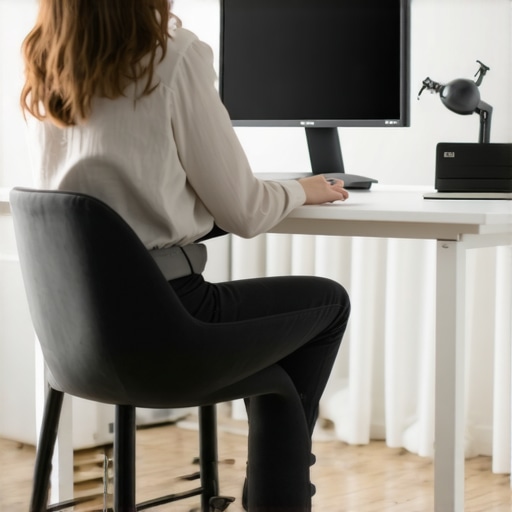
Implementing personalized ergonomic adjustments requires a nuanced understanding of your own body and work patterns. An illustrative image showing a person customizing their workspace with adjustable equipment would complement this section well.
Refining Ergonomic Adjustments for Precision and Comfort
Beyond the foundational setup, fine-tuning ergonomic features requires a keen eye for detail and an understanding of dynamic human movement. For instance, incorporating adjustable lumbar supports that contour precisely to your lumbar curve can prevent fatigue and enhance long-term spinal health. Using tools like ergonomic monitor arms not only allow for optimal eye level positioning but also enable quick adjustments as your tasks evolve throughout the day. This flexibility is critical in creating a workspace that adapts seamlessly to your body’s subtle shifts and postural needs.
How Can Advanced Ergonomic Tech Elevate Your Productivity?
Emerging technologies like smart posture-tracking devices and AI-powered workspace analysis are transforming ergonomic practices from static to intelligent. Devices such as posture sensors can provide real-time feedback, alerting you to slouching or uneven pressure distribution, which are common pitfalls in self-managed setups. According to a 2022 study published in the Journal of Occupational Health Psychology, integrating these intelligent feedback systems significantly reduces musculoskeletal discomfort and enhances focus. Exploring these innovations and tailoring them to your workflow can lead to a workspace that not only supports your body but actively promotes your productivity.
What Are the Nuances of Personal Comfort in Ergonomic Customization?
Personal comfort extends beyond standard ergonomic guidelines; it involves understanding your unique physiology and daily routines. For example, I discovered that alternating between different types of ergonomic tools—such as switching lumbar cushions or using varied keyboard angles—helped me discover the most restful configurations for my body. The key is to listen to your body’s signals and embrace iterative adjustments, which can markedly improve your overall well-being. OSHA’s ergonomic guidelines emphasize this individualized approach, advocating for continuous assessment and adaptation to maintain optimal comfort.
Integrating Ergonomic Principles with Workspace Aesthetics and Functionality
Achieving ergonomic excellence also involves harmonizing functional adjustments with aesthetic considerations. Thoughtfully selected accessories like cable management solutions, customizable lighting, and subtle decor can transform your workspace into an inspiring environment that encourages sustained engagement. For instance, I integrated sleek cable organizers and ambient lighting to reduce visual clutter and promote a calm, focused atmosphere. Such integrations underscore the importance of holistic workspace design, where ergonomics and aesthetics complement each other, fostering both health and creativity.
How Do Micro-Adjustments Contribute to Long-Term Ergonomic Success?
While major equipment choices are vital, the impact of micro-adjustments cannot be overstated. Small modifications—such as angling your keyboard slightly or using a footrest at different heights—can cumulatively prevent strain and discomfort. These micro-adjustments allow for the creation of a highly personalized ergonomic environment, tailored to your evolving needs. Regularly revisiting and refining these details ensures that your workspace remains a dynamic, health-supportive zone rather than a static setup. For a comprehensive dive into these nuanced adjustments, I recommend exploring detailed ergonomic resources linked at this guide.
How Can Ongoing Education and Self-Awareness Sustain Ergonomic Excellence?
Maintaining ergonomic mastery is an ongoing journey rooted in continuous learning and self-awareness. I dedicate time regularly to ergonomic webinars, read latest research, and experiment with new tools to stay ahead of potential discomfort. Developing a habit of self-assessment—such as noting when certain postures cause fatigue—enables proactive adjustments before issues escalate. This proactive approach, combined with community insights and expert advice, ensures my ergonomic setup evolves with my changing needs, ultimately fostering a healthier and more productive work environment.
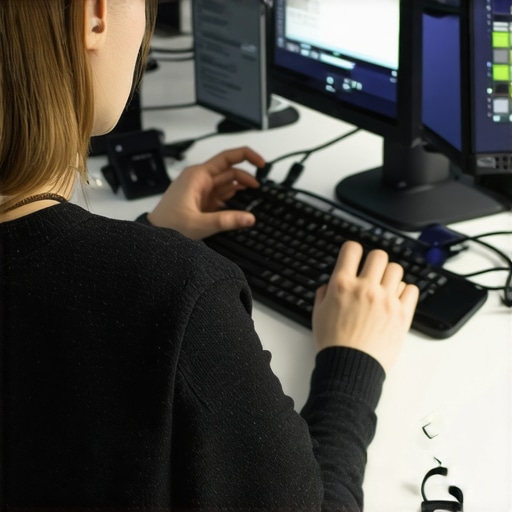
Illustrate a person fine-tuning their ergonomic workspace with high-precision tools, emphasizing adaptability and detailed customization.
Things I Wish I Knew Earlier (or You Might Find Surprising)
The Power of Micro-Movements
One of the most eye-opening lessons I learned was how tiny, consistent movements—like stretching my wrists or shifting my weight—can dramatically improve comfort and reduce fatigue. I used to think only big adjustments mattered, but now I realize that small, regular micro-movements keep my body engaged and prevent stiffness throughout the day.
Personalization Over One-Size-Fits-All Solutions
Initially, I followed generic ergonomic advice, but I soon discovered that what works for someone else might not suit me. Customizing my chair height, lumbar support, and monitor position based on my unique body helped me find a setup that truly felt right. It’s a reminder that ergonomics is deeply personal and worth fine-tuning.
The Hidden Value of Good Lighting
Good lighting isn’t just about aesthetics; it’s essential for reducing eye strain and maintaining focus. I underestimated its importance until I added adjustable, natural light sources and soft ambient lighting. Now, I feel more energized and less fatigued during long work sessions.
Flexibility is Key
Rigid setups can become uncomfortable quickly. Incorporating adjustable desks and chairs allowed me to switch between sitting and standing, which kept me fresh and attentive. Flexibility in my workspace setup has been a game-changer for my overall ergonomic health.
Listening to Your Body Is the Best Guide
Instead of blindly following rules, paying attention to my body’s signals—like discomfort or numbness—helped me make smarter adjustments. This ongoing self-awareness has enabled me to create a workspace that evolves with my needs, preventing long-term issues.
Resources I’ve Come to Trust Over Time
- OSHA Ergonomic Guidelines: This foundational resource provided me with essential principles for ergonomic design, emphasizing personalized adjustments and proper positioning. It’s a must-read for anyone serious about workplace health.
- Healthline’s Ergonomics Articles: Clear, science-backed advice helped me understand the benefits of ergonomic furniture and proper posture. I recommend it for beginners looking to deepen their knowledge.
- CNET’s Best Office Chairs: Their reviews helped me select a chair that balances comfort and support, which has been crucial for my daily productivity and well-being.
Parting Thoughts from My Perspective
Designing an ergonomic home office in 2024 is more than just buying a good chair or desk; it’s about creating a flexible, personalized environment that adapts to your evolving needs. The most valuable lesson I’ve learned is that listening to your body and making micro-adjustments are key to long-term comfort and productivity. If you found this insight helpful, I’d love to hear your thoughts or experiences. Sharing our journeys can inspire others to craft a workspace that truly supports their health and success. Feel free to drop a comment or share this article with someone who might benefit from it.

Reading this post really resonated with my own experience of transitioning to an ergonomic workspace. I used to think that simply having a good chair was enough, but I quickly realized that combining an adjustable standing desk with a supportive chair transformed my daily comfort. One challenge I faced was maintaining proper posture throughout the day, especially when multitasking or feeling fatigued. I found that incorporating micro-adjustments—like changing my monitor angle or using a footrest—made a noticeable difference. Have others found particular tools or routines helpful for staying mindful of ergonomic principles during busy workdays? It’s impressive how small, intentional changes can prevent discomfort and improve focus over time.
This post really hit home for me, especially the part about micro-adjustments. I’ve found that even small tweaks—like adjusting my monitor tilt or adding a lumbar cushion—can make a significant difference in day-to-day comfort. I used to overlook how vital these detailed adjustments are, but I now see they’re key to maintaining good posture and avoiding fatigue over long hours. I’m curious, has anyone experimented with specific ergonomic accessories that they swear by? For me, a footrest and adjustable monitor arm dramatically improved my setup. Also, I wonder how others manage ergonomic discipline when juggling multiple tasks or during quick breaks—do you set reminders, or do you rely on instinct? Personalizing your workspace really seems to pay off, but it’s also a continual process of fine-tuning. Would love to hear about others’ tried-and-true tips for staying ergonomically mindful throughout the busy workday.
This article really hits the nail on the head about the importance of micro-adjustments and personalized ergonomic setups. I’ve found that investing in a good monitor arm and adjustable keyboard tray made a huge difference for me, especially since my work involves long hours at the desk. One thing I’m curious about, has anyone here experimented with posture-tracking apps or wearable tech that gives real-time feedback? I’ve been considering trying one to improve my posture awareness and make micro-adjustments more instinctive. Also, as someone who shares their workspace often, I’d love to hear tips from others on how they keep their ergonomic standards consistent when moving between different setups or in shared environments. The journey toward a perfect ergonomic workspace seems ongoing, but these small tweaks definitely add up to major improvements in comfort and productivity. Would love to hear your experiences and favorite tools for maintaining ergonomic discipline throughout the day.
Reading your experience really resonated with me, especially your point about micro-adjustments. I’ve also found that small tweaks, like adjusting the height of my monitor or adding a lumbar pillow, greatly improve my daily comfort and focus. What’s been a game-changer for me is using a sit-stand desk converter, which allows quick transitions between sitting and standing—helping me stay energized and reduce fatigue. I’m curious, has anyone experimented with different types of ergonomic accessories, like specialized footrests or keyboard trays? Also, maintaining ergonomic discipline can be tricky when multitasking or during brief breaks; I try to set gentle reminders or stretch periodically. What strategies do others use to stay consistent with their ergonomic habits, especially in a busy workday? Sometimes, I think that the key is continuous small adjustments, rather than striving for perfection all at once. Would love to hear more about your experiences or tips for staying ergonomic throughout the workday!
This post really underscores the importance of micro-adjustments and personalization in optimizing a home office. I completely agree that small tweaks, like adjusting monitor height or adding lumbar support, make a huge difference in comfort and productivity. I’ve been experimenting with posture-crompting devices and ergonomic apps lately, and I find that they help me stay aware of my posture, especially during long stretches of work. However, I still struggle to maintain ergonomic discipline when multitasking or during quick transitions, like switching between projects. Do others have tips on how to reinforce ergonomic habits in these moments? I’m also curious about what accessories or routines others have found effective for quick ergonomic checks during a busy day. It seems like continuous self-awareness and small adjustments are key to staying comfortable and injury-free in a dynamic work environment. Would love to hear more about tools or strategies others use to stay on top of their ergonomic health consistently.
Reading about your journey to optimize your home office setup really resonated with me. I particularly relate to the importance of micro-adjustments, like monitor angle and lumbar support, which often get overlooked but can significantly impact comfort. I’ve also started exploring posture-tracking apps and have found them quite helpful in maintaining ergonomic discipline, especially during long work sessions. One challenge I’ve faced is staying consistent when switching between different workspaces or when multitasking; it’s easy to forget some of the adjustments we’ve fine-tuned. Do others find that integrating technology or some kind of reminder system makes a difference? Also, I wonder if anyone has tried adjustable desk accessories that can quickly adapt to different postures or tasks? I’d love to hear your tips or experiences on how you keep your ergonomic habits consistent and effective across various environments—especially when working remotely or in shared spaces. Ensuring long-term comfort still feels like a work in progress for me, but small, consistent tweaks seem to be making a real difference.
Reading this post really resonated with my own journey towards a better home office setup. I agree that micro-adjustments, like monitor height or lumbar support, are often overlooked but can significantly boost comfort during those long work hours. I’ve recently started using posture-tracking apps, and I find that they help me stay mindful and make those tiny tweaks that add up over the day. It’s interesting how such small changes, like a slight tilt of the keyboard or adjusting my chair height, can prevent discomfort and improve focus. I wonder, do others find that integrating smart tech or reminder systems truly helps maintain ergonomic discipline? Also, sharing tips on how to quickly assess and adjust in a dynamic environment would be super helpful. Maintaining consistency and personalized comfort seems like an ongoing process, but small adjustments definitely seem to make a big difference in overall well-being. Would love to hear more about your experiences or recommendations for ergonomic tools that help stay on top of health throughout the workday.
Reading about your journey really struck a chord with me, especially your emphasis on micro-adjustments and how small tweaks can greatly influence comfort and productivity. I’ve also noticed that incorporating adjustable monitor arms and footrests has made a palpable difference in my day-to-day work. One challenge I face is keeping consistent ergonomic habits when I’m juggling multiple projects or under tight deadlines. I’ve found that using productivity or posture reminder apps helps me stay mindful, though I’m curious if anyone else has found particular tools or routines especially effective for maintaining ergonomic discipline in a busy environment? Additionally, I’m intrigued by the idea of portable ergonomic accessories—do any of you use these in shared or dynamic workspaces? Understanding one’s body and making continuous, small adjustments seems key to long-term comfort, especially in a home setting where flexibility is vital. Would love to hear what has worked well to keep ergonomic practices consistent for everyone here.