 Alex Carter
Do you ever find yourself slouching at your desk, fighting to stay focused, and wondering why your home office setup isn’t quite working? I’ve been there. I remember the frustration of trying to cram into a space that didn’t support my work habits, leading to back pain, distraction, and wasted time. That lightbulb moment hit me hard when I realized that a poor choice in desk and chair could sabotage my productivity and well-being. Since then, I’ve learned that investing in the right combo isn’t just a luxury—it’s a necessity for getting work done efficiently and comfortably.
Why Your Home Office Setup Matters More Than Ever
With remote work becoming the norm, your home office is now your primary workspace. According to a study by the American Psychological Association, ergonomic workspace setups can reduce stress and improve focus significantly. Yet, many still struggle with makeshift desks and generic chairs that do nothing to support their posture or workflow. The truth is, a well-chosen desk and chair combo can make a world of difference—transforming your space into a productivity haven rather than a source of discomfort.
But here’s the catch: with so many options out there, how do you pick the right one? I’ve made my fair share of mistakes early on—like choosing a chair because it looked stylish but lacked ergonomic support, or a desk that was too small for my needs. These pitfalls taught me the importance of prioritizing function over form and understanding what truly boosts efficiency. I want to help you avoid those costly errors and get straight to the solutions that work.
Is a fancy setup really worth the hype?
Honestly, I used to think that splurging on high-end furniture was unnecessary. My mistake was underestimating the impact of proper ergonomic support and space optimization. Once I upgraded to a sit-stand desk and an adjustable ergonomic chair, my productivity soared, and my back pain vanished. The key is finding a balance between quality, comfort, and your specific work needs. If you’re skeptical, I get it—sometimes it feels like a gimmick. But I promise, the right combo is a game-changer. Want to see some tried-and-true tips? Check out this guide on must-have home office essentials to start your journey.
So, if you’ve faced the struggle of an uncomfortable, inefficient workspace, you’re not alone. The good news is, with a little knowledge and the right investments, you can turn your home office into your productivity sanctuary. Ready to discover the best desk and chair combos tailored for your needs? Let’s dive into the practical steps to elevate your workspace today.
Identify Your Work Style and Needs
Before choosing any furniture, take stock of your work habits. Do you spend hours at a desk editing videos or writing code? Do you prefer standing or sitting? I once struggled for weeks with a standard desk and chair because I didn’t consider my workload. I realized I needed an adjustable sit-stand desk and an ergonomic chair to match my workflow. This initial step ensures your setup supports your specific tasks, boosting productivity and comfort.
Prioritize Ergonomics Over Aesthetics
Think of your workspace like a well-tuned machine—every part should work together smoothly. An ergonomic chair with adjustable height, lumbar support, and breathable fabric can prevent back pain and fatigue. Pair this with a height-adjustable desk that allows you to switch between sitting and standing. I replaced my old chair with one recommended in this guide, and the difference was night and day. Proper ergonomics isn’t a luxury; it’s a necessity for long-term health and efficiency.
Matching Desk and Chair for Harmony
Imagine a dance where steps must sync perfectly. Your desk and chair should complement each other in height and functionality. For example, if your desk is too low, your shoulders might hunch, leading to discomfort. Conversely, an overly high desk with a low chair causes strain. Use a height-adjustable desk, like those detailed in this comprehensive guide, to find the perfect ergonomic balance. I personally set mine up in the morning, fiddling with the height until my elbows rested at a 90-degree angle, and that tweak improved my posture significantly.
Optimize Your Workspace Layout
Efficiency isn’t just about the furniture; it’s about placement. Arrange your essentials within arm’s reach—keyboard, mouse, notepads, and frequently used tools. Use vertical space for storage, like wall-mounted shelves, to keep your desktop clutter-free. I learned this the hard way when my desk became a magnet for papers and gadgets. After installing a few shelves from this resource, my desk was cleaner, and my focus improved. A tidy, organized setup minimizes distractions and saves time.
Incorporate Flexibility and Adjustability
Flexibility is key. An adjustable chair and a sit-stand desk allow you to change positions throughout the day. I experienced a breakthrough when I started alternating between sitting and standing every 30 minutes. It kept me energized and reduced fatigue. Consider adding accessories like footrests or monitor arms, detailed in this guide, to customize your workspace further. The goal is to make your setup adaptable to your evolving needs, preventing stiffness and boosting productivity.
Invest in Quality for Longevity
Cheap furniture might seem tempting but often leads to discomfort and frequent replacements. Invest in a reputable ergonomic chair and a durable desk. I once bought a budget chair that broke within a year, costing me more in the long run. Upgrading to a high-quality model from this selection was a game changer. Quality furniture not only lasts longer but also provides consistent support, making your work hours more comfortable and productive.
Test and Tweak Your Setup Regularly
Your ideal setup isn’t static. Regularly assess comfort and efficiency, making small adjustments as needed. I schedule a quick check every month, tweaking my monitor height or repositioning my keyboard. This iterative process ensures your workspace adapts to your changing needs, minimizing discomfort and maximizing output. Remember, a well-tuned workspace is a continuous project, not a one-time fix.
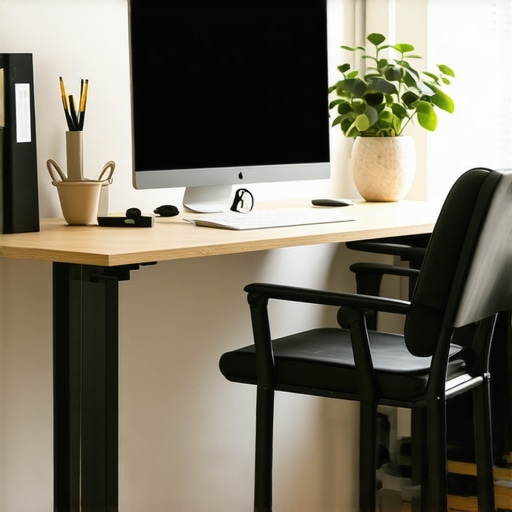
Many people assume that investing in high-end ergonomic chairs and adjustable desks is an unnecessary luxury or just a trend. However, the real nuance lies in understanding that not all ergonomic furniture offers the same benefits, and choosing the wrong features can lead to overlooked pitfalls. For instance, some popular misconceptions are that all adjustable desks are equally effective or that budget chairs can substitute for premium ergonomic models. In my experience, the key is to look beyond brand names and focus on features like lumbar support, adjustable height, and material quality, which directly impact comfort and health over time.
One common trap is believing that a one-size-fits-all solution works for every workspace. The reality is, ergonomic needs vary significantly based on individual body types, work habits, and even the space available. For example, a tall person might need a sit-stand desk with a higher maximum height, while someone with back issues should prioritize lumbar support. Often, people overlook these nuances and settle for generic furniture, which can cause discomfort and reduce productivity. To avoid this, I recommend testing different setups when possible or thoroughly researching options that match your specific needs, like those described in this guide.
What advanced mistakes do many home office setups overlook?
The hidden nuance that many miss is the importance of dynamic ergonomics—meaning, furniture that adapts to your changing posture throughout the day. Most assume that a single chair and desk setup is sufficient, but in reality, your body benefits from variability. For example, using a monitor arm to adjust screen height and angle, or incorporating a footrest, can make a significant difference. Plus, neglecting proper cable management or storage solutions can turn an initially ergonomic setup into a cluttered, stressful environment, reducing the benefits of your investments. Scientific studies, such as those summarized by the National Institutes of Health, confirm that flexibility in your workspace leads to better posture, reduced fatigue, and increased focus.
Moreover, many people overlook the importance of regular reassessment. Your ergonomic needs evolve over time as you gain experience and as your work tasks change. For instance, adding a monitor riser or switching to a different chair model after a few months can prevent discomfort from becoming chronic. Remember, optimizing your home office isn’t a one-time task but a continuous process of testing and tweaking. This proactive approach ensures sustained comfort and productivity, making your setup a true asset rather than a liability.
Have you ever fallen into this trap? Let me know in the comments.
Once you’ve invested in a high-quality ergonomic desk and chair, the next crucial step is ensuring they stay in top condition over time. Regular maintenance not only prolongs the lifespan of your furniture but also guarantees that your workspace continues to support your health and productivity effectively. In this segment, I’ll share the specific tools, routines, and software I personally rely on to keep my home office setup optimized and functioning smoothly.
Keep Your Furniture in Prime Condition with the Right Tools
To maintain my ergonomic chair, I use a simple set of tools: a small Allen wrench set and a silicone-based lubricant. The Allen wrenches are essential for tightening loose bolts on adjustable parts. I make it a habit to check and tighten these every few months, especially after frequent adjustments. The lubricant helps keep moving parts like reclining mechanisms smooth and prevents squeaking. I personally prefer silicone-based lubricants because they are less messy and more durable than oil-based options. Regularly inspecting and maintaining these components prevents sudden failures and ensures continuous comfort.
For my desk, I rely on microfiber cleaning cloths and gentle disinfectant sprays to keep surfaces dust-free and hygienic. This is especially important if your workspace is shared or if you have allergies. A clean workspace not only feels better but also reduces wear on surfaces, extending their usability.
Leverage Software for Long-Term Workspace Health
Beyond physical tools, I use software solutions to monitor and improve my workspace habits. For example, I employ a posture reminder app that nudges me to adjust my sitting position every 30 minutes. These gentle alerts help prevent stiffness and promote better ergonomics over weeks and months. Additionally, I track my sitting and standing times with a simple app to ensure I adhere to my preferred routines, which are recommended in this guide.
Predicting future trends, I believe AI-powered ergonomic systems will become more common, offering real-time feedback and adjustments based on body sensors. This integration could further personalize and simplify workspace maintenance, making it easier to sustain long-term health benefits.
How do I maintain my setup over time?
My approach involves scheduled check-ins—every three months, I dedicate a few minutes to inspect and tweak my furniture. I also stay updated with the latest ergonomic research and product reviews through trusted sources like this resource. Implementing small, consistent maintenance routines, combined with the right tools and software, ensures my workspace remains a productive sanctuary for years to come. I encourage you to try one of these maintenance tips today—like tightening your chair bolts or setting posture reminders—and see how it transforms your long-term comfort and efficiency.
Now that you’ve invested in ergonomic furniture and optimized your workspace layout, the real secret lies in ongoing refinement. The most successful remote workers understand that a home office isn’t a set-it-and-forget-it space; it’s a living environment that evolves with your work habits and body needs. Regularly tuning your setup, staying informed about new ergonomic innovations, and maintaining a proactive mindset can turn your home office into a true productivity sanctuary that supports you for years to come.
The Hardest Lesson I Learned About Creating a Home Office Sanctuary
- Don’t underestimate the power of small adjustments: I used to think that once my desk and chair were set up, that was it. But I realized that tiny tweaks—like adjusting monitor height or changing footrest angles—had a massive impact on my comfort and focus. The lesson? Never dismiss the importance of fine-tuning your workspace regularly.
- Ergonomics is a journey, not a destination: What works for me today might not be ideal in six months. I learned to listen to my body, making changes based on fatigue or discomfort, rather than sticking to a rigid setup. This adaptability is key to long-term health and productivity.
- Invest in quality, but stay curious: Upgrading to a high-quality chair was a game-changer, but I also stayed open to experimenting with new accessories like monitor arms or under-desk footrests. Innovation and curiosity keep your workspace fresh and functional.
- Consistency beats perfection: Routine maintenance, like tightening bolts or cleaning surfaces, keeps everything in top shape. I schedule quick check-ins every few months to prevent small issues from becoming big problems and to maintain my workspace’s longevity.
My Essential Toolkit for a Long-Lasting Home Office
- Toolbox with Allen wrenches and silicone lubricant: These are my go-to for quick furniture adjustments and maintenance. Trust me, a small investment here prevents bigger headaches later.
- Microfiber cleaning cloths and gentle disinfectants: Keeping surfaces dust-free enhances hygiene and furniture longevity, especially in shared spaces.
- Posture reminder app: Technology helps me stay aware of my habits. Regular nudges to adjust my sitting or standing position keep discomfort at bay.
- Educational resources: Staying updated with guides like this ergonomic guide ensures my setup evolves with the latest insights and innovations.
Your Turn to Elevate Your Workspace and Thrive
Creating a home office that truly supports your productivity and well-being is an ongoing adventure filled with learning and experimentation. Remember, every small improvement adds up to a more comfortable, efficient, and inspiring environment. Embrace the process, stay curious, and make your workspace a reflection of your best self. Ready to start tweaking your setup today and see the difference it makes? Share your experiences or questions below—I’d love to hear your journey toward an ideal home office!
