 Alex Carter
I remember the unmistakable moment when I realized my sleek standing desk had become a tangled jungle of cables. It was a chaotic mess, wires crisscrossing like vines, making every adjustment a frustrating tug-of-war. My productivity plummeted because searching for that one right cable felt like navigating a maze. That lightbulb moment made me realize something: an organized cable management system isn’t just for neat freaks—it’s essential for a functional workspace.
Why Cable Chaos Wrecks Your Focus and Efficiency
Most of us ignore the clutter lurking beneath our desks until it becomes a daily distraction. Tangled cables not only look unsightly but also cause accidental disconnections, tripping hazards, and even damage to your equipment over time. According to a recent study published in Workplace Health & Safety, cluttered workstations can decrease productivity by up to 25%, forcing you to spend valuable time untangling wires or hunting down misplaced chargers. Having faced this myself, I can vouch that the solution isn’t just cleaning your desk—it’s rethinking how you hide and organize those cables, especially on a standing desk which is more prone to movement and cable strain.
Have you ever battled a mountain of wires that slows you down?
Early on, I made a costly mistake by relying solely on adhesive clips that fall off over time. It seemed simple, yet my cables kept slipping loose, creating more mess. That taught me a crucial lesson: investing in a dedicated vertical cable spine system transformed my setup into an efficient, clutter-free space. Curious how I did it? Stay tuned, because in the following sections, I’ll cover exactly how to choose and install the perfect cable spine for your 2026 standing desk, making clutter a thing of the past. Plus, I’ll share some expert tips to ensure your cables stay organized, safe, and accessible.
Plan Your Cable Pathways First
Before grabbing any clips or sleeves, visualize your workspace. Think of your cables as water pipes—plan smooth routes that avoid sharp bends, ensure accessibility, and reduce strain on connectors. I once spent an evening sketching my desk layout, mapping out optimal cable routes that kept wires hidden yet reachable. This proactive step prevents future tangles and makes installation straightforward.
Choose the Right Cable Organizers
Select tools tailored for your setup: cable sleeves for bundling, vertical cable spines for standing desks, and modular clips for flexibility. I replaced my adhesive clips with a set of modular clips which snapped into place and held up under movement, greatly reducing slack and mess. Think of these as the joints of your cable skeleton—strong, adaptable, and discreet.
Integrate a Vertical Cable Spine
Installing a cable spine is like adding a backbone to your setup. Mount it along the edge or behind your standing desk, guiding all cables securely upward or downward. During my own upgrade, I used a vertical spine to hide bulky power cords, which made my workspace look sleek and minimized accidental pulls. Secure it with screws or velcro strips, ensuring it can withstand movement and weight.
Implement Cable Clips and Tie Downs Strategically
Fasten cables to your desk surface and monitor stands with clips, especially at points where wires tend to sag or tangle. Use tie downs to secure excess length, preventing wires from dangling or getting caught. I learned that every loose wire increases the risk of disconnection and clutter. Regularly inspect and adjust these clips as your setup evolves, maintaining a tidy environment.
Hide Power Bricks and Excess Cords
To avoid clutter, place power adapters and bricks inside drawers or dedicated under-desk containers. Use hidden storage solutions to keep bulky components out of sight. When I moved my power strips into a modular bin beneath my desk, I freed up surface space and reduced cable visibility, creating a cleaner and more streamlined aesthetic.
Regular Maintenance and Adjustments
Organization isn’t a one-time task. Schedule weekly checks to re-route any new cables and tighten loose clips. As your setup changes—adding new devices or repositioning your monitor—update your cable pathways accordingly. I found that minor tweaks every few weeks saved me from major tangles and kept my workspace efficient.
Leverage Hidden Channels and Under-Desk Storage
Incorporate adhesive cord channels along the back or base of your desk to conceal wires, especially if your desk has a clean glass surface. Use magnetic storage trays or drawers for easy access to frequently used cables, reducing clutter on top. During my recent upgrade, consolidating all power strips into a single hidden channel significantly improved airflow and aesthetics.
Keep It Accessible and Flexible
Design your cable management system so you can easily add or remove cables. Use Velcro straps instead of zip ties, which are easier to adjust. Remember, a flexible setup ensures you won’t be discouraged from upgrading or rearranging your workspace. I maintained a few loose loops with velcro straps, which allowed quick reconfiguration without mess.
Many professionals assume that investing in a high-end office chair or a fancy standing desk automatically translates to better comfort and productivity, but the truth is far more nuanced. For example, a popular myth is that a reclined office chair always supports your back perfectly. In reality, frequent incorrect recline angles can lead to pelvic tilt issues, which in turn cause lower back fatigue. To avoid this, consider small adjustments such as pelvic tilt corrections, which are often overlooked but are crucial for maintaining a healthy posture during long work hours. You can find detailed guides on pelvic tilt fixes that can make a significant difference.
Are you sure your posture habits are actually helping or harming your back?
Another common misconception revolves around standing desks. Many believe that simply switching from sitting to standing is enough to boost productivity and reduce fatigue. However, without proper height adjustments, you risk wrist strain and neck discomfort—issues that many don’t realize are linked to incorrect desk height, not just posture. Studies, including those summarized in standing desk height fixes, emphasize that fine-tuning the height can dramatically improve comfort and focus. Oversights like ignoring these small yet pivotal details can turn an ergonomic upgrade into a productivity drain. So, have you checked your workspace against these advanced tips recently? Let me know in the comments.
Maintaining an efficient workspace requires more than just initial organization; it demands consistent upkeep with the right tools and practices. Personally, I rely on a combination of specialized equipment and software to keep my office gear operating smoothly and my setup scaled for growth. Investing in quality tools not only streamlines my daily routine but also future-proofs my environment against clutter and technical issues.
Investing in Precise Cable Management Tools
For my cable organization, I swear by magnetic cable spools, such as magnetic cable spools. They allow me to bundle wires neatly, and their magnetic feature makes adjustments quick and secure. I’ve found that having a dedicated pre-cut set of cable sleeves and magnetic clips simplifies routine reorganization, especially when adding new peripherals or repositioning equipment.
Software for Monitoring and Alerts
Beyond physical tools, I depend heavily on software to maintain optimal performance. Using network monitoring apps like NetLimiter helps me identify and prevent bandwidth bottlenecks, ensuring I don’t face lag during critical deep work sessions. Additionally, desktop management tools like DisplayFusion empower me to fine-tune monitor configurations, prevent eye strain, and quickly reset display presets after physical adjustments. These small software investments significantly reduce disruptions and help sustain productivity over long periods.
Long-Term Results through Routine Checkups
Regular maintenance isn’t complete without scheduled reviews. I set a weekly reminder to examine my cable routes for slack or wear, dust off dusty equipment, and evaluate whether my setup still aligns with my evolving tasks. This proactive approach catches issues before they escalate, ensuring that my workspace remains a reliable hub for work and creative endeavors. As I’ve learned from experts like office ergonomics specialists, consistent adjustments keep furniture and tech aligned with ergonomic best practices, reducing fatigue and discomfort over time.
Scaling Your Setup Without Chaos
As your equipment and demands grow, so should your organizational systems. Modular storage solutions like modular bins allow easy integration and reconfiguration, preventing clutter from becoming a bottleneck. Transitioning from a cluttered desk to a scalable setup is achievable with these adaptable components, transforming your workspace into a future-proof environment.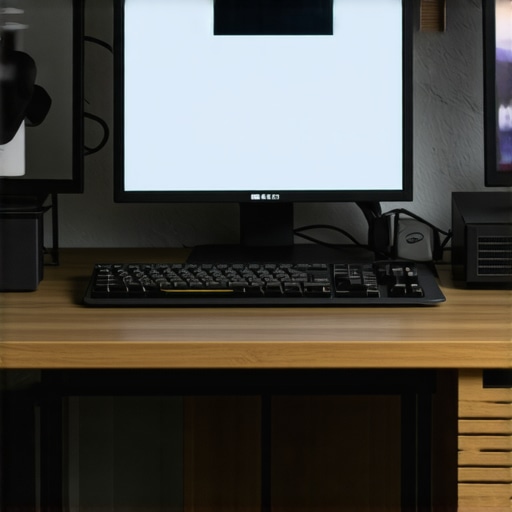
For example, investing in a dedicated charging hub equipped with smart organization features can keep cables and devices streamlined, reducing downtime and interruptions. My advice? Pick tools explicitly tailored to your needs and revisit your setup weekly to keep things running.
Prompted by the evolving landscape of remote work, I predict more intelligent cable management and ergonomic automation tools will emerge in the next few years, further reducing manual upkeep. But the secret remains: consistent, intentional maintenance with purpose-built equipment is your best defense against chaos.
How do I keep my office system in top shape over time?
One key method I recommend is adopting a routine involving both physical and digital checks. Regularly reviewing your cable routing with tools like magnetic cable spools, updating software settings, and scheduling ergonomic assessments can extend your setup’s lifespan and improve your health. Remember, small habits yield substantial long-term benefits—start by incorporating one new maintenance tool or check into your weekly routine today and experience the difference.
The Hardest Lesson I Learned About Office Ergonomics and Cable Chaos
One of my toughest lessons was realizing that even the most ergonomic chair or stylish standing desk won’t compensate for unmanaged cables or poor posture habits. I used to think that investing in high-end equipment was enough, but I overlooked the importance of routine maintenance and mindful setup adjustments. That lightbulb moment made me understand that consistency in organization and ergonomic tweaks is essential for sustained productivity and health.
My Toolkit for a Future-Proof Workspace
Over time, I’ve curated a set of trusted tools that truly make a difference. Magnetic cable spools, like the magnetic cable spools, help me bundle wires effortlessly while allowing quick adjustments. For ergonomic monitoring and alerts, tools like DisplayFusion keep my monitor setup optimized, preventing unnecessary eye and neck strain. These resources have helped me create a flexible, tidy environment that adapts to my evolving needs.
Keep Moving and Fine-Tuning Your Setup
The true secret lies in regular, conscious upkeep. Weekly check-ins for cable routing, ergonomic assessments, and software updates ensure my workspace remains efficient and comfortable. Small habits—like re-evaluating cable pathways or adjusting desk height using standing desk height fixes—compound over time, preventing discomfort and chaos. Consistency is your best ally in maintaining a productive, health-conscious environment that grows with you.
How Have You Personalized Your Workspace for 2026?
Every workspace reflects its owner’s unique needs and habits. Whether it’s customizing cable routes, selecting specific storage solutions, or adjusting ergonomic settings, your approach can dramatically impact daily comfort and efficiency. What’s the one change you’ve made recently to improve your home office setup? Share your experience below—let’s learn and grow together!
